
 Arabic
  English
  Turkish
  Chinese
  Japanese
  Russian
  Spanish
  German
  French
  Hindi
Hindi Download MaximizeToVirtualDesktop 0.0.6 for Windows

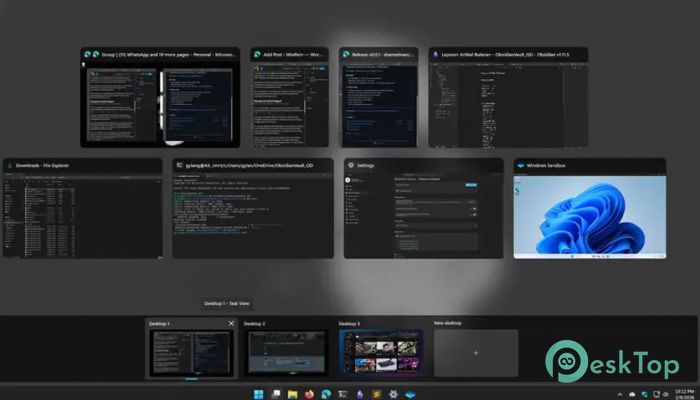
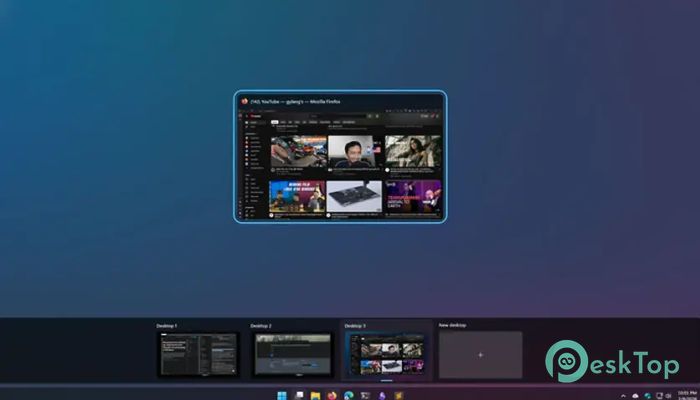
Download MaximizeToVirtualDesktop 0.0.6 for Windows.
MaximizeToVirtualDesktop Overview
It is designed for people who love a clean and focused workspace. On macOS, clicking the green button opens a window on its own desktop, giving you a distraction-free view. This tool brings that same smooth experience to Windows 11. With a simple trigger, your active window moves to a brand-new virtual desktop and fills the screen. When you close it, un-maximize it, or press the hotkey again, everything goes back to normal. The window returns to its original desktop and size, and the temporary desktop disappears as if it were never there.Features of MaximizeToVirtualDesktop
macOS-Style Focus on Windows
If you have ever used a Mac, you know how satisfying it feels to press the green button. One click, and the app gets its own space. Now you can enjoy that same idea on your PC. The tool mimics that behavior perfectly while remaining fully compatible with Windows 11’s virtual desktop system.
Instead of just stretching a window across your screen, it gives it breathing room. Think of it like moving from a noisy coffee shop to a quiet study room. You are still in the same building, but the atmosphere changes completely.
How It Works in Real Life
Using it is simple. Trigger the assigned hotkey while a window is active. Instantly, the foreground window is moved to a brand-new virtual desktop and maximized. No extra clicks. No complicated setup. Just one smooth action.
When you are done, you have options. Close the window, un-maximize it, or press the hotkey again. The software then restores everything. The window returns to its original desktop and size, and the temporary desktop is automatically removed. It is clean, automatic, and seamless.
Clean and Temporary Virtual Desktops
Windows 11 already supports multiple desktops, but managing them can sometimes feel messy. This utility keeps things tidy by creating a desktop only when you need it. Once the task is complete, that extra space disappears.
This temporary approach prevents desktop clutter. You do not end up with five unused desktops sitting around. It is like borrowing a spare room for a meeting and locking it afterward.
Boosting Productivity Without Complexity
Multitasking can get overwhelming. Notifications pop up. Background windows flash. Tabs multiply. By isolating a window in its own desktop, you instantly reduce distractions.
Writers can focus on documents. Developers can dive into code. Designers can refine details without interruptions. The tool acts like blinders for your digital workspace, helping you concentrate on one task at a time.
And the best part is that you do not need to learn a new system. It integrates directly with Windows 11’s built-in virtual desktops, so everything feels native and natural.
Lightweight and Efficient Performance
No one wants software that slows down their system. This utility is lightweight and optimized to work quietly in the background. It uses minimal system resources and does not interfere with other applications.
Because it only activates when triggered, it does not constantly consume processing power. It waits patiently, like a helpful assistant ready to step in when you need it.
Custom Hotkey Support
Flexibility matters. You can assign a hotkey that fits your workflow. Whether you prefer a simple keyboard shortcut or a combination that feels natural, the tool adapts to your habits.
This customization makes it easy to integrate into daily tasks. Once you build the habit, maximizing a window to its own desktop becomes second nature.
Perfect for Modern Workflows
Remote work, online meetings, research, coding, and content creation often require deep focus. Switching between tasks quickly while maintaining clarity is essential.
This solution allows you to create an instant focus mode. Need to analyze data in Excel? Send it to its own desktop. Reviewing a PDF? Give it private space. Watching a tutorial while coding? Toggle between dedicated environments smoothly.
It turns your computer into a set of organized rooms instead of one crowded hall.
Seamless Restoration System
One of the strongest features is its intelligent restoration. When the isolated window session ends, everything returns to exactly how it was. The original desktop layout remains untouched.
You do not have to manually rearrange windows. You do not have to delete extra desktops. The software handles cleanup automatically, ensuring a smooth, stress-free workflow.
User-Friendly Design
Even beginners can use it comfortably. There are no complicated menus or advanced configuration steps required to get started. Install it, set your hotkey, and begin working smarter.
The design philosophy is simple: do one thing and do it well. By focusing on a single powerful feature, the tool delivers a polished and reliable experience.
System Requirements and Technical Details
Operating System: Windows 11
Processor: Minimum 1 GHz Processor (2.4 GHz recommended)
RAM: 2GB (4GB or more recommended)
Free Hard Disk Space: 200MB or more is recommended

-
Program size37.65 MB
-
Version0.0.6
-
Program languagemultilanguage
-
Last updatedBefore 7 Month
-
Downloads22
 Reuschtools ClassicMenu
 AI Aquarium Screensaver
  Rainmeter
 Rainlendar Pro
 N-Button Pro
 Stardock DeskScapes