
 Arabic
  English
  Turkish
  Chinese
  Japanese
  Russian
  Spanish
  German
  French
  Hindi
Hindi Download MS Word Print-Path Automator 1.0 for Windows
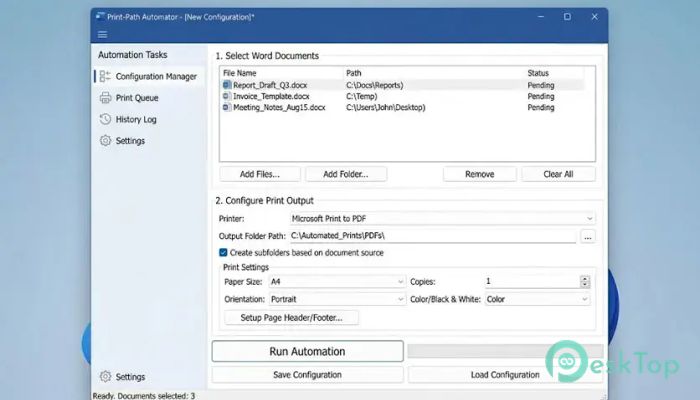
Download MS Word Print-Path Automator 1.0 for Windows.
MS Word Print-Path Automator Overview
Managing printed documents can become difficult when files are shared across departments, folders, and storage locations. This tool solves that problem by automatically inserting the file path into the footer whenever a document is printed. As a result, users can quickly identify the source of a printed file, making document tracking simple and reliable. Built using VBA technology and delivered through an easy-to-install package, the software works seamlessly with Microsoft Word. It helps offices maintain better document control without changing the appearance or content of the original file.Features of MS Word Print-Path Automator
Automatic File Path Printing
One of the most useful features is its ability to automatically print the full file path in the footer. Think of it as adding a digital fingerprint to every printed document. Whenever someone receives a hard copy, they can immediately locate the original source file.
This process happens automatically during printing, eliminating the need for manual edits. Users can continue working normally while the tool handles document traceability in the background.
Improved Document Traceability
In busy office environments, printed files often travel between departments, teams, and archives. Without proper identification, finding the original document can be like searching for a needle in a haystack.
The software ensures that every printed page contains clear location information. This makes it easier to retrieve the latest version, verify document sources, and reduce confusion when multiple copies exist.
Clean and Professional Footer Integration
No one wants large watermarks or distracting text on important business documents. The tool solves this issue by placing path information in a clean and non-intrusive footer section.
The printed path remains visible when needed while keeping the document professional and easy to read. It blends naturally into existing page layouts without affecting the main content.
Batch Printing Capabilities
Printing a large number of files can be time-consuming when handled one by one. The software simplifies this task by allowing users to batch print multiple Word documents from a selected folder.
This feature is particularly useful for administrative teams, legal departments, educational institutions, and businesses that regularly process large document collections.
Easy Installation and Deployment
The solution comes with an Inno Setup installer that makes deployment straightforward. Users can install it quickly without dealing with complicated configurations or lengthy setup procedures.
Organizations can roll out the tool across multiple workstations with minimal effort, helping to maintain consistent document-tracking practices throughout the workplace.
Seamless Microsoft Word Integration
The software works directly within Microsoft Word through a global template. Because it operates inside a familiar environment, users do not need to learn a new application.
Everything happens behind the scenes, allowing employees to continue using their normal printing workflow while benefiting from enhanced document management features.
Time-Saving Automation
Manual document labeling can consume valuable time, especially when handling hundreds of files. The tool automates the entire process, reducing repetitive tasks and improving productivity.
Instead of manually adding location details before printing, users can focus on more important work while the software handles identification and tracking.
Ideal for Business and Administrative Use
Many organizations rely on printed records for compliance, auditing, documentation, and internal communication. Having the source path available on every printed copy creates an extra layer of accountability.
This capability helps staff quickly locate original files, improves document control, and supports efficient record management across departments.
Reliable and Lightweight Performance
The software is designed to perform efficiently without slowing down Word or affecting daily operations. Its lightweight structure ensures smooth performance even when processing large volumes of documents.
Since it focuses on a specific task, it remains simple, dependable, and easy to maintain in professional environments.
Enhanced Workflow Management
Good document management is like having a roadmap for your files. When every printed page includes its source location, teams can navigate document archives more efficiently.
The result is faster file retrieval, reduced errors, and better organization throughout the entire document lifecycle.
System Requirements and Technical Details
Operating System: Windows 11 / 10 / 8.1 / 7
Processor: Minimum 1 GHz Processor (2.4 GHz recommended)
RAM: 2GB (4GB or more recommended)
Free Hard Disk Space: 200MB or more is recommended

-
Program size1.41 MB
-
Version1.0
-
Program languagemultilanguage
-
Last updatedBefore 3 Month
-
Downloads12
 CoolUtils PDF Combine
 NAPS2 - Not Another PDF Scanner
 FocusWriter
 Atlantis Word Processor
 AI Offline OCR Scanner Pro
 Xappex XL-Connector