
 Arabic
  English
  Turkish
  Chinese
  Japanese
  Russian
  Spanish
  German
  French
  Hindi
Hindi Download Navidrome 0.59.0 for Windows
Download Navidrome 0.59.0 for Windows.
Navidrome Overview
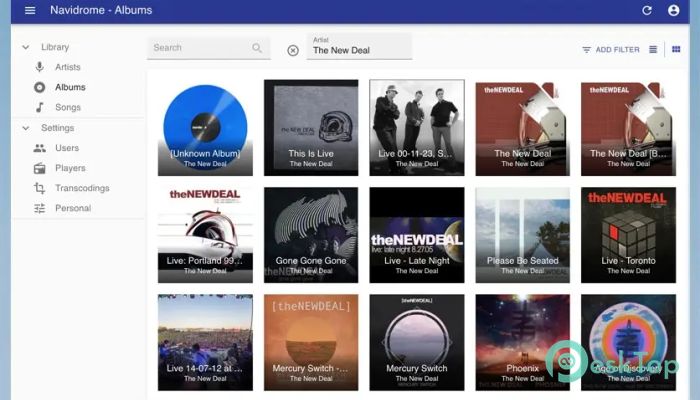
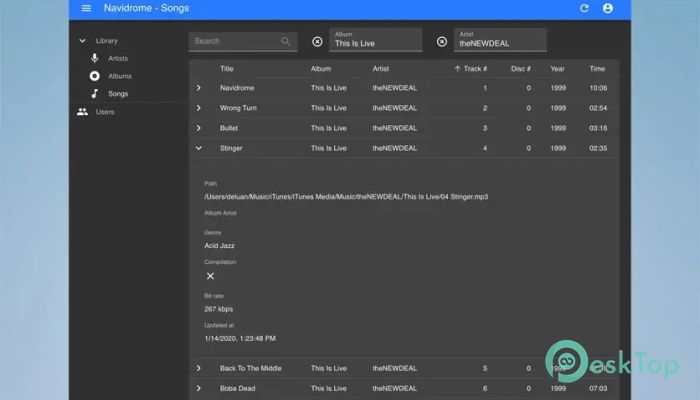
It is designed for people who want complete control over their own music collection. Instead of relying on paid streaming platforms, you can stream songs directly from your own storage. Once installed, it scans your music folders, organizes everything neatly, and presents it through a clean web interface. You can open it on your computer, phone, or tablet without any complicated setup. How the software works The tool operates as a personal music server, running quietly in the background. It indexes all audio files stored on your hard drive and builds a searchable library. Artists, albums, genres, and tracks are arranged automatically, making browsing smooth and fast. You do not need advanced technical knowledge to use it, as the interface stays simple and easy to understand.Features of Navidrome
Modern web-based music player
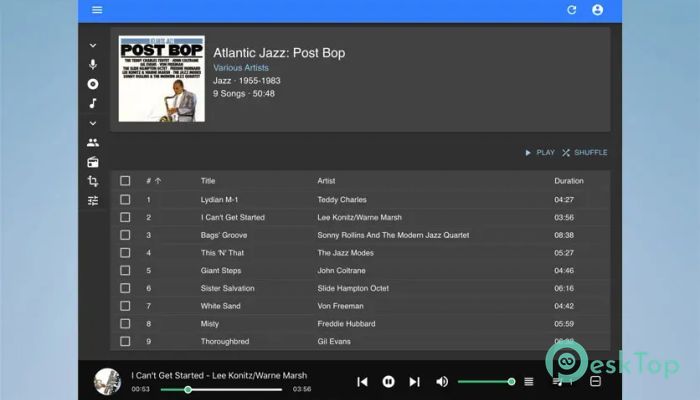
One of its strongest points is the modern web player. You can play songs directly in your browser without installing extra players. Playback controls are responsive, playlists are easy to manage, and album artwork loads cleanly. It feels similar to popular streaming apps, but everything comes from your own collection.
Mobile app compatibility
The software supports a wide range of third-party mobile apps using the Subsonic API. This means you can listen on Android phones, iPhones, and tablets without any trouble. These apps sync with your server, letting you stream, download, and manage music on the go. Your collection follows you wherever you are.
Search, playlists, and favorites
Finding music becomes effortless thanks to innovative search tools. You can search by track name, album, or artist within seconds. It also lets you create custom playlists for different moods, rate tracks, and mark favorites. Over time, your library becomes more personal and easier to enjoy.
Open source freedom
Being open source gives the software a significant advantage. Developers around the world contribute improvements, fix bugs, and add features. This keeps it secure, transparent, and constantly improving. You are not locked into subscriptions or hidden limitations, which makes it an excellent choice for long-term use.
Performance and stability
The tool is optimized to run efficiently even on modest systems. It does not consume heavy resources, so music playback stays smooth. Large libraries with thousands of tracks load quickly once indexed. This balance between performance and simplicity makes daily use enjoyable.
Customization and control
You can adjust settings to match your preferences. From folder locations to user access options, everything stays under your control. Multiple users can even connect to the same server, each with their own playlists and favorites. It feels like having your own private streaming platform.
Security and privacy
Your music stays on your system, not on third-party servers. This means full privacy and ownership of your content. Access permissions and login settings help protect your library. You decide who can listen and from where.
System Requirements and Technical Details
Operating System: Windows 11 / 10 / 8.1 / 7
Processor: Minimum 1 GHz Processor (2.4 GHz recommended)
RAM: 2GB (4GB or more recommended)
Free Hard Disk Space: 200MB or more is recommended

-
Program size54.63 MB
-
Version0.59.0
-
Program languagemultilanguage
-
Last updatedBefore 9 Month
-
Downloads7
 Teletone Audio Prism Plate
 Stryde Audio Swayed
  Electric Smudge SnappySnap
 PSPaudioware PSP Flare
 DW Soundworks Gretsch USA Custom Expansion Pack
 Sonic Academy V4lve