
 Arabic
  English
  Turkish
  Chinese
  Japanese
  Russian
  Spanish
  German
  French
  Hindi
Hindi Download NCH Switch Free 1.0 for Windows
Download NCH Switch Free 1.0 for Windows.
NCH Switch Free Overview
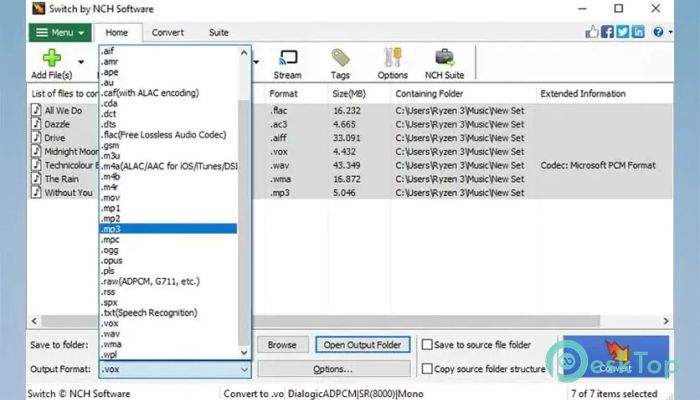
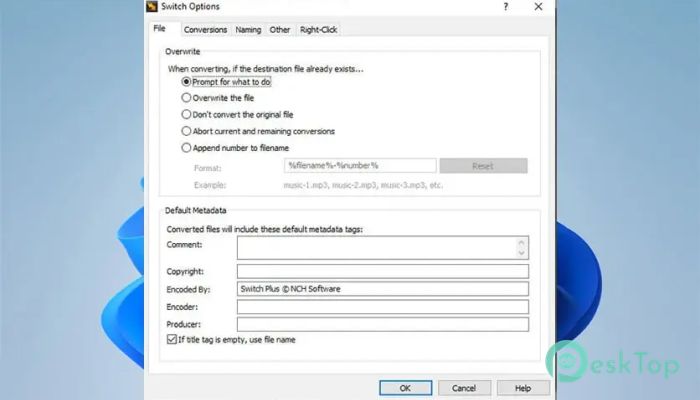
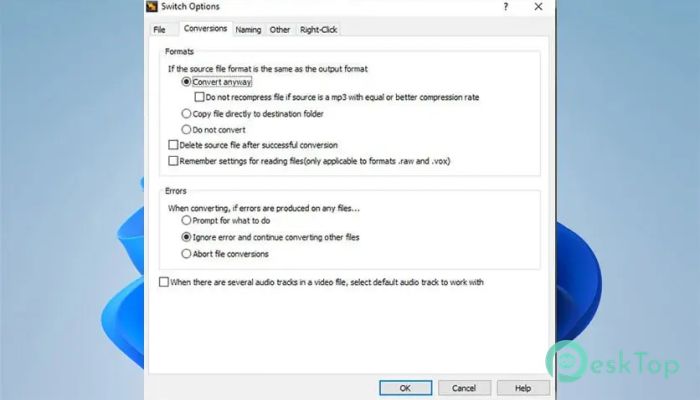
This software is known as one of the most stable and easy-to-use multi-format audio file converters available for Windows users. It allows you to convert audio between more than 40 formats without making the process complicated. Whether you are working with MP3, WAV, WMA, FLAC, or OGG, the tool handles them smoothly. Think of it like a universal translator for your music files. If your audio does not fit a device or platform, this solution reshapes it into the format you need. It keeps music tags safe for supported formats, so your track name, artist, and album information stay intact after conversion. Another helpful feature is access to online databases containing information on hundreds of songs. This means you can easily add ID3 tags to your official music files without having to type everything manually. It saves time and keeps your library organized.Features of NCH Switch Free
Convert Between 75+ Audio Formats
One of the software's strongest features is its ability to convert between more than 75 audio file formats. That means you are not limited to just common types like MP3 and WAV. It also supports less common formats, giving you flexibility when working with different devices and platforms.
If you have an old file that won't play on modern players, the tool acts as a bridge. It takes that file and turns it into something your device understands. This wide compatibility makes it perfect for students, content creators, and everyday music lovers.
Preserve Music Tags and Metadata
When converting audio, losing metadata can be frustrating. The software solves this by preserving music tags for supported formats. Your MP3, WAV, WMA, FLAC, and OGG files keep their original information.
This means your playlists stay clean and organized. Artist names, track numbers, and album details remain exactly where they should be. It feels like moving your files to a new home without losing their identity.
Playlist Import and Batch Conversion
If you manage large music collections, this feature will save you hours. The tool allows you to import and convert playlists in M3U and PLS formats. Instead of converting one file at a time, you can handle multiple tracks in one go.
Batch conversion works like an assembly line. You load your files, choose the format, and let the software do the heavy lifting. It processes many audio files at once, which is perfect for DJs, podcasters, or anyone with a large music library.
Online Database Access for Song Information
Manually adding song details can be tiring. This solution connects to online databases to fetch information about hundreds of songs. With just a few clicks, you can add accurate ID3 tags to your audio files.
It is like having a smart assistant that fills in the blanks for you. This keeps your collection professional and neatly arranged without extra effort.
Preview Before You Convert
Sometimes you are not sure if a file is the right one. The software lets you listen to tracks before converting them. This small feature makes a big difference by preventing mistakes.
You can quickly check the audio quality or confirm the content before starting the process. It adds an extra layer of confidence and control.
Audio Enhancement and Normalization
Beyond simple conversion, the tool offers audio improvements. It can automatically normalize sound levels during conversion. This ensures your tracks maintain balanced volume without sudden spikes or drops.
It also includes an equalizer and dynamic range compression. These features help adjust the tone and limit the volume range, making your audio sound smoother and more professional.
Flexible Encoding Options
The software includes an MP3 encoder that supports constant or variable bit rates. This gives you control over file size and sound quality. If you want smaller files, you can lower the bit rate. If you prefer better quality, increase it.
It also supports WAV encoding and FLAC conversion with a range of sample rates. This flexibility lets you customize your output to your needs.
Easy Access and Automation
Convenience is another key strength. You can access audio conversion directly from your Windows Explorer menu. Right-click on a file, and the conversion option is ready. It feels natural and smooth, as if it's built into your system.
For advanced users, the tool can be used as a command-line plugin. This allows automation with other software to convert or compress audio files. It is perfect for professionals who want to integrate audio conversion into their workflow.
Drag and Drop Simplicity
Adding files is effortless. You can simply drag and drop audio files into the program. This makes the process quick and beginner-friendly.
Even if you have never converted audio before, the clean interface guides you step by step. It removes confusion and keeps things straightforward.
Secure and Reliable Offline Conversion
The software works securely offline. You do not need to upload your files to any server. Your audio stays on your computer, keeping your privacy protected.
This makes it reliable and safe for both personal and professional use. You can convert sensitive recordings without worrying about data leaks.
System Requirements and Technical Details
Operating System: Windows 11 / 10 / 8.1 / 7
Processor: Minimum 1 GHz Processor (2.4 GHz recommended)
RAM: 2GB (4GB or more recommended)
Free Hard Disk Space: 200MB or more is recommended

-
Program size2.06 MB
-
Version1.0
-
Program languagemultilanguage
-
Last updatedBefore 7 Month
-
Downloads17
 Teletone Audio Prism Plate
 Stryde Audio Swayed
  Electric Smudge SnappySnap
 PSPaudioware PSP Flare
 DW Soundworks Gretsch USA Custom Expansion Pack
 Sonic Academy V4lve