
 Arabic
  English
  Turkish
  Chinese
  Japanese
  Russian
  Spanish
  German
  French
  Hindi
Hindi Download Network Password Decryptor 11.0 for Windows
Download Network Password Decryptor 11.0 for Windows.
Network Password Decryptor Overview
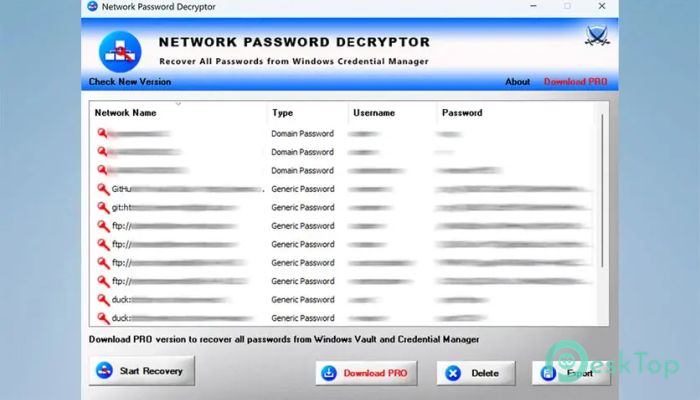
It is a practical recovery tool designed for users who have forgotten saved network or application passwords. It focuses on retrieving credentials that are already stored on your computer in an encrypted form. These details are typically stored deep within the Windows Credential Store, making them inaccessible even to administrators. This tool functions as a master key, unlocking encrypted entries and presenting them in a readable format.Features of Network Password Decryptor
Supported password types and applications
It is not limited to Wi-Fi credentials only. The utility can also retrieve login information saved by popular Windows programs. This includes authentication details used by Internet Explorer, Outlook, Remote Desktop, Windows Live Messenger, and even Google login data saved by Gmail Notifier. By covering multiple sources, it becomes a handy all-in-one recovery assistant for everyday users.
Security and ethical usage explained
This software is designed solely for personal recovery. It does not function as a hacking or cracking utility. In simple terms, it cannot pull passwords from other users or external systems. It only works with credentials previously saved on your computer. This makes it safe, ethical, and legal when used as intended.
Compatibility across Windows platforms
One of its strongest points is wide system compatibility. It runs smoothly on both 32-bit and 64-bit systems, from Windows XP through the latest releases. From version 9.0 onward, full support for modern 64-bit environments, including Windows 10, has been added. This ensures reliable performance even on updated machines.
Command-line option for advanced users
For those who prefer automation or scripting, a separate command-line version is available. This option is useful for IT professionals who want to integrate password recovery into batch operations or diagnostic routines. It delivers the same recovery power but without a graphical interface, making it ideal for advanced workflows.
Built-in password management features
Beyond recovery, the tool also allows users to remove saved credentials from the Windows Credential Store. This is helpful when passwords change or when sensitive details are stored by mistake. Clearing outdated entries can improve security and reduce confusion, much like cleaning old keys from a keychain.
Export and reporting options
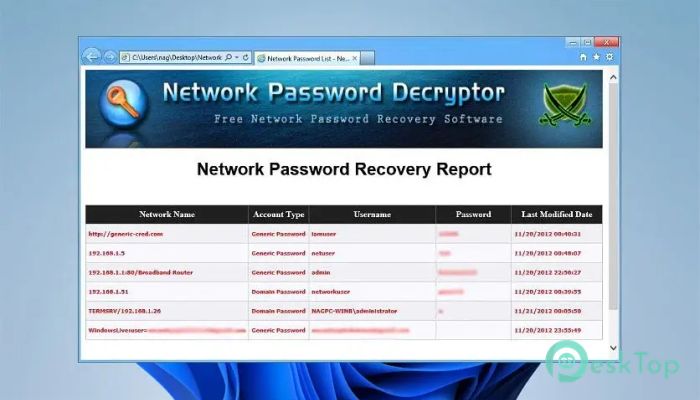
Recovered data does not stay locked inside the interface. The software provides flexible export options, allowing users to save decrypted password lists in HTML, XML, text, or CSV formats. This makes it easy to store records securely or share them with authorized personnel when needed.
System Requirements and Technical Details
Operating System: Windows 11 / 10 / 8.1 / 7
Processor: Minimum 1 GHz Processor (2.4 GHz recommended)
RAM: 2GB (4GB or more recommended)
Free Hard Disk Space: 200MB or more is recommended

-
Program size2.15 MB
-
Version11.0
-
Program languagemultilanguage
-
Last updatedBefore 9 Month
-
Downloads72
 RealVNC VNC Server Enterprise
 CrushFTP
 Reqable
 AnyDesk
 AmneziaVPN
 CurrPorts