
 Arabic
  English
  Turkish
  Chinese
  Japanese
  Russian
  Spanish
  German
  French
  Hindi
Hindi Download Node Mill LensNode 1.0.16 for Windows
Download Node Mill LensNode 1.0.16 for Windows.
Node Mill LensNode Overview
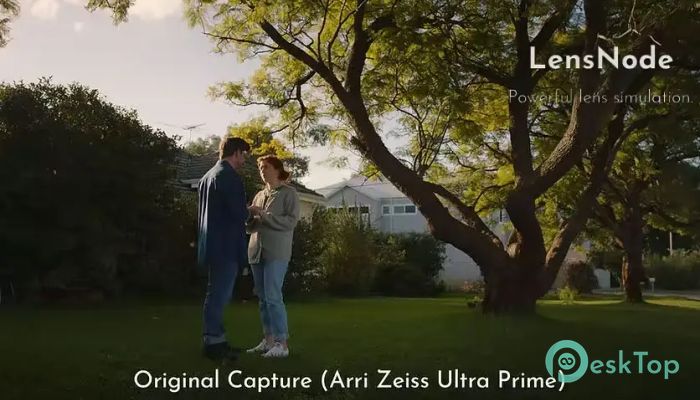
This software is designed to bring real-world lens behavior into your workflow without the complexity of physical gear. It blends science and creativity, giving editors, filmmakers, and digital artists the freedom to experiment with optical effects while maintaining accuracy. Whether you're polishing final shots or adding unique artistic distortions, this tool provides a smooth, GPU-powered experience.Features of Node Mill LensNode
Real Lens Simulation
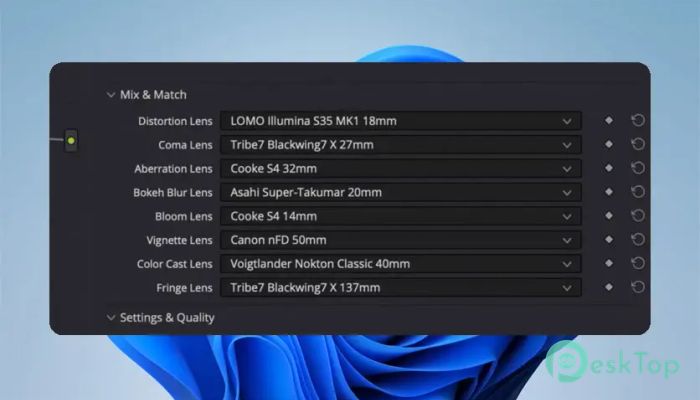
One of the tool's biggest strengths is its ability to mimic famous lenses. These presets are built from real data, letting you apply authentic visual characteristics instantly. You can browse an ever-growing library of lens profiles and enrich your footage with subtle or dramatic optical traits.
Overdrive Control
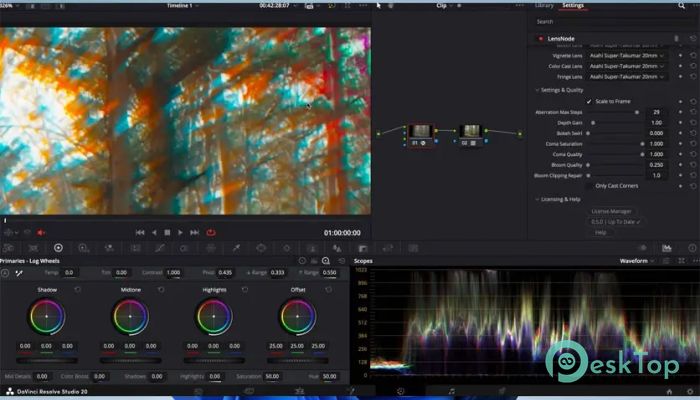
With a single slider, you can push lens effects beyond their natural limits. It’s perfect for stylized shots or fast experimentation. Every parameter is fully animatable, giving you complete freedom to adjust intensity frame by frame. This makes the tool suitable for both realistic and bold creative looks.
Accurate Optical Features
The lens presets are created through careful data capture in various lighting and shooting conditions. This attention to detail ensures the results feel natural and faithful to the look of the objective lenses they represent. It helps you achieve both beauty and accuracy in your visuals.
Comatic Aberration (Coma)
Coma is one of the hardest lens artifacts to simulate manually. Here, it is recreated precisely, giving you that vintage lens charm often mistaken for bloom or softness. The direction, shape, and tint of this aberration all contribute to a more cinematic mood in your footage.
Distortion Effects
Distortion is a key part of lens realism, and the software handles it flawlessly. It scales automatically to fill the frame, avoiding unwanted borders. You can animate distortion and fine-tune it to create anything from subtle warping to dramatic optical bending.
Bloom Rendering
The bloom engine offers a smooth, natural falloff, delivering softness that resembles high-quality diffusion filters. Captured in 14-bit data, this bloom brings depth, warmth, and contrast control without crushing details.
Chromatic Aberration
The tool precisely splits light wavelengths to produce believable color separation near edges. Its falloff keeps the image true to its original style while adding that gentle, organic lens feel. You can adjust the effect depending on how stylized or subtle you want the output to be.
Bokeh Blur
A standout feature is its advanced bokeh modeling. Not only does it capture the organic shape of each lens’s bokeh pattern, but it also rotates it before processing. This results in more convincing depth-of-field effects, including swirly bokeh where appropriate.
Vignette & Color Cast
Vignettes are taken straight from real lens behaviors and automatically adapt to match your shot’s exposure. Subtle hue shifts toward the edges add authenticity, and color casts can affect the entire image or only specific areas, such as corners.
Fringing Simulation
The fringing engine recreates the highlight bleeding visible in many lenses. Together with coma and chromatic aberration, it forms the lens's actual fingerprint. You can control hue, strength, and how it transitions from center to edge.
System Requirements and Technical Details
Operating System: Windows 11 / 10
Processor: Minimum 1 GHz Processor (2.4 GHz recommended)
RAM: 2GB (4GB or more recommended)
Free Hard Disk Space: 200MB or more is recommended
GPU: CUDA (NVIDIA) capable
DaVinci Resolve: 18.6+

-
Program size83.34 MB
-
Version1.0.16
-
Program languagemultilanguage
-
Last updatedBefore 7 Month
-
Downloads365
 Aescripts Autokroma AfterCodecs
 Boris FX Silhouette
 RE:VisionFX ARRI Film Lab
 Gilisoft Video UniReel
 iFunia Video Editor
 Innovision MaxPRO