
 Arabic
  English
  Turkish
  Chinese
  Japanese
  Russian
  Spanish
  German
  French
  Hindi
Hindi Download Nucleus Co-op 2.4.1 for Windows
Download Nucleus Co-op 2.4.1 for Windows.
Nucleus Co-op Overview
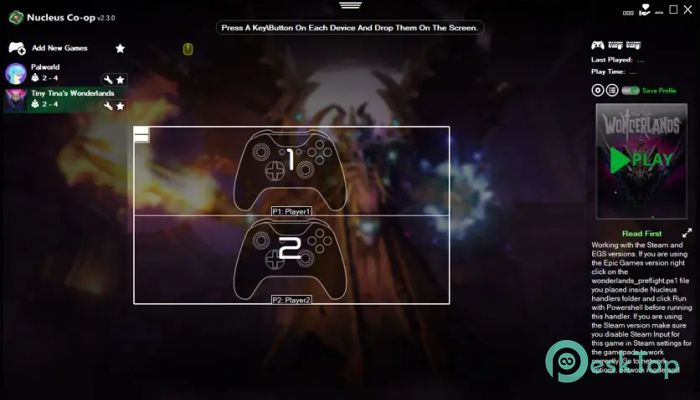
It is built for gamers who want to enjoy local multiplayer without buying multiple PCs or extra copies of games. It changes the way you experience single-player or online-only titles by enabling split-screen gameplay on a single system. In simple words, it turns your PC into a couch-gaming machine. The tool focuses on simplicity. Instead of complicated manual setups, it provides ready-made scripts for supported games. You just pick the game, choose how many players you want, connect controllers, and launch. It handles the heavy lifting in the background. Because it is open source, the community constantly improves it. New games are added, compatibility gets better, and performance tweaks are shared by users. That means the software keeps growing over time. Why Split-Screen Gaming Still Matters Online multiplayer is popular, but nothing beats sitting next to your friends and playing together. Local multiplayer creates real reactions, real laughs, and real competition. It feels more personal. This tool brings back that classic experience. Think of it like turning your modern gaming PC into a console-style party hub. Instead of everyone staring at separate screens, you share a single display and a single room. It makes older and newer PC games feel fresh again. Titles you thought were strictly solo suddenly become shared adventures. How It Works The software runs multiple instances of a game on the same computer and arranges them into a split-screen layout. Each instance acts like a separate player. Controllers or input devices are assigned individually, so everyone gets independent control. Behind the scenes, it isolates inputs and manages windows so they do not interfere with each other. While that sounds technical, you do not need to worry about it. The interface guides you step by step. It is like having multiple invisible PCs inside one powerful machine. Everything runs together, yet each player has their own space.Features of Nucleus Co-op
Here are some of the standout features that make it popular among local multiplayer fans:
Supports split-screen on many non-native games
Easy-to-use launcher interface
Community-created game scripts
Controller and keyboard customization
Flexible screen layouts
Works with a single game copy
Open-source and free to use
These features remove the usual barriers. Instead of buying multiple licenses or setting up LAN connections, you just install and play.
Ease of Use
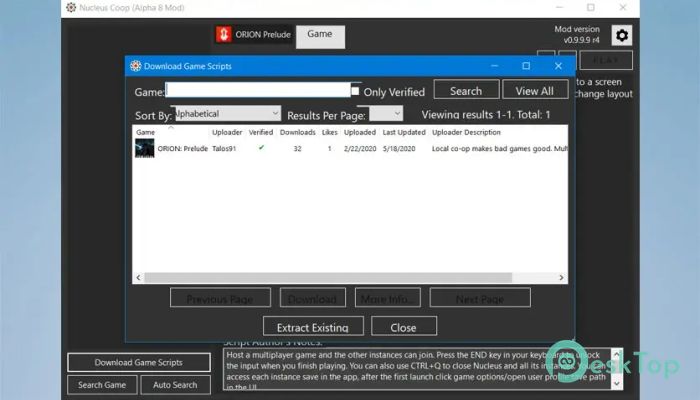
One of the biggest strengths is accessibility. You do not need to be a tech expert. The launcher shows supported games clearly. You download or import a handler, connect controllers, and click play.
The layout settings allow you to decide how the screen is divided. Two-player vertical split, four-player grid, or other custom setups can be configured depending on your monitor size and system power.
It feels smooth once set up. The process is more like using a game launcher than modifying system files.
Performance and System Impact
Running multiple game instances naturally uses more CPU and RAM. So performance depends on your hardware. A stronger PC handles split-screen better, especially for modern games.
However, for many lightweight or older titles, even mid-range systems can comfortably accommodate two players. Adjusting graphics settings inside each game can also improve smoothness.
Think of your PC like a multitasking chef. The more dishes you cook at once, the more power you need. If your kitchen is well-equipped, everything runs fine.
Community Support and Updates
Being open source means developers and users collaborate actively. Game handlers are shared, tested, and refined regularly. If a certain title is not supported yet, chances are someone is working on it.
The community also shares setup guides and troubleshooting tips. That reduces frustration and makes the tool more beginner-friendly.
Over time, this ongoing support keeps it relevant. Instead of becoming outdated, it evolves with new games and Windows updates.
Use Cases and Practical Benefits
This tool is perfect for:
Friends who want to play co-op on one PC
Families with limited hardware
Gamers hosting local tournaments
Retro gaming fans who miss couch multiplayer
It saves money because you do not need extra devices. It saves space because everything runs on one machine. Most importantly, it creates shared experiences.
Imagine playing an action game side by side with a sibling, or racing head-to-head on the same screen. That energy is hard to replicate online.
System Requirements and Technical Details
Operating System: Windows 11 / 10 / 8.1 / 7
Processor: Minimum 1 GHz Processor (2.4 GHz recommended)
RAM: 2GB (4GB or more recommended)
Free Hard Disk Space: 200MB or more is recommended

-
Program size506.38 KB
-
Version2.4.1
-
Program languagemultilanguage
-
Last updatedBefore 7 Month
-
Downloads353
 ExtraMAME
 ChessBase Fritz
 ChessBase
 Dragonrise Games YoloX
 Vortex
 NCSOFT PURPLE