
 Arabic
  English
  Turkish
  Chinese
  Japanese
  Russian
  Spanish
  German
  French
  Hindi
Hindi Download NVIDIA Profile Inspector 2.4.0.31 for Windows
Download NVIDIA Profile Inspector 2.4.0.31 for Windows.
NVIDIA Profile Inspector Overview
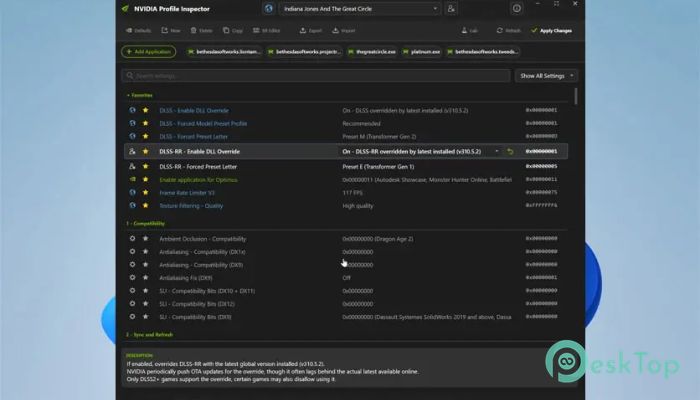
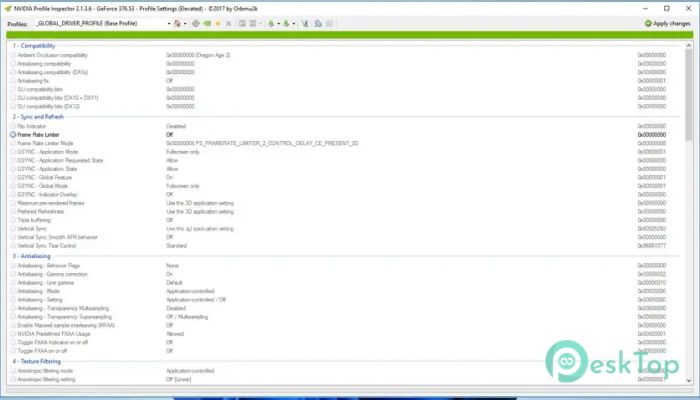
This tool is designed for users who want deeper control over their graphics card settings. While the default tool, Control Panel, provides basic options, the software goes much further by unlocking hidden and advanced configurations. Think of it like opening a secret control room behind a simple dashboard. It allows you to view, edit, and create game profiles directly inside the driver database. The software reads profiles already stored in the tool driver and displays them in a clean interface. From there, you can modify existing profiles or even create new ones for games that are not officially supported. It is especially useful for gamers, modders, and performance enthusiasts who want to fine-tune their experience.Features of NVIDIA Profile Inspector
Advanced Profile Customization
One of the biggest strengths of this tool is its ability to let you customize game profiles in detail. Every game installed on your system can have its own optimized settings. Instead of applying one-size-fits-all configurations, you can tailor each profile to match your hardware and preferences.
For example, you can adjust settings like anti-aliasing, texture filtering, and power management. These tweaks can improve performance, enhance visuals, or balance both depending on your needs. It feels like tuning a sports car engine instead of just driving it as-is.
Access to Hidden Settings
The software gives you access to hidden and undocumented settings that are not available in the standard control panel. These options are usually locked away, but this tool brings them to light.
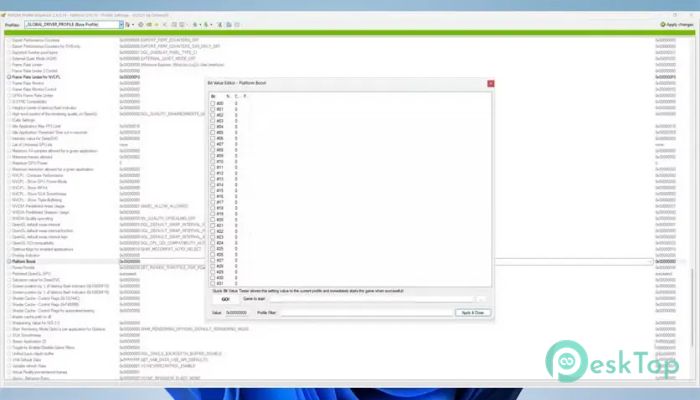
With these hidden features, you can experiment with advanced parameters that affect how your GPU behaves. While some settings require caution, they also open doors to unique optimizations. It is like finding hidden switches that can completely change how your system performs.
Create Custom Game Profiles
Another useful feature is the ability to create new profiles for games that are missing from the driver database. Not every game is officially supported, especially older or less popular titles. This is where the tool shines.
You can manually add a new profile, link it to a game executable, and apply your preferred settings. This ensures that even unsupported games can benefit from optimized GPU configurations. It gives you full control rather than relying on default behavior.
Improved Performance Control
Performance tuning becomes much more flexible with this software. Instead of relying on automatic driver settings, you can take charge and decide how your GPU should handle each game.
You can prioritize performance for competitive games where every frame matters or focus on visual quality for story-driven titles. It is like having a custom mode for every game you play. This level of control can make a noticeable difference in gameplay smoothness and responsiveness.
User-Friendly Interface
Despite offering advanced features, the interface remains simple and easy to understand. Everything is organized in a structured way, making it easier to navigate through profiles and settings.
You do not need to be a professional to use it. With a bit of exploration, even beginners can learn how to adjust settings safely. The layout helps you see what each option does, making the experience less intimidating.
Lightweight and Fast Tool
The software is lightweight and does not consume many system resources. It runs quickly and does not require installation in most cases. You can simply launch it and start working right away.
This makes it perfect for users who want a quick, efficient way to manage GPU settings without adding extra load to their systems. It is like carrying a compact toolbox that does not slow you down.
Safe Tweaking with Backup Options
When working with advanced settings, safety is always important. The tool allows you to back up your profiles before making changes. This means you can always revert to previous settings if something does not work as expected.
This feature gives you confidence to experiment without worrying about permanent issues. It is like having an undo button for your GPU configurations.
Perfect for Gamers and Enthusiasts
This tool is especially popular among gamers who want more control over their graphics performance. Whether you are trying to fix stuttering, improve frame rates, or enhance visuals, it gives you the flexibility to do so.
It is also useful for tech enthusiasts who enjoy exploring advanced settings. If you like tweaking and optimizing, this software feels like a playground full of possibilities.
System Requirements and Technical Details
Operating System: Windows 11 / 10 / 8.1 / 7
Processor: Minimum 1 GHz Processor (2.4 GHz recommended)
RAM: 2GB (4GB or more recommended)
Free Hard Disk Space: 200MB or more is recommended

-
Program size145.03 KB
-
Version2.4.0.31
-
Program languagemultilanguage
-
Last updatedBefore 6 Month
-
Downloads72
 ExtraMAME
 ChessBase Fritz
 ChessBase
 Dragonrise Games YoloX
 Vortex
 NCSOFT PURPLE