
 Arabic
  English
  Turkish
  Chinese
  Japanese
  Russian
  Spanish
  German
  French
  Hindi
Hindi Download Nyrna 2.25.0 for Windows
Download Nyrna 2.25.0 for Windows.
Nyrna Overview
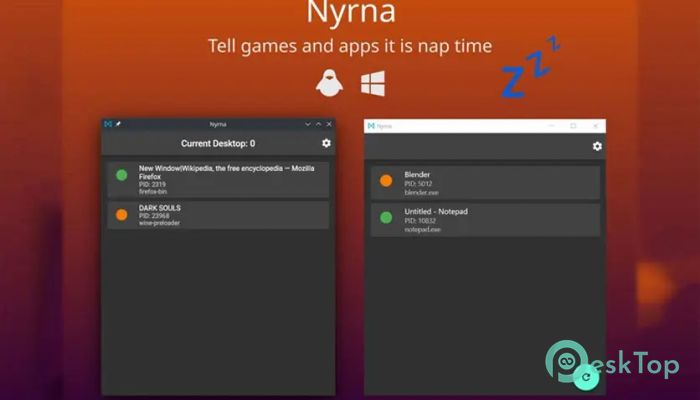
This lightweight utility is designed for gamers and power users who want more control over their running applications. Think of it like the sleep button on a console, but for your PC. Instead of fully closing a game and losing your progress, you can freeze it in place. When you are ready, you bring it back to life exactly where you left off. It works quietly in the background and gives you a simple way to suspend processes. That means lower CPU usage, reduced RAM consumption, and a calmer system overall. If you have ever wished your computer had a “pause everything” button, this is as close as it gets. How It Works The tool uses process suspension technology to temporarily stop selected applications from running. Imagine pressing pause on a movie. The scene does not disappear. It simply waits. In the same way, your game or heavy software remains loaded in memory, but it stops using processor power. When you resume it, everything continues from the exact same point. No long loading screens. No restarting missions. No reopening complex projects. It feels smooth and natural, especially for modern multitasking needs.Features of Nyrna
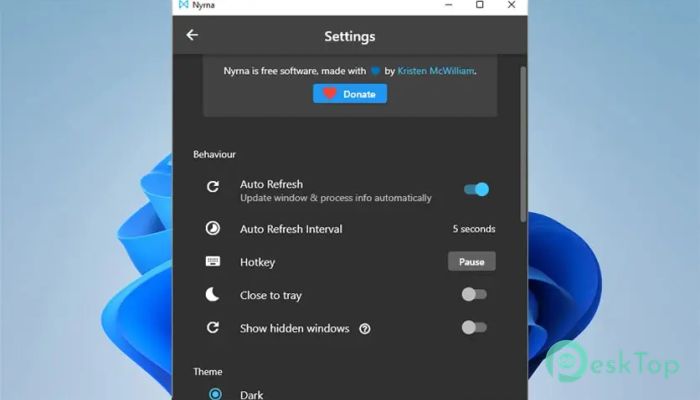
Here are some of the main highlights that make this utility stand out:
Suspend any running game or application instantly
Resume processes with a single click
Reduce CPU and RAM usage while paused
Simple and clean user interface
Lightweight and fast performance
Works quietly without interrupting your workflow
These features make it more than just a background helper. It becomes a real productivity booster, especially if you often switch between tasks.
Perfect for Gamers
Gamers will love the flexibility it offers. Sometimes real life interrupts. Maybe you need to step away quickly. Normally, you would save the game, exit, and reload later. That process takes time and patience.
With this solution, you simply suspend the game. It is like putting your PC into a mini hibernation mode for that specific application. When you return, you resume and continue playing instantly. It feels similar to console sleep features, but now you have that power on Windows.
Great for Multitasking
This is not just for gaming. If you run heavy editing software, development environments, or virtual machines, your system resources can get stretched thin. Instead of closing everything, you can pause one task while focusing on another.
It acts like a traffic controller for your CPU. When one lane is busy, you temporarily stop another. Your system breathes easier, and you avoid slowdowns. That means smoother performance and better efficiency without buying new hardware.
Lightweight and Efficient Design
One of the best things about this utility is how small and efficient it is. It does not flood your system with unnecessary background services. It stays lean and focused on its main purpose: safely suspending and resuming processes.
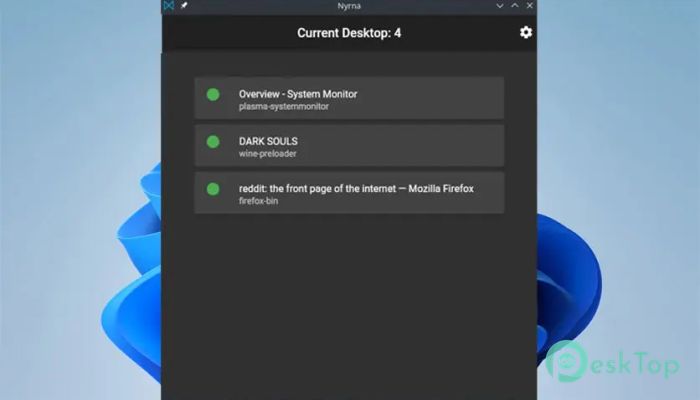
The interface is clean and easy to understand. You do not need advanced technical knowledge. Just select the process you want to pause, click suspend, and you are done. The simplicity feels refreshing in a world full of complicated software.
Safe and Controlled Suspension
Process management can sound technical, but this tool makes it safe and controlled. It does not randomly kill applications or risk data loss. Instead, it carefully pauses them. Your files remain intact, and your session stays preserved.
This controlled suspension is especially useful for long-running tasks. If you are rendering a video or compiling code and need to temporarily free up resources, you can pause and resume without restarting from scratch.
Who Should Use It
This utility is ideal for:
Gamers who want instant pause and resume functionality
Students running heavy study software
Developers working with large projects
Content creators using editing tools
Anyone with limited system resources
If your PC sometimes feels overloaded, this solution gives you back control. It is like having a dimmer switch instead of a simple on/off button.
Easy Installation and Setup
Installing it is quick and simple. After downloading, you run the installer and launch the program. There is no complicated configuration. The interface guides you through selecting processes and managing them instantly.
Within minutes, you can start suspending applications and noticing the difference in performance. It blends smoothly into your daily routine without demanding attention.
System Requirements and Technical Details
Operating System: Windows 11 / 10 / 8.1 / 7
Processor: Minimum 1 GHz Processor (2.4 GHz recommended)
RAM: 2GB (4GB or more recommended)
Free Hard Disk Space: 200MB or more is recommended

-
Program size9.89 MB
-
Version2.25.0
-
Program languagemultilanguage
-
Last updatedBefore 7 Month
-
Downloads8
 ExtraMAME
 ChessBase Fritz
 ChessBase
 Dragonrise Games YoloX
 Vortex
 NCSOFT PURPLE