
 Arabic
  English
  Turkish
  Chinese
  Japanese
  Russian
  Spanish
  German
  French
  Hindi
Hindi Download PerfectXL Source Inspector 1.0.2 for Windows
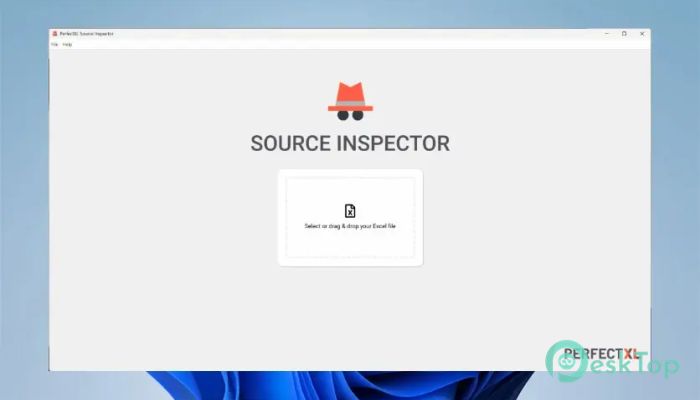
Download PerfectXL Source Inspector 1.0.2 for Windows.
PerfectXL Source Inspector Overview
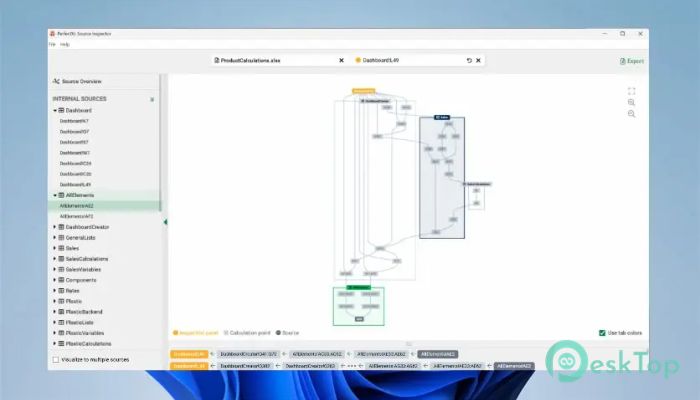
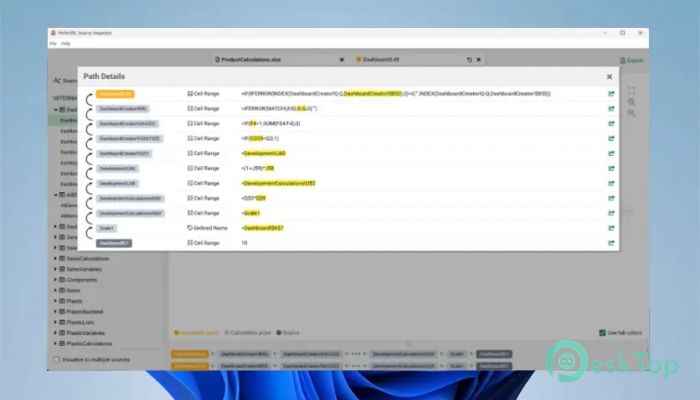
The tool is designed to make Excel model inspection faster, more innovative, and more reliable. It enables users to trace the origins of spreadsheet data, providing a clear view of formulas, links, and dependencies within Excel files. This makes it easier for professionals to ensure that their Excel models are accurate and free of hidden risks.Features of PerfectXL Source Inspector
This software offers several features that enhance productivity and reduce the risk of human error in spreadsheets. Here are some of its standout benefits:
Detects and maps external data sources in Excel files.
Provides a visual overview of spreadsheet structures.
Highlights potential errors and inconsistencies.
Supports auditing, reviewing, and controlling large Excel models.
Generates detailed reports for professional documentation.
Improves the accuracy and reliability of data-driven decisions.
How It Helps Professionals
The tool is handy for professionals who work extensively with Excel, such as financial analysts, auditors, accountants, and consultants. It reduces the manual effort required to review complex models and provides transparency in how spreadsheets are built. With this level of control, users can confidently share and maintain their Excel workbooks.
Use Cases Across Industries
Many industries depend on reliable Excel analysis, and this software fits perfectly across multiple sectors:
Insurance & Pension Funds: Ensures dependable data flow for long-term financial models.
Audit, Tax & Advisory Firms: Speeds up the review of Excel models while improving compliance.
Reviewers & Control Teams: Offers early insights and risk detection before report submission.
Finance Professionals: Enhances model quality and helps track real-time updates in complex calculations.
Improving Spreadsheet Confidence
One of the significant strengths of this software lies in its ability to build user confidence. It identifies data connections, formula origins, and inconsistent links, giving users a better understanding of how every element in their spreadsheet contributes to the final output. This transparency enables organizations to trust their data and make informed decisions more quickly.
Easy Integration and Efficiency
The tool is simple to integrate into your existing workflow. It works smoothly with various Excel versions and requires minimal setup. Once installed, it immediately starts analyzing files, saving users hours of manual inspection. Its interface is user-friendly, making it accessible even to those who are not tech experts.
Performance and Reliability
Speed and reliability are at the heart of this software. It processes even large Excel models without slowing down, maintaining consistent performance throughout. The software is designed to handle multiple files efficiently, ensuring smooth operations for both individuals and teams.
How It Enhances Decision Making
By providing accurate insights into spreadsheet structures, the tool enables businesses to make more informed, data-driven decisions. When errors and inconsistencies are removed, teams can rely on cleaner, more accurate data. This leads to more accurate financial forecasting, budgeting, and reporting—key factors for organizational success.
Support and Updates
Users benefit from continuous updates and responsive customer support. The developers ensure the software remains compatible with the latest Excel versions and continuously improve its scanning algorithms. This commitment guarantees long-term reliability and efficiency for all users.
System Requirements and Technical Details
Operating System: Windows 11 / 10 / 8.1 / 7
Processor: Minimum 1 GHz Processor (2.4 GHz recommended)
RAM: 2GB (4GB or more recommended)
Free Hard Disk Space: 500MB or more is recommended

-
Program size118.90 MB
-
Version1.0.2
-
Program languagemultilanguage
-
Last updatedBefore 3 Month
-
Downloads43
 CoolUtils PDF Combine
 NAPS2 - Not Another PDF Scanner
 FocusWriter
 Atlantis Word Processor
 AI Offline OCR Scanner Pro
 Xappex XL-Connector