
 Arabic
  English
  Turkish
  Chinese
  Japanese
  Russian
  Spanish
  German
  French
  Hindi
Hindi Download PictoRoam 1.1.0 for Windows
Download PictoRoam 1.1.0 for Windows.
PictoRoam Overview
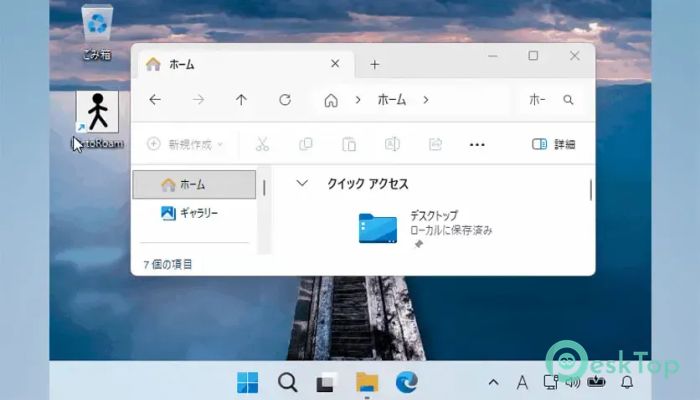
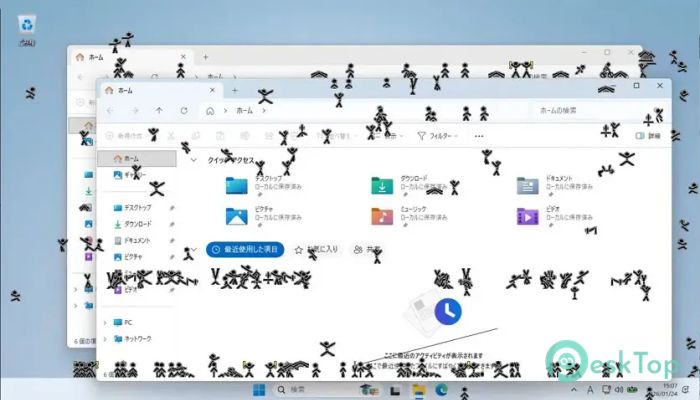
Imagine your desktop as a playground where tiny animated characters can roam freely. This software does exactly that by placing lively pictogram figures directly on your screen. These little characters are not designed to boost productivity or manage tasks. Instead, they exist purely to entertain, relax, and add personality to your workspace. The software runs quietly in the background while the characters move around independently. Whether you are working, browsing the web, or simply leaving your computer idle, these animated companions continue performing amusing activities that make the desktop feel more alive.Features of PictoRoam
Bring Your Desktop to Life
Most desktop customization tools focus on wallpapers, icons, or themes. This tool takes a different approach. It introduces animated stick figures that interact with windows, screen edges, and other desktop elements.
The characters move naturally and unpredictably. One moment, they may be casually walking across a window, and the next, they could be climbing a wall or performing a daring stunt. This randomness keeps the experience fresh and entertaining.
Large Variety of Character Actions
One of the most enjoyable aspects of the software is the huge collection of actions available to the animated figures. Instead of repeating the same movements over and over, they constantly surprise users with new behaviors.
The characters can walk, run, skip, skate, moonwalk, perform cartwheels, execute backflips, complete front flips, and even show off impressive parkour skills. Their movements are smooth and entertaining, making them enjoyable to watch during short breaks.
Funny Dance Performances
The desktop companions are not limited to athletic activities. They also enjoy showing off their dance moves. Users may catch them performing salsa, hip-hop, ballet, or tap dance routines right on the screen.
These unexpected performances can add a light-hearted atmosphere to a busy workday. It feels like having a tiny stage built into your desktop where miniature performers appear whenever they feel inspired.
Interactive Screen Exploration
The animated figures are not confined to a single area. They explore different parts of the screen and interact with the environment in creative ways.
They can climb window walls, scale screen edges, balance on invisible wires, jump between areas, and navigate obstacles. This behavior creates the impression that the characters truly inhabit the desktop rather than simply playing preset animations.
Relaxing and Stress-Free Entertainment
Sometimes the best software is not the one that helps you work faster but the one that helps you relax. Watching these tiny figures perform random actions can provide a welcome mental break during long hours at the computer.
The software serves as a digital stress reliever. Like a small aquarium sitting on a desk, the animated characters offer a calming distraction without interrupting normal computer use.
Lightweight and Easy to Use
The tool is designed with simplicity in mind. Installation is straightforward, and users can quickly start enjoying the animated figures without complicated setup procedures.
Because it focuses on lightweight animations rather than demanding visual effects, it can run comfortably alongside everyday applications. Users can continue working normally while the characters perform their entertaining routines in the background.
Perfect for Personalization
Many people enjoy customizing their computers to reflect their personality. This software offers a unique way to make a desktop stand out from the crowd.
Instead of relying solely on wallpapers and themes, users can populate their screens with energetic stick figures that create a more dynamic and playful environment. It is a simple yet effective way to add character to a workstation.
Random and Unpredictable Behavior
The charm of the software comes largely from its unpredictability. Since the characters choose actions randomly, users never know exactly what will happen next.
One character may decide to take a nap, while another performs a dramatic flip across the screen. Sometimes they bow politely, and other times they appear to fall or leap unexpectedly. This variety helps maintain interest over long periods.
Suitable for Home and Office Use
The software is ideal for anyone who spends a lot of time in front of a computer. Whether used at home, in a creative studio, or even in an office environment, it adds a touch of fun without disrupting productivity.
Its simple concept appeals to users of all ages, making it an enjoyable addition to almost any Windows desktop.
System Requirements and Technical Details
Operating System: Windows 11 / 10
Processor: Minimum 1 GHz Processor (2.4 GHz recommended)
RAM: 2GB (4GB or more recommended)
Free Hard Disk Space: 200MB or more is recommended

-
Program size1.67 MB
-
Version1.1.0
-
Program languagemultilanguage
-
Last updatedBefore 2 Month
-
Downloads25
 Reuschtools ClassicMenu
 AI Aquarium Screensaver
  Rainmeter
 Rainlendar Pro
 N-Button Pro
 Stardock DeskScapes