
 Arabic
  English
  Turkish
  Chinese
  Japanese
  Russian
  Spanish
  German
  French
  Hindi
Hindi Download Pointdev Ideal Migration 5.9 for Windows
Download Pointdev Ideal Migration 5.9 for Windows.
Pointdev Ideal Migration Overview
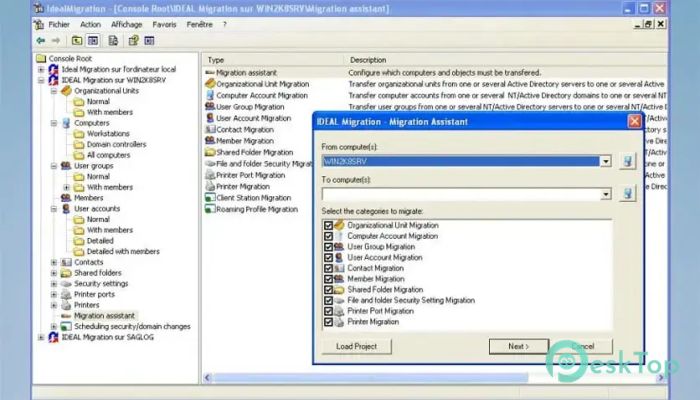
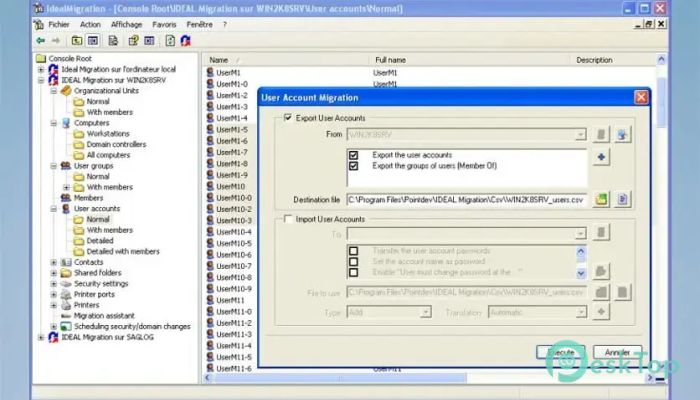
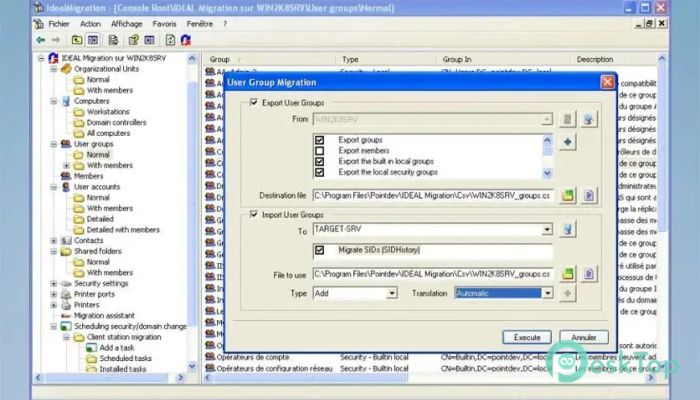
It is designed for IT teams that need to migrate or consolidate Windows Active Directory domains in a safe, controlled way. It helps administrators transfer important network objects such as users, groups, organizational units, contacts, shared folders, files, and permissions from one environment to another. The software is useful when a company changes its server structure, merges departments, upgrades infrastructure, or moves workstations to a new domain. Instead of handling every task by hand, the tool gives admins a more organized way to plan, automate, and complete the migration process.Features of Pointdev Ideal Migration
Secure Active Directory Migration
The software focuses on keeping your Active Directory environment stable during migration. Moving users and groups between domains can be risky if permissions, profiles, or passwords are not handled correctly. This tool helps reduce those risks by preserving important details during the transfer.
It supports migration with or without trust relationships, which makes it flexible for different network setups. This is very helpful when old and new domains are not directly connected or when administrators need to work with more complex server environments.
Domain Consolidation Made Easier
The tool is also helpful for companies that want to consolidate multiple domains into a single, clean structure. Domain consolidation can improve management, reduce confusion, and make daily administration easier.
It allows IT staff to migrate organizational units, groups, accounts, and other directory objects in a planned way. This helps avoid broken access rights, missing user data, and unnecessary downtime.
User Profiles and Permissions
One of the most useful parts of the software is its ability to preserve user profiles and permissions. When a workstation is moved to a new domain, users often worry about losing settings, files, or access rights.
It helps migrate client workstations without needing manual changes on each computer. Local and roaming profiles can be retained, while file permissions and shared folder access can be automatically translated.
Password and SID History Support
The software can migrate user passwords, even when trust relationships are unavailable. This saves time because users do not always need to reset passwords after migration.
It also manages SID History attributes, which are important for maintaining access to legacy resources after accounts are moved to a new domain. Think of SID History like an old key that still opens doors while the new key is being prepared.
File, Share, and ACL Migration
The tool can transfer files, directories, shared folders, and permissions between Windows servers. It automatically translates access control lists (ACLs), so users and groups retain the correct rights after migration.
This is important because file access problems can quickly slow down a business. With proper ACL translation, the new environment feels familiar to users while giving administrators better control.
Planning and Automation Tools
A successful migration needs planning. The software includes project backup, migration planning, CSV export, and command-line management options. Administrators can export objects to CSV files, edit them manually, and then import them when ready.
This gives more control over large projects. It also allows repeated tasks to be automated, which is useful for teams handling many users, servers, or workstations.
Support for Different Windows Environments
The software works with both 32-bit and 64-bit architectures. It also supports many Windows Server environments, including older versions and newer releases.
This broad compatibility makes it useful for businesses with mixed systems. Whether the company is upgrading from an older setup or reorganizing a modern server network, the tool offers practical support.
Why IT Teams Use This Tool
IT teams choose this software because it saves time, reduces risk, and provides greater control during infrastructure changes. Instead of dealing with scattered manual tasks, admins can manage migration steps from a more central process.
It is especially useful for companies that cannot afford long downtime. By keeping user profiles, permissions, passwords, and workstation settings intact, it helps make the move smoother for both admins and end users.
System Requirements and Technical Details
Operating System: Windows 11 / 10 / 8 / 7 Windows Server: 2025, 2022, 2019, 2016, 2012, 2008, 2003
Processor: Minimum 1 GHz Processor (2.4 GHz recommended)
RAM: 2GB (4GB or more recommended)
Free Hard Disk Space: 200MB or more is recommended

-
Program size6.68 MB
-
Version5.9
-
Program languagemultilanguage
-
Last updatedBefore 3 Month
-
Downloads23
 RealVNC VNC Server Enterprise
 CrushFTP
 Reqable
 AnyDesk
 AmneziaVPN
 CurrPorts