
 Arabic
  English
  Turkish
  Chinese
  Japanese
  Russian
  Spanish
  German
  French
  Hindi
Hindi Download PoKeep Location Changer 1.0 for Windows
Download PoKeep Location Changer 1.0 for Windows.
PoKeep Location Changer Overview
This desktop solution is designed for people who want full control over their mobile GPS location. It works at a deep system level, meaning every location-based app on the connected device updates its position. From social apps to games and navigation tools, everything reads the same virtual location. The setup is simple, clean, and does not overwhelm users with technical steps. What This Software Actually Does At its core, it replaces the real GPS signal of a connected device with a virtual one. Think of it like putting a digital mask over your phone’s location. Apps see the mask, not the real face. This approach helps users simulate travel, test apps, or keep their real whereabouts private without complex tricks.Features of PoKeep Location Changer
No Root or Jailbreak Needed
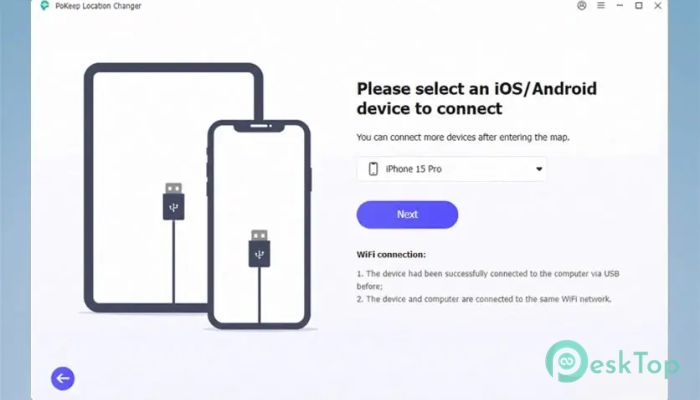
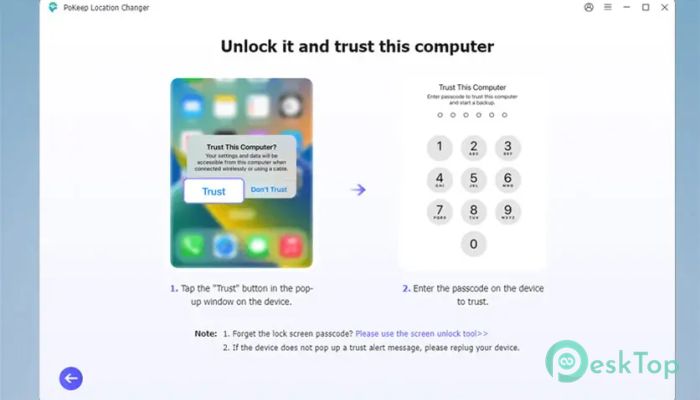
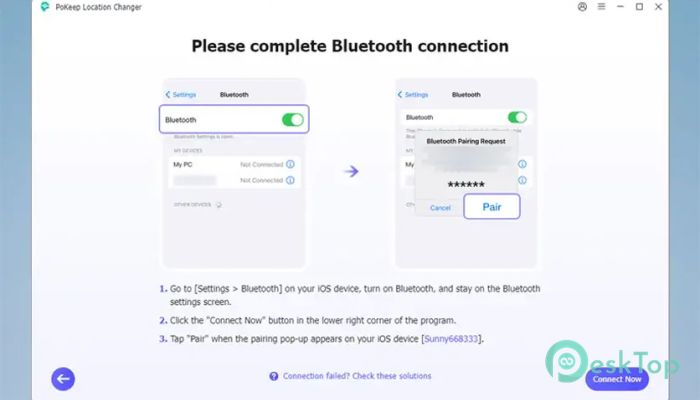
One of the biggest advantages is safety. It works without rooting Android phones or jailbreaking iOS devices. That means no risk of voided warranties or system damage. Users simply connect the phone, launch the tool, and start controlling location from the desktop, like moving a pin on a map.
Simple and Clean User Interface
The interface feels familiar, similar to popular map apps. Once the device is connected, the map loads instantly. Big buttons, clear labels, and smooth navigation make it friendly even for first-time users. It feels less like technical software and more like dragging a marker on a digital globe.
Changing Location Step by Step
After the connection, the map becomes the control center. There are two easy ways to pick a destination. Users can click anywhere on the map to drop a marker or type an address or GPS coordinates into the search bar. Once selected, the left panel shows full location details, making confirmation quick and clear.
Teleport Mode for Instant Movement
This feature allows instant jumps between locations. One click and the device believes it is now across the city or on the other side of the world. It is perfect for testing location-based services or exploring apps without physically moving.
Joystick Control for Real-Time Movement
The joystick mode adds a gaming-like feel. Instead of jumping instantly, users can move step by step as if walking or driving. It feels like steering a character in an open-world game, but here the character is your phone’s GPS signal. Speed control keeps movements realistic.
Multi-Spot Route Planning
This option is great for simulating travel paths. Users can set multiple points on the map, and the tool creates a route between them. It then automatically moves along that path. This is useful for testing fitness apps, delivery simulations, or any scenario that needs natural movement patterns.
Cooldown Timer for Safer Usage
To avoid suspicious jumps, a cooldown timer is built in. It reminds users to wait between long-distance changes. This feature acts like a seatbelt, helping keep usage patterns realistic and reducing the risk of detection in sensitive apps.
Works Across Popular Apps
Because the change occurs at the system level, every location-based app updates its position. Maps, games, social platforms, and travel apps all read the same data. There is no need to configure each app separately, which saves time and avoids confusion.
Ideal Use Cases
This tool fits many scenarios. App developers can test features without physical travel. Gamers can explore new regions from home. Privacy-focused users can hide real movements. It is like having a remote control for your digital footprint.
Stable Performance and Accuracy
Location changes remain stable until users reset them. There are no random jumps or signal drops. Accuracy is high, and the coordinates match the selection on the map exactly. This consistency builds trust and makes long sessions comfortable.
System Requirements and Technical Details
Operating System: Windows 11 / 10 / 8.1 / 7
Processor: Minimum 1 GHz Processor (2.4 GHz recommended)
RAM: 2GB (4GB or more recommended)
Free Hard Disk Space: 200MB or more is recommended
iOS: iOS 5 - iOS 26
Android: Android 6.0 and up.

-
Program size107.53 MB
-
Version1.0
-
Program languagemultilanguage
-
Last updatedBefore 3 Month
-
Downloads44
 MobiKin Eraser for Android
 iMobie AnyTrans for iOS
 Iriun Webcam
 LDPlayer
 Coolmuster Android SMS + Contacts Recovery
  Coolmuster Lab.Fone for Android