
 Arabic
  English
  Turkish
  Chinese
  Japanese
  Russian
  Spanish
  German
  French
  Hindi
Hindi Download ProcNetBlocker 1.0 for Windows
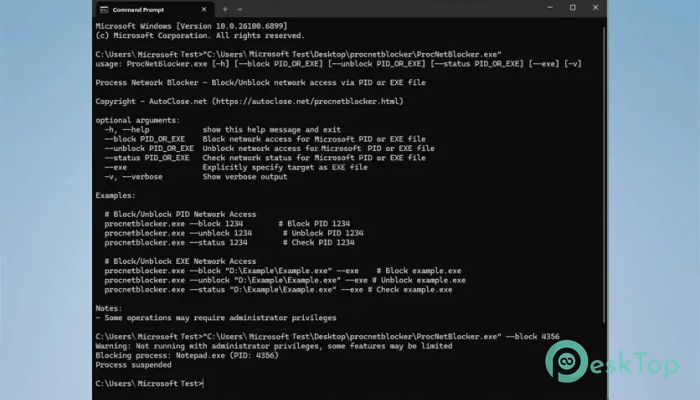
Download ProcNetBlocker 1.0 for Windows.
ProcNetBlocker Overview
This utility is designed for system administrators, developers, and power users who need complete control over how programs connect to the internet. It ensures safety and flexibility by letting you manage network permissions at the process level. Whether you want to stop unauthorized communication or manage bandwidth, this tool helps you achieve that effortlessly.Features of ProcNetBlocker
Fine-Grained Network Control
The software provides advanced functionality that focuses on detailed network management. Instead of blocking entire network connections, it lets you target individual processes, which is ideal for security testing and administrative control. It can help protect your system from potential threats or unwanted background connections.
Block Network Access by Process ID
One of its most practical features is the ability to block network access using a specific process ID (PID). This means you can instantly stop any application from communicating online, even if multiple programs are running at once. With just a simple command, the network access for that process is entirely disabled.
Block Network Access by EXE Path
The tool allows users to block applications based on their executable file path. If there’s a program you don’t want to access the internet, you can disable its connection by specifying its .exe file path. This gives precise control, especially when managing multiple software programs across systems.
Unblock Network Access
Restoring connectivity is just as easy as blocking it. You can unblock any process or application that was previously restricted, instantly restoring its internet privileges. This flexibility allows you to switch between network modes as needed, without permanently altering the system configuration.
Status Check
The utility comes with a simple command to check whether a specific process is currently blocked or unblocked. This helps maintain transparency and ensures that you always know which applications have network permissions enabled or disabled. It’s a great way to stay on top of your system’s online activity.
Ease of Use
Despite its powerful functions, the tool remains lightweight and user-friendly. You don’t need to navigate complex interfaces or configurations—just a few simple commands can manage all your network restrictions. It’s designed to run smoothly, even on older systems, without consuming excessive resources.
Security and Privacy
This utility helps improve system security by preventing unauthorized or suspicious programs from sending or receiving data over the internet. It can be beneficial when testing new software or preventing background telemetry from unknown applications. This adds an extra layer of protection to your digital environment.
Performance Management
In addition to security, it can also help manage bandwidth usage by controlling which applications are allowed online access. If you’re working on a limited network or managing shared resources, this command-line utility can effectively optimize your system’s internet performance.
System Requirements and Technical Details
Operating System: Windows 11 / 10 / 8.1 / 7
Processor: Minimum 1 GHz Processor (2.4 GHz recommended)
RAM: 2GB (4GB or more recommended)
Free Hard Disk Space: 200MB or more is recommended

-
Program size7.47 MB
-
Version1.0
-
Program languagemultilanguage
-
Last updatedBefore 10 Month
-
Downloads17
 RealVNC VNC Server Enterprise
 CrushFTP
 Reqable
 AnyDesk
 AmneziaVPN
 CurrPorts