
 Arabic
  English
  Turkish
  Chinese
  Japanese
  Russian
  Spanish
  German
  French
  Hindi
Hindi Download Pushbullet 1.0 for Windows
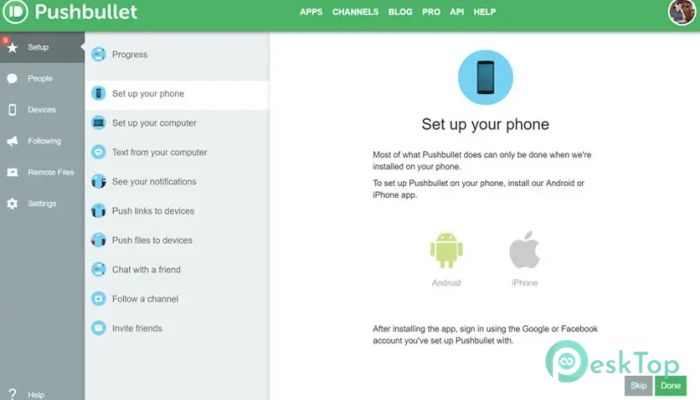
Download Pushbullet 1.0 for Windows.
Pushbullet Overview
It is built to remove the constant back-and-forth between devices. Instead of picking up your phone every few minutes, it brings notifications, messages, and files straight to your computer screen. Everything stays in sync, saving time and maintaining focus. The software works quietly in the background and feels more like a bridge than an app. Once connected, it creates a shared space where your devices communicate instantly.Features of Pushbullet
Seamless Notification Sync
One of the strongest features is notification mirroring. Alerts from apps, calls, and system messages appear instantly on your desktop. You can read them without unlocking your phone, which feels like having your phone’s screen gently peeking through your monitor.
This setup helps reduce distractions while still keeping you informed. You stay in control without constantly switching devices.
Easy File and Link Sharing
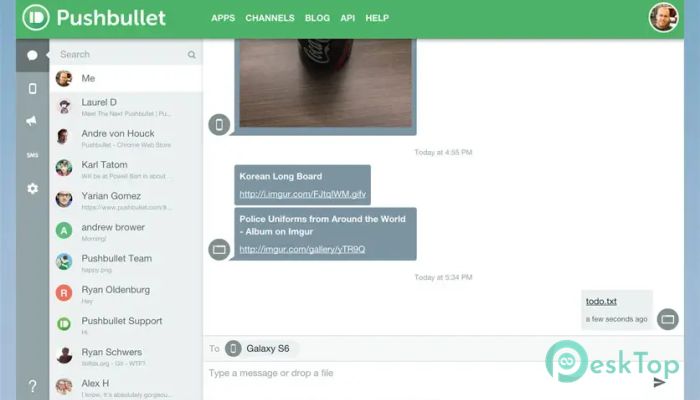
Sending files becomes effortless. Photos, documents, and links can be shared between devices in seconds. There is no need for cables or email drafts. Just send it once and access it everywhere.
It feels like tossing something across a desk rather than arranging a delivery. That simplicity makes daily tasks quicker and less frustrating.
Message Management from Desktop
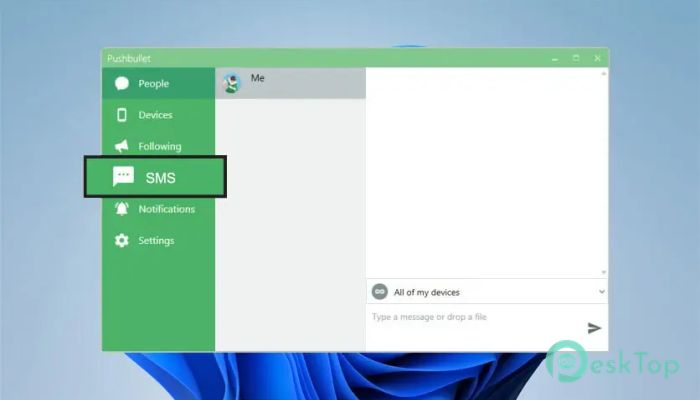
Text messages can be read and replied to directly from your computer. Conversations stay synced, so nothing feels out of place. Typing on a full keyboard also makes replies faster and more comfortable.
This feature is invaluable during work sessions when switching screens breaks concentration.
Clipboard Sync Across Devices
Clipboard syncing allows copied text or links to move between devices instantly. Copy something on your phone and paste it on your PC without extra steps.
It feels like your clipboard learned how to travel. Once you use it, going back feels inconvenient.
Secure and Real-Time Transfers
Security is handled carefully through encrypted connections. Files and messages move in real time while staying protected. This balance between speed and safety builds confidence during daily use.
Whether sharing notes or private content, everything stays under your control.
Cross-Platform Flexibility
The software works across Windows, Android, browsers, and other supported platforms. This flexibility makes it suitable for mixed-device environments.
System Requirements and Technical Details
Operating System: Windows 11 / 10 / 8.1 / 7
Processor: Minimum 1 GHz Processor (2.4 GHz recommended)
RAM: 2GB (4GB or more recommended)
Free Hard Disk Space: 200MB or more is recommended

-
Program size1.60 MB
-
Version1.0
-
Program languagemultilanguage
-
Last updatedBefore 8 Month
-
Downloads21
 MobiKin Eraser for Android
 iMobie AnyTrans for iOS
 Iriun Webcam
 LDPlayer
 Coolmuster Android SMS + Contacts Recovery
  Coolmuster Lab.Fone for Android