
 Arabic
  English
  Turkish
  Chinese
  Japanese
  Russian
  Spanish
  German
  French
  Hindi
Hindi Download Qiqqa 82.0.7216.35525 for Windows
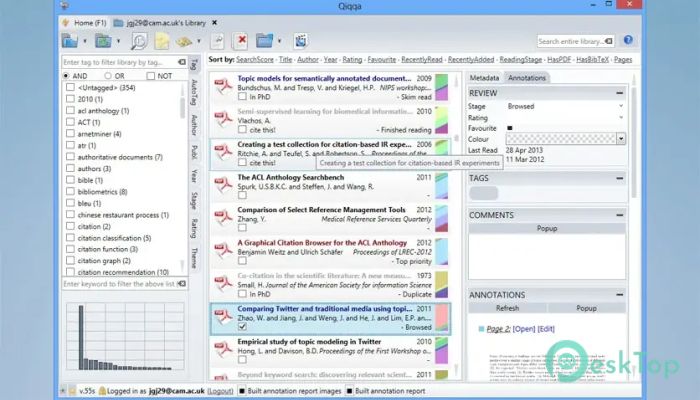
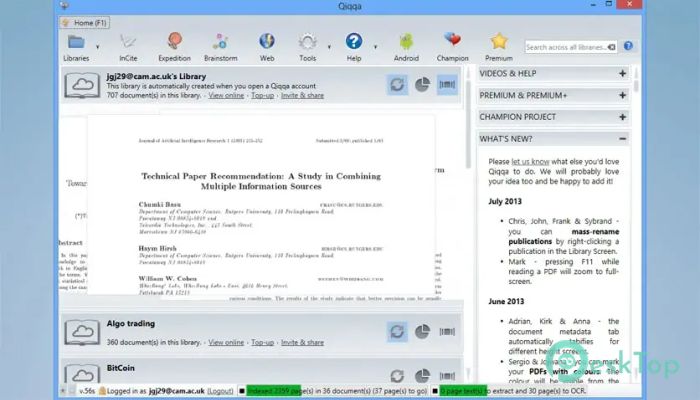
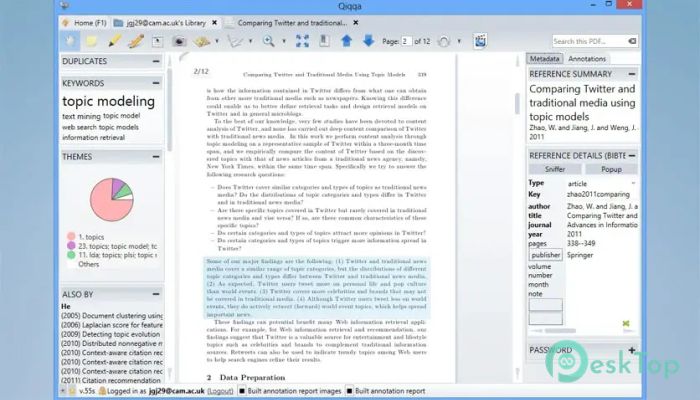
Download Qiqqa 82.0.7216.35525 for Windows.
Qiqqa Overview
It is designed for researchers, students, and professionals who manage large volumes of academic papers. It functions like a smart digital library, keeping everything in one place. Instead of messy folders and lost files, it brings structure, clarity, and speed to your research workflow. The best part is that it is free and open source, making it accessible to everyone.Features of Qiqqa
Open-Source and Community Driven
The software started as a commercial product but later moved to an open-source model. This change opened the doors for community contributions and long-term development. Because of this approach, it continues to improve through shared ideas and honest user feedback. It feels less like a locked tool and more like a living project built by researchers for researchers.
Smart PDF Organization
Managing hundreds of research papers can feel like looking for a needle in a haystack. This tool solves that problem by automatically identifying, tagging, and categorizing your PDFs. Once added, every document becomes searchable, so finding a specific document takes seconds rather than hours.
Powerful Search and Accessibility
All your documents remain secure and instantly accessible. Whether you are online at your workstation or offline while traveling, everything stays within reach. The built-in search works across titles, authors, keywords, and the full text of PDFs, making research faster and easier.
PDF Reading and Annotation Tools
Reading inside the software feels natural and distraction-free. You can highlight text, add comments, and mark important sections as you go. These annotations are saved automatically, so nothing gets lost. It is like writing notes in the margins of a book, but cleaner and easier to revisit.
Annotation Reports That Save Time
After reading multiple papers, remembering key points can be tough. This is where annotation reports shine. They collect all your highlights, notes, and comments into clear summaries. Instead of re-reading entire documents, you can quickly review the most critical insights.
Guided Literature Discovery
The software does more than just store papers. It understands your research niche and helps guide your reading journey. By analyzing citations and topics, it highlights influential and highly relevant papers. This makes it easier to focus on what truly matters in your field.
Finding What to Read Next
Not sure what paper to read next? The tool follows citation links, authors, and keywords to suggest relevant material. This creates a natural reading path, helping you move from one critical study to another without feeling lost.
Theme-Based Writing Support
When it comes time to write, the software feels like a helpful assistant. Using themes and annotation reports, it shows exactly which sources fit each section of your paper. Everything you should cite is presented clearly, reducing stress and saving valuable time.
Automatic Bibliography Creation
Creating references is often one of the most tedious parts of academic writing. This tool handles it automatically. As you add citations or change the publishing style, the bibliography updates instantly. It is like having a formatting expert working quietly in the background.
Cross-Device Convenience
Your research should not be tied to a single machine. The software keeps your library synchronized, allowing access across devices. Whether you are in the lab, at home, or on the move, your work stays consistent and up to date.
User-Friendly Experience
Despite its advanced features, the interface remains easy to understand. Everything is clearly laid out, so new users can get started quickly. It feels less like learning complex software and more like using a well-organized desk.
System Requirements and Technical Details
Operating System: Windows 11 / 10 / 8.1 / 7
Processor: Minimum 1 GHz Processor (2.4 GHz recommended)
RAM: 2GB (4GB or more recommended)
Free Hard Disk Space: 200MB or more is recommended

-
Program size74.09 MB
-
Version82.0.7216.35525
-
Program languagemultilanguage
-
Last updatedBefore 8 Month
-
Downloads30
 CoolUtils PDF Combine
 NAPS2 - Not Another PDF Scanner
 FocusWriter
 Atlantis Word Processor
 AI Offline OCR Scanner Pro
 Xappex XL-Connector