
 Arabic
  English
  Turkish
  Chinese
  Japanese
  Russian
  Spanish
  German
  French
  Hindi
Hindi Download Raylib Technologies rTexPacker 5.5 for Windows
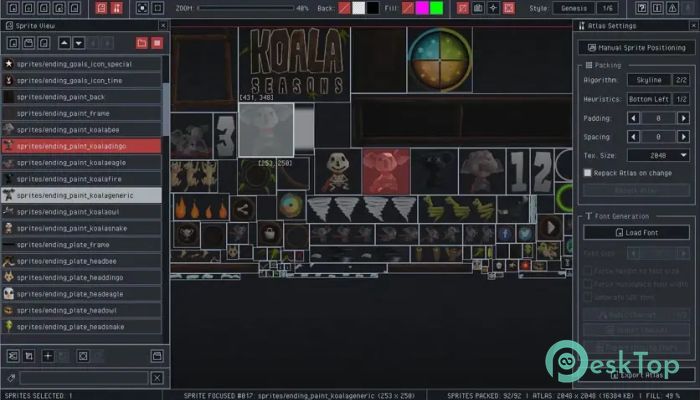
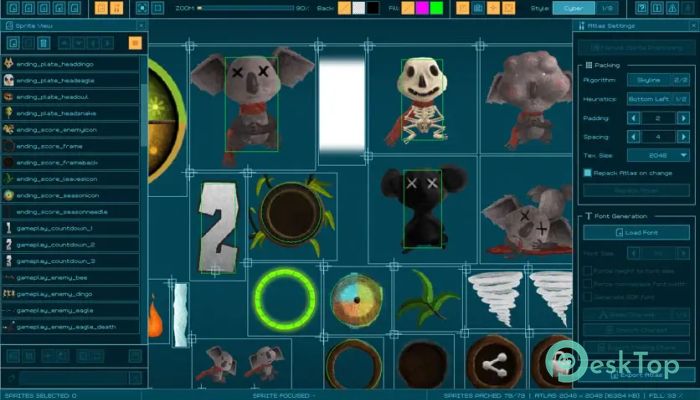
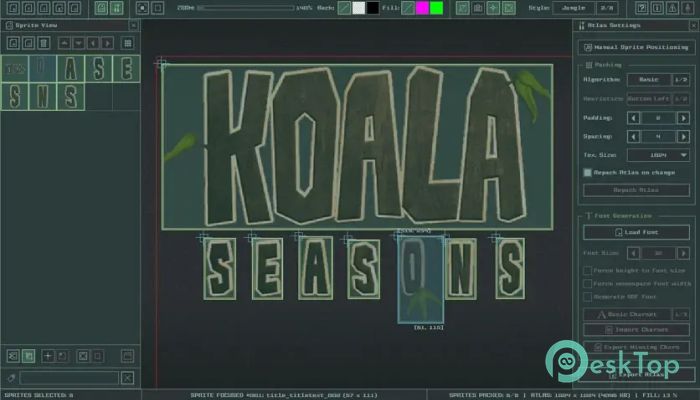
Download Raylib Technologies rTexPacker 5.5 for Windows.
Raylib Technologies rTexPacker Overview
This tool is designed for game performance. Instead of drawing dozens or hundreds of small images individually, everything is merged into a single atlas. That simple idea reduces draw calls and keeps things running fast. It fits perfectly into modern 2D workflows where efficiency matters just as much as visuals. Why texture atlases matter in games Every image rendered on screen adds a small cost. When too many images are involved, performance can drop. By consolidating visuals into a single atlas, the software reduces overhead. Think of it like packing groceries into one bag instead of carrying ten separate ones. The load becomes easier to handle.Features of Raylib Technologies rTexPacker
Smart sprite packing system
It automatically arranges sprites using different algorithms and heuristics. You can fine-tune how images are placed, how much spacing is used between them, and how transparent the borders are. This flexibility allows you to balance compact atlases with visual safety, especially when scaling or rotating sprites.
Advanced sprite customization
Every sprite can be adjusted individually. Trimming removes unused transparent pixels. Origin points can be repositioned for accurate rotation or alignment. Basic collider shapes can also be defined, ensuring gameplay logic aligns with visuals. All this data is saved alongside the atlas.
Font atlas generation support
Beyond images, the software also handles fonts. It can generate glyph atlases from common font formats and supports options like font size, fixed height, monospace layout, and signed distance field fonts. Unicode handling is flexible, with automatic cleanup of duplicate characters.
Unicode and charset handling
Custom character sets can be imported from UTF 8 text files. Only unique characters are retained, preventing wasted space. Missing characters can be detected and exported, making it easier to track font coverage when working with multiple languages.
Manual control when needed
Automatic packing works well most of the time, but manual positioning is also supported. This is helpful when certain sprites must stay together or follow a specific layout. You get the best of both worlds: automation with the option for hands-on control.
Atlas preview and visualization tools
The built-in viewer lets you zoom, pan, change backgrounds, and adjust fill modes. This makes it easy to inspect how assets are placed and spot potential issues before exporting. It feels like looking through a magnifying glass at your final output.
Flexible export formats
Atlas data can be exported in many formats, including text, binary, JSON, XML, and C header code. Images can be saved as PNG, QOI, DDS, or RAW. There is even support for embedding binary atlas data directly into PNG chunks, which keeps files compact and portable.
Portable project files
All atlas data can be saved into a single portable project file. This file contains everything needed to reopen and continue work later. Configuration settings are automatically saved, ensuring a consistent environment every time you launch it.
Command line and batch processing
For automated pipelines, command-line support is included. This allows batch processing of sprites and fonts without opening the interface. It is ideal for building systems that require assets to be automatically packed during deployment.
Lightweight and dependency-free
The application is completely portable and runs as a single file. No extra libraries are required. You can copy it to a USB drive or include it in a toolkit folder and run it anywhere without setup headaches.
System Requirements and Technical Details
Operating System: Windows 11 / 10 / 8.1 / 7
Processor: Minimum 1 GHz Processor (2.4 GHz recommended)
RAM: 2GB (4GB or more recommended)
Free Hard Disk Space: 200MB or more is recommended

-
Program size5.20 MB
-
Version5.5
-
Program languagemultilanguage
-
Last updatedBefore 8 Month
-
Downloads4
 ExtraMAME
 ChessBase Fritz
 ChessBase
 Dragonrise Games YoloX
 Vortex
 NCSOFT PURPLE