
 Arabic
  English
  Turkish
  Chinese
  Japanese
  Russian
  Spanish
  German
  French
  Hindi
Hindi Download Recoveryfix OST Viewer 1.0 for Windows
Download Recoveryfix OST Viewer 1.0 for Windows.
Recoveryfix OST Viewer Overview
Managing Outlook data files can feel like opening a locked box without a key, especially when you don’t have access to Microsoft Outlook. That’s where this tool steps in like a reliable helper. It allows users to open OST files easily and view all the data inside without any hassle. The software is designed to handle both normal and problematic OST files. Whether your file is healthy, corrupted, or even orphaned, it ensures that you can still access your important data. From emails and contacts to calendars and notes, everything is displayed in its original format. Another great thing about this tool is that it works independently. You don’t need Outlook or Exchange Server installed. It acts like a standalone reader, giving you full control over your data anytime, anywhere.Features of Recoveryfix OST Viewer
Easy Access Without Outlook
One of the biggest challenges users face is opening OST files without having Outlook installed. This software removes that limitation completely. It acts as a bridge, connecting you directly to your data without extra tools.
Imagine having a book but no reader. This tool becomes that reader, allowing you to view every page clearly. It ensures that even non-technical users can open files with ease.
Supports Damaged and Corrupted Files
Sometimes files get damaged due to system crashes or unexpected shutdowns. In such cases, accessing data becomes nearly impossible. This tool handles such situations smoothly by scanning and opening damaged files.
It offers smart scanning options that dig deep into the file structure. Even if the file looks broken on the outside, the software tries its best to recover readable content from within.
Dual Scanning Modes for Better Results
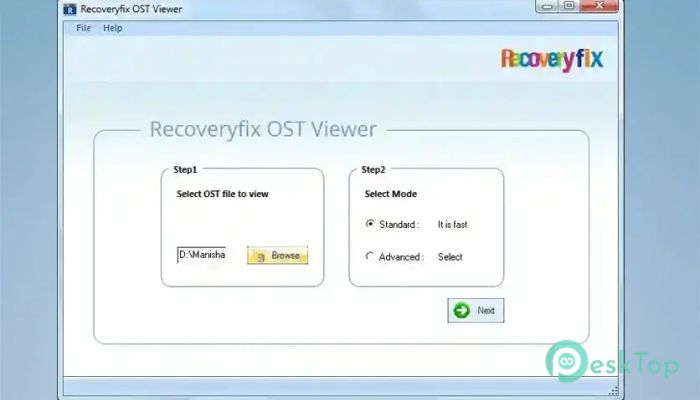
To provide flexibility, the software includes two scanning modes: Standard and Advanced. The Standard mode is quick and ideal for minor issues, while the Advanced mode delves deeper into heavily damaged files.
This dual approach works like having two gears in a machine. You can switch based on your file's condition, ensuring better results every time.
Wide Compatibility with OST Formats
The tool supports both ANSI and UNICODE OST files. This means it can work with files created in different Outlook versions without any compatibility issues.
Whether your file is old or newly created, the software adapts to it easily. This flexibility makes it suitable for a wide range of users.
View Complete Mailbox Data
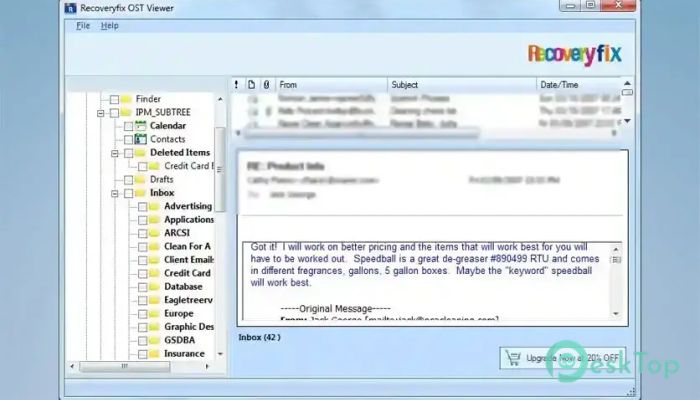
It allows users to explore all mailbox items, including emails, contacts, calendars, notes, tasks, and journals. Everything is organized, making navigation smooth and simple.
The original structure and formatting are maintained, so nothing feels out of place. It’s like looking at your Outlook mailbox without actually opening Outlook.
Access Deleted and Lost Items
Data loss can be stressful, especially when important emails are involved. This software helps you view deleted or lost items from OST files.
It scans thoroughly and lists items that might not be visible otherwise. This feature can be a lifesaver when you need to recover important information.
Handles Password-Protected Files
Security is important, and many OST files are protected with passwords or encryption. The tool can open such files and display their contents safely.
It ensures that users can access their data without compromising security. This makes it reliable for both personal and professional use.
No File Size Limitations
Large OST files can slow down many tools, but not this one. It is built to handle oversized files without any restrictions.
Whether your file is small or extremely large, the software processes it smoothly. This makes it ideal for users handling large amounts of data.
Maintains Data Integrity
While viewing data, the software keeps everything intact. Read and unread statuses, attachments, and meta properties remain unchanged.
This ensures that users see the data exactly as it was stored. No changes, no confusion, just accurate information.
Advanced Sorting Options
To make navigation easier, the tool offers multiple sorting options. You can organize data based on attachments, subject, sender, date, and more.
This feature works like a smart filter, helping you find specific items quickly without scrolling endlessly.
User-Friendly Interface
The interface is clean and simple, making it easy for anyone to use. Even if you are new to such tools, you won’t feel lost.
Everything is placed logically, so you can perform tasks without confusion. It’s designed to save time and effort.
System Requirements and Technical Details
Operating System: Windows 11 / 10 / 8.1 / 7
Processor: Minimum 1 GHz Processor (2.4 GHz recommended)
RAM: 2GB (4GB or more recommended)
Free Hard Disk Space: 200MB or more is recommended

-
Program size3.71 MB
-
Version1.0
-
Program languagemultilanguage
-
Last updatedBefore 3 Month
-
Downloads16
 CoolUtils PDF Combine
 NAPS2 - Not Another PDF Scanner
 FocusWriter
 Atlantis Word Processor
 AI Offline OCR Scanner Pro
 Xappex XL-Connector