
 Arabic
  English
  Turkish
  Chinese
  Japanese
  Russian
  Spanish
  German
  French
  Hindi
Hindi Download Revolutio CHECKSTEEL 4.1.6 for Windows
Download Revolutio CHECKSTEEL 4.1.6 for Windows.
Revolutio CHECKSTEEL Overview
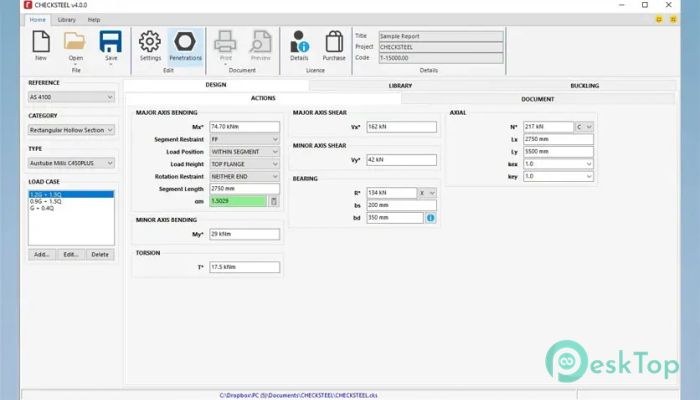
It is designed to make structural steel calculations feel less like guesswork and more like a guided process. It supports key Australian and New Zealand standards, including AS 4100, AS/NZS 5100.6, and NZS 3404, which makes it a reliable choice for professionals working on compliant designs. Instead of juggling formulas and reference tables, the software consolidates everything into a single, focused workspace. The tool is officially endorsed by InfraBuild, formerly known as OneSteel, which adds an extra layer of trust for engineers and designers. This endorsement reflects its alignment with real-world steel products and industry expectations.Features of Revolutio CHECKSTEEL
Purpose and Practical Use
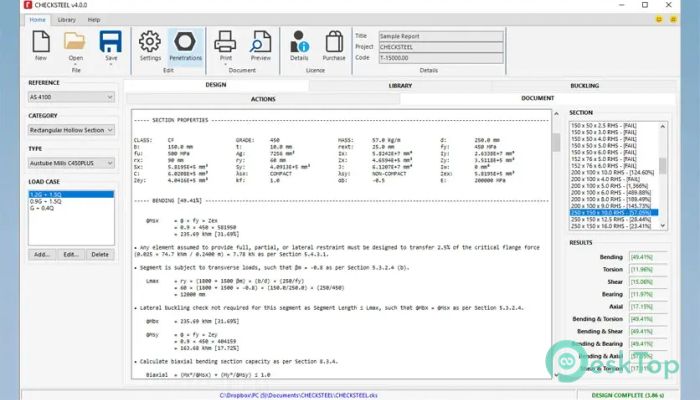
The software's primary goal is to simplify capacity checks for steel members. It handles bending, shear, torsion, compression, tension, bearing, and combined actions clearly and systematically. Think of it as a calculator that understands structural behavior, not just numbers.
It fits well into daily engineering workflows, whether you are checking a single beam or reviewing multiple members across a project. Reducing manual effort saves time and lowers the risk of small but costly mistakes.
Standards-Based Design Support
One of its strongest points is full alignment with relevant design standards. The software applies AS 4100, AS/NZS 5100.6, and NZS 3404 rules directly within calculations. This means results are not just fast, but also defensible during reviews and approvals.
Instead of flipping through code books, the rules are built into the logic. This makes compliance feel natural rather than forced.
Advanced Calculation Capabilities
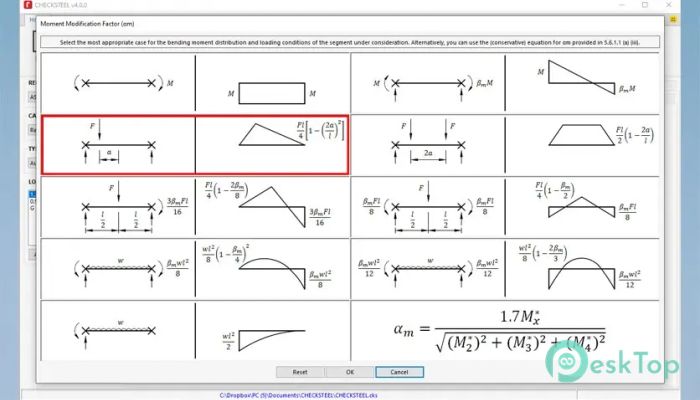
The software can evaluate steel members under a wide range of actions. It easily checks bending strength, torsional effects, shear capacity, and bearing capacity. It also handles compression and tension checks, including combined actions where forces interact.
These combined checks are where many tools fall short, but here they are handled smoothly, giving engineers confidence in complex scenarios.
Custom Section Builder
A standout feature is the custom section builder. It allows users to create their own steel sections and automatically calculate properties in line with AS 4100, AS 5100.6, AS/NZS 3679.1, AS/NZS 3679.2, and AS/NZS 1163.
This is especially useful when working with non-standard profiles or modified sections. Instead of approximations, the software delivers accurate section properties based on real geometry.
Buckling Curve Automation
Buckling checks can be complex, but the software simplifies them by automating the generation of bending and compression buckling curves. It selects appropriate curves based on section type and loading conditions.
This automation feels like having an experienced colleague double-checking your assumptions, reducing uncertainty in stability-related designs.
Section Penetrations Handling
The tool also allows users to add section penetrations. This is important for modern designs where services often pass through beams. The software considers these penetrations when calculating capacity, helping ensure safety without excessive conservatism.
It bridges the gap between idealized theory and real construction details.
User-Friendly Workflow
The interface is built with engineers in mind. Inputs are logical, results are clearly presented, and the learning curve is manageable. Even complex checks are broken down into understandable steps.
This makes it suitable for both experienced professionals and those still building confidence in steel design.
Industry Endorsement and Reliability
Being endorsed by InfraBuild underscores the software’s alignment with actual steel products and industry practices. This endorsement reassures users that calculations align with commonly used sections and materials.
It adds credibility when results are shared with clients, reviewers, or approving authorities.
System Requirements and Technical Details
Operating System: Windows 11 / 10
Processor: Minimum 1 GHz Processor (2.4 GHz recommended)
RAM: 2GB (4GB or more recommended)
Free Hard Disk Space: 200MB or more is recommended

-
Program size48.41 MB
-
Version4.1.6
-
Program languagemultilanguage
-
Last updatedBefore 9 Month
-
Downloads20
 Autodesk 3DS MAX
 Autodesk AutoCAD Electrical
 Autodesk Maya
 Autodesk AutoCAD Architecture
 Autodesk AutoCAD Map 3D
 Autodesk AutoCAD Plant 3D