
 Arabic
  English
  Turkish
  Chinese
  Japanese
  Russian
  Spanish
  German
  French
  Hindi
Hindi Download Revolutio CHECKWIND 8.4.2 for Windows
Download Revolutio CHECKWIND 8.4.2 for Windows.
Revolutio CHECKWIND Overview
It is built to simplify one of the most complex parts of structural and civil engineering. Instead of spending hours cross-checking maps, tables, and regional standards, this tool consolidates them in one place. It combines advanced calculations with Google Maps integration to deliver precise wind data for any location worldwide. It feels like having a wind expert sitting next to you, quietly doing all the heavy thinking while you focus on design and decision-making. From small projects to large infrastructure planning, the software fits naturally into modern engineering workflows.Features of Revolutio CHECKWIND
Fast and Accurate Wind Load Calculations
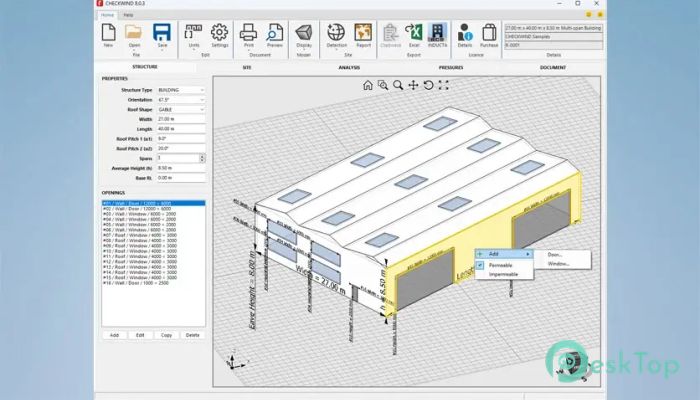
The software is designed for speed without sacrificing accuracy. Within seconds, it calculates wind regions, terrain categories, topographic factors, and shielding classes. These values are essential to safe, compliant designs, and the tool ensures they are generated consistently.
Instead of guessing or manually interpreting data, engineers obtain reliable, repeatable results. This approach reduces human error and builds confidence in every calculation.
Wide Range of Supported International Standards
One of its strongest features is broad support for standards. It works seamlessly with major global codes, including Australian, New Zealand, American, European, Canadian, Indian, and Asian standards. This makes it ideal for professionals working across borders or handling international projects.
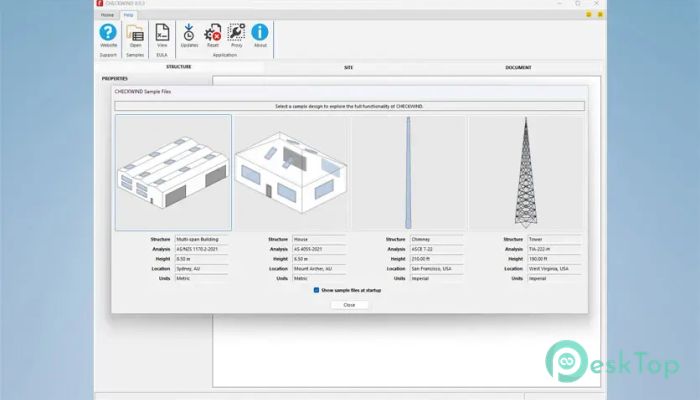
Whether the task involves AS 4055, AS/NZS 1170, ASCE 7, EN 1991, IS 875, or TIA standards, the software adapts smoothly. It eliminates the stress of switching tools across regions.
Smart Detection Using Machine Learning
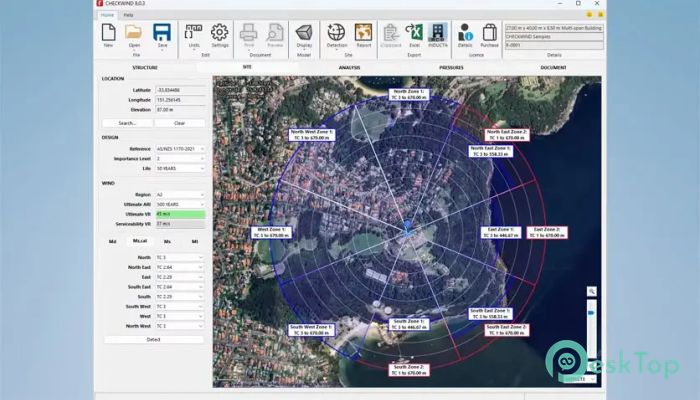
The tool uses machine learning to detect terrain categories, exposure conditions, and surrounding features. This is where it truly feels modern. Instead of static assumptions, it analyzes real-world data from satellite imagery.
This intelligent detection system acts like a digital surveyor, scanning the area and capturing details that might be missed manually. The result is more realistic and site-specific wind assessments.
Google Maps Integration for Real-World Accuracy
Google Maps integration is a game-changer. By visually linking calculations to real locations, users can see exactly how surrounding terrain, buildings, and topography influence wind behavior.
This visual clarity helps engineers explain results to clients and stakeholders. It turns complex numbers into something easier to understand, much like seeing weather patterns on a live map instead of reading raw data.
Automatic PDF Site Reports
Generating reports is quick and effortless. The software instantly creates professional PDF site reports, complete with satellite image overlays. These reports are ready to share, review, or archive.
This feature saves time during the documentation and approval stages. Instead of manually compiling screenshots and tables, everything is neatly packaged in a single report.
Seamless Integration with Existing Software
For teams with established workflows, the Hazard API enables seamless integration with existing software systems. This means calculations can run in the background while other tools handle design or analysis.
It works like an invisible engine, powering wind calculations without disrupting daily operations. This flexibility makes it suitable for both individual consultants and large engineering firms.
Support for Specialized Infrastructure Projects
The software is not limited to buildings. It also supports infrastructure-focused standards, including AASHTO LRFD, TIA-222 for telecommunications towers, and EN 40 for lighting columns.
This versatility makes it a reliable companion across multiple engineering disciplines. From highways to communication towers, it adapts to different structural needs.
Consistent Results Across Regions
Consistency is critical in engineering, and this tool delivers it well. Using standardized detection methods and automated calculations ensures consistent results across locations.
This consistency helps teams maintain quality control and reduces back-and-forth during reviews. It creates a shared language of wind data that everyone can trust.
System Requirements and Technical Details
Operating System: Windows 11 / 10
Processor: Minimum 1 GHz Processor (2.4 GHz recommended)
RAM: 2GB (4GB or more recommended)
Free Hard Disk Space: 2GB or more is recommended

-
Program size452.56 MB
-
Version8.4.2
-
Program languagemultilanguage
-
Last updatedBefore 9 Month
-
Downloads16
 Autodesk 3DS MAX
 Autodesk AutoCAD Electrical
 Autodesk Maya
 Autodesk AutoCAD Architecture
 Autodesk AutoCAD Map 3D
 Autodesk AutoCAD Plant 3D