
 Arabic
  English
  Turkish
  Chinese
  Japanese
  Russian
  Spanish
  German
  French
  Hindi
Hindi Download Rizin Cutter 2.4.1 for Windows
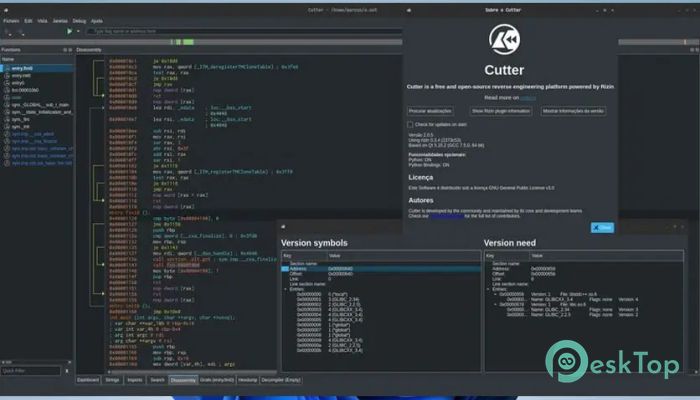
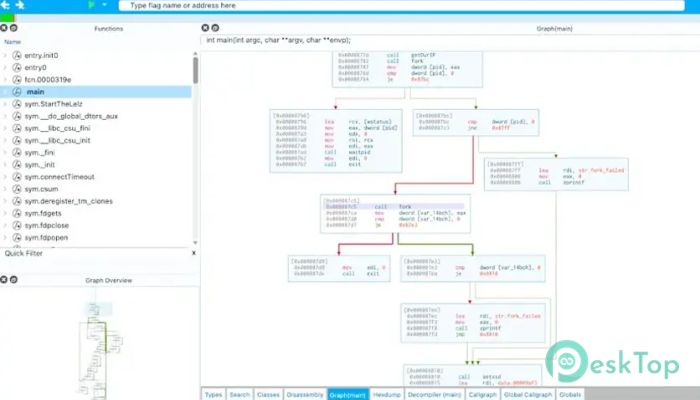
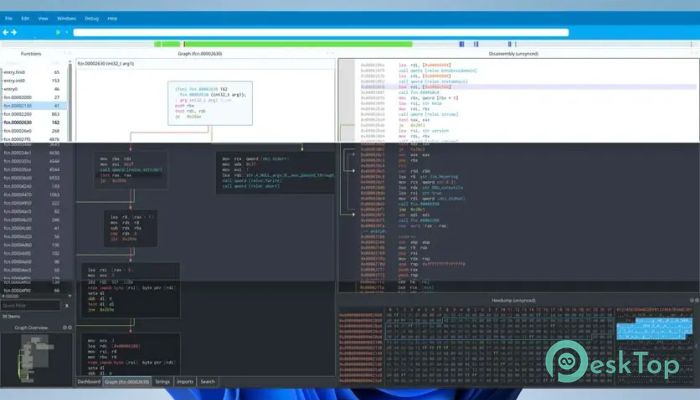
Download Rizin Cutter 2.4.1 for Windows.
Rizin Cutter Overview
This platform stands out as a modern reverse-engineering solution suitable for both beginners and experienced professionals. It combines advanced analysis features with a clean and intuitive interface, making it easier to understand complex code structures. Powered by the Rizin framework, it provides a strong backend while maintaining simplicity on the front end. Unlike traditional tools that feel overwhelming, this one focuses on usability without sacrificing depth. It is designed by experts who understand real-world needs, which is why every feature feels practical and purposeful. Whether you're exploring malware, analyzing binaries, or learning reverse engineering, it provides a solid environment in which to work.Features of Rizin Cutter
Easy-to-Use Interface
One of the software's biggest strengths is its interface. Reverse engineering tools often feel like puzzles with missing pieces, but here everything is laid out clearly. Menus are organized, panels are customizable, and navigation feels smooth.
It’s like having a well-organized toolbox where every tool is exactly where you expect it to be. This saves time and reduces frustration, especially when working on complex projects.
Advanced Reverse Engineering Capabilities
Behind the simple design lies a powerful engine capable of deep analysis. It allows users to inspect binaries, understand program flow, and analyze assembly code with precision. The integration with Rizin ensures accurate and efficient processing.
Think of it as a microscope for software. It lets you zoom into the smallest details of a program and understand how everything works under the hood.
Customizable Workspace
Flexibility is another key highlight. The tool lets you adjust layouts, rearrange panels, and personalize your workspace to suit your workflow. This makes long sessions more comfortable and productive.
Everyone works differently, and this platform respects that. Whether you prefer minimal views or detailed dashboards, it adapts to your style.
Open Source Advantage
Being open-source means transparency and continuous improvement. Developers around the world contribute to making the platform better, adding features, fixing bugs, and enhancing performance.
This also means you are not locked into a closed system. You can explore the code, modify it, or extend its capabilities based on your needs.
Cross-Platform Compatibility
The software supports multiple operating systems, making it accessible to a wide range of users. Whether you're on Windows or another platform, you can enjoy the same powerful features without limitations.
This flexibility ensures that your workflow remains consistent, no matter where you work from.
Built for Learning and Professionals
This platform is not just for experts. Beginners can use it to learn the basics of reverse engineering thanks to its clear interface and helpful features. At the same time, professionals can dive deep into advanced analysis without feeling restricted.
It acts like a bridge between learning and mastery, guiding users from simple tasks to complex investigations.
Performance and Efficiency
Speed matters when analyzing large files, and this tool delivers reliable performance. It processes data efficiently, allowing you to focus on insights rather than waiting for results.
Even during heavy tasks, it maintains stability, making it suitable for both small projects and large-scale analysis.
Community and Support
A strong community surrounds the software, offering tutorials, guides, and support. This makes it easier to solve problems and learn new techniques.
It’s like being part of a workshop where everyone shares knowledge and helps each other grow.
System Requirements and Technical Details
Operating System: Windows 11 / 10 / 8.1 / 7
Processor: Minimum 1 GHz Processor (2.4 GHz recommended)
RAM: 2GB (4GB or more recommended)
Free Hard Disk Space: 200MB or more is recommended

-
Program size118.83 MB
-
Version2.4.1
-
Program languagemultilanguage
-
Last updatedBefore 5 Month
-
Downloads21
 Autodesk 3DS MAX
 Autodesk AutoCAD Electrical
 Autodesk Maya
 Autodesk AutoCAD Architecture
 Autodesk AutoCAD Map 3D
 Autodesk AutoCAD Plant 3D