
 Arabic
  English
  Turkish
  Chinese
  Japanese
  Russian
  Spanish
  German
  French
  Hindi
Hindi Download RojX: PC Gaming Controller 1.0 for Windows
Download RojX: PC Gaming Controller 1.0 for Windows.
RojX: PC Gaming Controller Overview
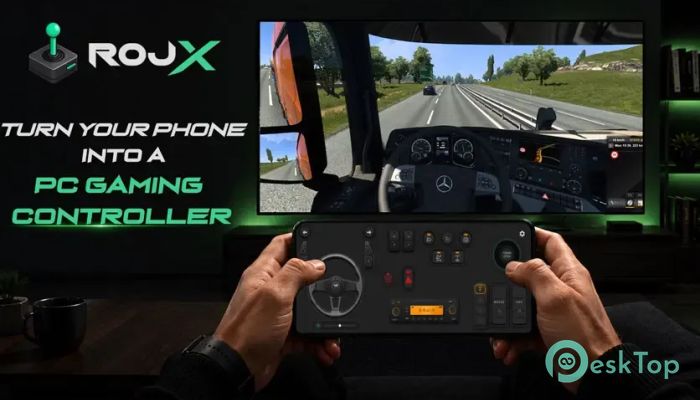
It is built for gamers who want a flexible and responsive way to play PC games without buying extra hardware. Instead of using a traditional controller, it transforms your smartphone into a powerful wireless gaming controller that connects directly to your computer over local Wi-Fi. Thanks to its ultra-low latency technology, every tap, swipe, and movement feels quick and natural, making gameplay smooth and enjoyable. The software is designed with customization in mind. Whether you enjoy truck simulators, racing games, flight simulators, or classic arcade titles, it allows you to create a control layout that perfectly matches your favorite games. From simple buttons to advanced steering wheels and joystick controls, everything can be adjusted exactly the way you like.Features of RojX: PC Gaming Controller
Wireless Gaming Without Cables
One of the biggest advantages of the software is its completely wireless gameplay. Your Android or iPhone connects directly to your Windows PC over the same local Wi-Fi network, removing the need for USB cables. This gives you the freedom to sit comfortably while still enjoying responsive controls.
The wireless connection is optimized for gaming rather than ordinary networking. It delivers quick responses that closely match the feel of a physical controller, making every movement fast and reliable.
Fully Customizable Controller Builder
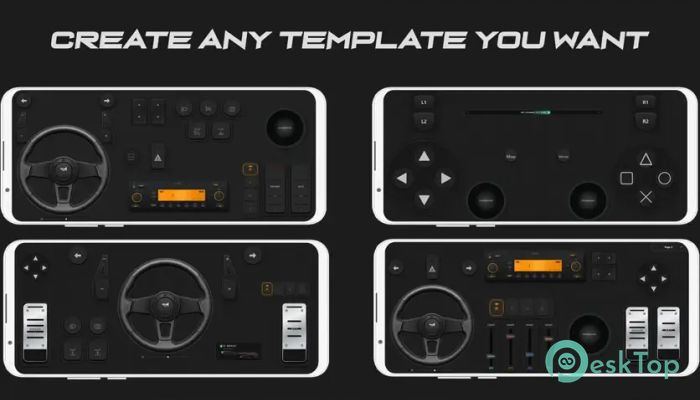
The tool includes an easy drag-and-drop editor that lets you build your own controller from scratch. You can place buttons, joysticks, sliders, switches, pedals, steering wheels, and many other controls anywhere on the screen.
There is no limit to how many controls you can add. Whether you want a simple layout with a few buttons or a professional dashboard packed with controls, everything is possible. Think of it like building your own gaming cockpit piece by piece.
Large Collection of Control Elements
The software comes with a growing library of controller elements ready to use. Instead of manually creating everything, you can simply drag your preferred controls into your layout and start playing within minutes.
If you need something unique, every element can be customized individually. Resize buttons, reposition joysticks, change labels, or modify behavior until the controller feels exactly right for your gaming style.
Multiple Templates for Different Games
Different games require different control layouts, and the tool makes switching between them effortless. You can save multiple controller templates and instantly change them while playing.
For example, one template can be optimized for driving vehicles, another for flying aircraft, and another for exploring open-world environments. Switching between layouts takes only seconds, allowing you to stay focused on the action.
Precision Joystick and Axis Controls
Every joystick and axis can be fine-tuned independently to provide the perfect level of control. You can adjust sensitivity, dead zones, and linearity to suit your personal preferences.
This level of customization is especially useful for racing games, flight simulators, and first-person shooters where even tiny movements can make a big difference. It allows every action to feel natural and accurate.
900° Steering Wheel and Gyroscope Support
Driving games become much more immersive thanks to the built-in virtual steering wheel. It supports up to 900 degrees of rotation with automatic centering, giving players realistic steering similar to an actual racing wheel.
If you prefer motion controls, you can also use your phone's built-in gyroscope. Simply tilt your phone to steer, making racing games feel more interactive and enjoyable.
Ultra-Low Latency Performance
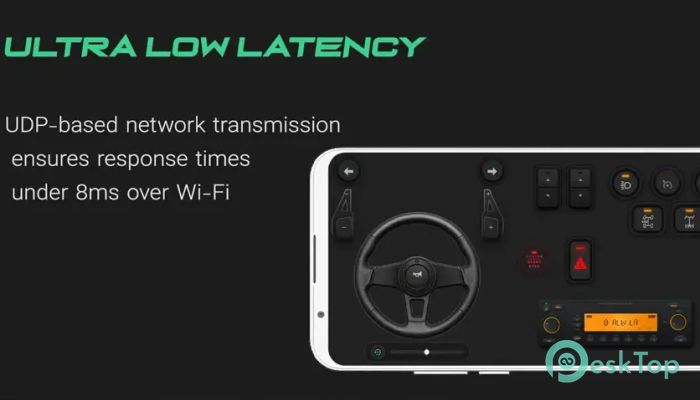
Speed matters in gaming, and the software is designed to minimize delay. Using UDP-based communication over local Wi-Fi, it achieves response times below 8 milliseconds under normal network conditions.
This means your actions reach the game almost instantly. Whether you're making a sharp turn, aiming at an opponent, or braking before a corner, every command feels immediate and responsive.
Perfect for Many Types of Games
The flexible controller system works well with many gaming genres. Racing enthusiasts can build realistic dashboards, truck simulator players can create complete driving controls, and flight simulator fans can design custom cockpit layouts.
Classic games, sports titles, action-adventure games, and open-world games also benefit from personalized control schemes. Since every template can be tailored to individual needs, the software adapts to almost any gaming experience.
Easy Setup and User-Friendly Interface
Getting started is simple even if you've never used a virtual controller before. The interface is clean and organized, making it easy to connect your phone, build templates, and adjust settings without confusion.
The drag-and-drop builder removes the complexity often found in advanced controller software. Within a short time, you'll have a personalized controller ready for your favorite PC games.
Reliable and Responsive Gameplay
The software was designed from the ground up with responsiveness as the highest priority. Every feature focuses on providing a gaming experience that feels similar to using dedicated USB hardware.
Combined with extensive customization options, wireless convenience, and stable performance, it gives gamers an enjoyable way to control their PC games using devices they already own.
System Requirements and Technical Details
Operating System: Windows 11 / 10 / 8.1 / 7
Processor: Minimum 1 GHz Processor (2.4 GHz recommended)
RAM: 2GB (4GB or more recommended)
Free Hard Disk Space: 200MB or more is recommended

-
Program size451.89 KB
-
Version1.0
-
Program languagemultilanguage
-
Last updatedBefore 3 Month
-
Downloads121
 ExtraMAME
 ChessBase Fritz
 ChessBase
 Dragonrise Games YoloX
 Vortex
 NCSOFT PURPLE