
 Arabic
  English
  Turkish
  Chinese
  Japanese
  Russian
  Spanish
  German
  French
  Hindi
Hindi Download SecureUxTheme 4.0.0 for Windows
Download SecureUxTheme 4.0.0 for Windows.
SecureUxTheme Overview
Customizing Windows has always been something users enjoy, but Microsoft places limitations on installing third-party themes. This is where the tool becomes extremely useful. It allows users to safely and easily enable custom Windows themes without modifying system files. Unlike older patching tools, the software focuses on maintaining system stability while still allowing users to personalize their desktop. The tool is designed to work with Windows 8 and later versions, making it compatible with most modern systems. It uses secure-boot-compatible methods, ensuring that customization does not compromise Windows security features. This makes it a reliable option for users who want better visuals without risking system performance or stability. One of the most appealing aspects is its lightweight design. The software runs quietly in the background and consumes minimal system resources. This means users can enjoy custom themes without slowing down their PC. The installation process is also simple, making it accessible even for beginners.Features of SecureUxTheme
Lightweight and Safe Customization Tool
The software stands out for its lightweight design. Unlike heavy customization tools, it does not install unnecessary background services or large components. Instead, it focuses on doing one thing well, enabling custom themes safely.
Because it avoids modifying system files, users reduce the risk of system crashes or update conflicts. This makes it particularly useful for users who frequently update Windows and want to avoid compatibility issues.
Another advantage is that it loads quickly and operates smoothly. Users can apply themes instantly without having to follow complicated steps. This simplicity makes the customization process feel natural and effortless.
Secure Boot Compatibility
Many theme patching tools disable security features or require advanced configuration. This tool takes a different approach by supporting secure boot compatibility. That means users can customize their desktop while maintaining Windows security.
This is especially useful for modern systems that enable secure boot by default. Instead of forcing users to change BIOS settings, the tool works within the system's security environment.
The result is a safer experience where customization and security go hand in hand. Users do not need to compromise safety for better visuals.
Simple Installation Process
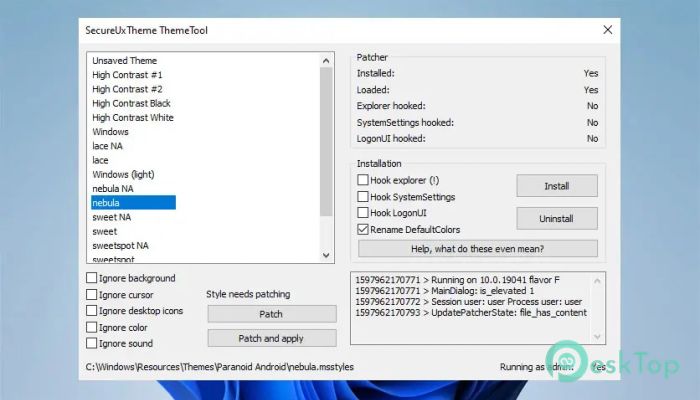
Installing the software is straightforward. Users simply download the program, run the installer, and apply the patch. After that, custom themes can be used immediately.
The interface is clean and easy to understand. Even users with limited technical knowledge can complete the setup without difficulty. No complicated commands or technical adjustments are required.
Once installed, it continues to work silently in the background. Users only need to restart Windows after applying changes, and customization becomes available instantly.
Supports Custom Themes
The main purpose of the tool is to enable third-party Windows themes. Users can download custom themes from various websites and apply them to personalize their desktops.
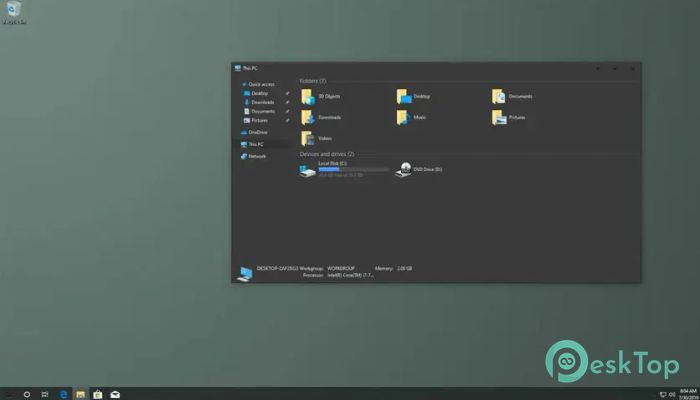
This includes changing window styles, icons, taskbar appearance, and system colors. With the right theme, users can completely transform Windows' look.
It feels like giving your PC a fresh coat of paint. Instead of the default appearance, users can enjoy a modern, minimal, or creative design.
Performance Friendly Operation
The software is designed to use minimal system resources. It does not consume CPU or memory unnecessarily. This ensures that system performance remains unaffected.
Even on older computers, the tool runs smoothly. Users can apply themes without worrying about lag or slowdowns.
This makes it ideal for users who want customization without sacrificing performance. The experience remains smooth and responsive.
No System File Modifications
Traditional theme patchers modify system files, which can cause problems after Windows updates. This tool avoids that risk entirely.
Instead, it uses safe methods to enable themes without changing core files. This approach improves reliability and reduces compatibility issues.
Users can update Windows normally without worrying about breaking custom themes. This convenience makes the tool more dependable in the long run.
User-Friendly Interface
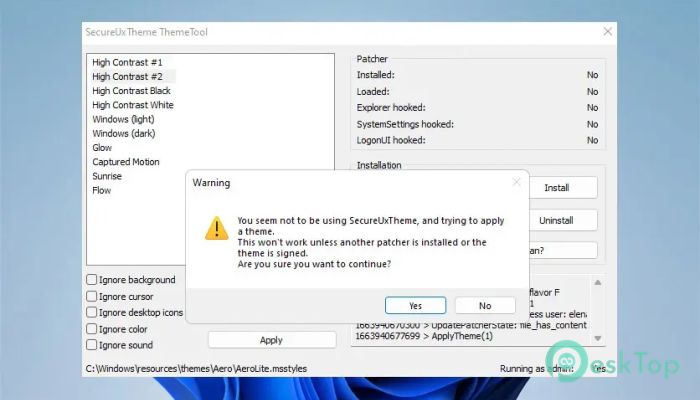
The interface is simple and easy to navigate. Users can quickly access options and apply patches without confusion.
The layout focuses on clarity, making it suitable for beginners and advanced users alike. Everything is placed logically, making the process straightforward.
This simplicity improves the overall experience and makes customization enjoyable rather than complicated.
Compatibility with Modern Windows Versions
The software supports Windows 8 and newer versions. This includes Windows 10 and Windows 11 systems.
Users with modern PCs can confidently install and use it without compatibility concerns. Updates are also supported, ensuring long-term usability.
This broad compatibility makes it a flexible choice for many users.
Why Choose This Tool
There are many theme patchers available, but this one stands out for its secure, lightweight approach. It balances customization and stability perfectly.
Users can personalize their desktop while keeping Windows safe and stable. This combination makes it a preferred choice for many customization enthusiasts.
Whether you want a minimal design or a completely new look, the tool makes it possible.
System Requirements and Technical Details
Operating System: Windows 11 / 10 / 8.1
Processor: Minimum 1 GHz Processor (2.4 GHz recommended)
RAM: 2GB (4GB or more recommended)
Free Hard Disk Space: 200MB or more is recommended

-
Program size171.69 KB
-
Version4.0.0
-
Program languagemultilanguage
-
Last updatedBefore 5 Month
-
Downloads56
 Reuschtools ClassicMenu
 AI Aquarium Screensaver
  Rainmeter
 Rainlendar Pro
 N-Button Pro
 Stardock DeskScapes