
 Arabic
  English
  Turkish
  Chinese
  Japanese
  Russian
  Spanish
  German
  French
  Hindi
Hindi Download Shadowsocks 4.4.1.0 for Windows

Download Shadowsocks 4.4.1.0 for Windows.
Shadowsocks Overview
It is designed to securely move data across restricted networks by creating an encrypted tunnel between a local client and a remote server. Think of it like a private underground passage that lets your internet traffic slip past roadblocks without drawing attention. The design focuses on speed, simplicity, and low resource usage, which makes it suitable for both casual and advanced users.Features of Shadowsocks
Local and Remote Components Explained
The local side acts as the gatekeeper on your device. It listens for requests from browsers, apps, or system tools and securely packages them. On the other end, the remote side receives these packages, decodes them, and passes them along to the open internet. Responses follow the same path back, staying protected the entire way. This back-and-forth flow operates like a sealed pipeline, carrying information in both directions.
Security and Encryption Approach
Strong encryption protects data as it travels across networks. This prevents third parties from easily inspecting or blocking traffic. Instead of using heavy, complex methods that slow everything down, the tool relies on efficient algorithms that balance safety and performance. It feels like locking your data in a sturdy suitcase rather than wrapping it in layers of tape.
Performance and Speed Benefits
Speed is one of the biggest advantages. Because the system avoids unnecessary overhead, connections stay responsive even on slower networks. Pages load smoothly, streaming remains stable, and downloads keep moving without constant interruptions. This makes it ideal for users who want reliable access without sacrificing performance.
Ease of Setup and Configuration
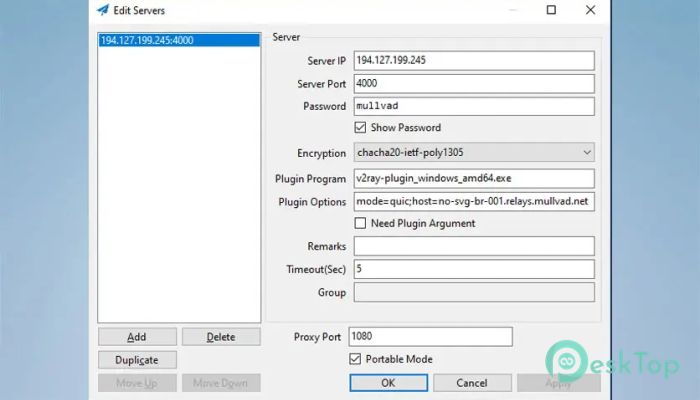
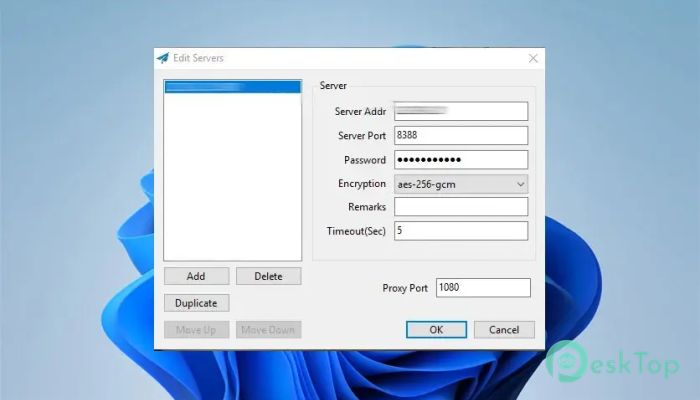
Setting things up is straightforward, especially on Windows. After installation, users only need to enter basic server details such as address, port, and encryption method. Once configured, the service runs quietly in the background. It is similar to setting a destination in a GPS and letting it handle the route automatically.
Compatibility with Applications
Because it functions as a SOCKS5 proxy, many applications can use it without requiring any special configuration. Browsers, messaging tools, and download managers can all route traffic through it. This flexibility allows users to protect specific apps or the entire system, depending on their needs.
Use Cases and Practical Scenarios
The software is commonly used in regions with restricted internet access, on public Wi-Fi networks, or in workplaces with strict firewalls. It is also helpful for developers and researchers who need stable access to global resources. In everyday terms, it acts like a master key that opens doors without triggering alarms.
System Requirements and Technical Details
Operating System: Windows 11 / 10 / 8.1 / 7
Processor: Minimum 1 GHz Processor (2.4 GHz recommended)
RAM: 2GB (4GB or more recommended)
Free Hard Disk Space: 200MB or more is recommended

-
Program size4.05 MB
-
Version4.4.1.0
-
Program languagemultilanguage
-
Last updatedBefore 9 Month
-
Downloads26
 RealVNC VNC Server Enterprise
 CrushFTP
 Reqable
 AnyDesk
 AmneziaVPN
 CurrPorts