
 Arabic
  English
  Turkish
  Chinese
  Japanese
  Russian
  Spanish
  German
  French
  Hindi
Hindi Download Occipital Skanect v1.11.0 for Windows
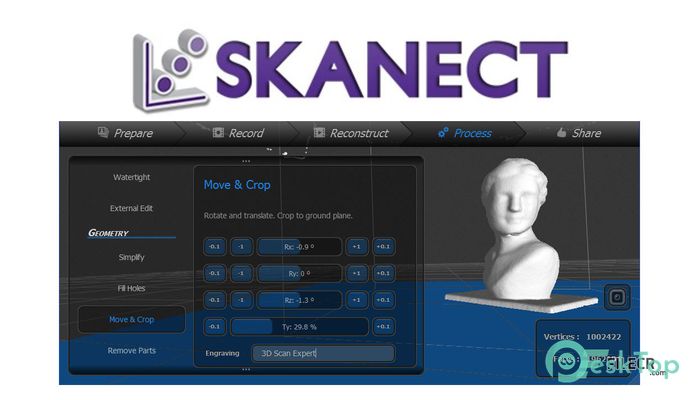
Download Occipital Skanect v1.11.0 for Windows.
Occipital Skanect Overview
Unlike existing technologies, Skanect can acquire dense 3D information about a scene at up to 30 frames per second. Just move around your Structure Sensor, Structure Core, Kinect or Xtion to capture a full set of viewpoints, and you will get a 3D mesh in real time.Features of Occipital Skanect
Recording presets for body, object and room scanning
Live feedback in low-, medium- or high-quality
CPU- or GPU-accelerated reconstruction
Record timer & countdown
Full-scan or keyframe-only recording
Model simplification
Hole filling & watertight mesh generation
Scaling & rotation
Plane cropping for optimal 3D prints
Colorization (with optional inpainting of unseen areas)
Small parts removal
Save full-resolution models (Free version limited to 5000 faces)
Export to most popular 3D software and 3D printers that use .STL, .OBJ, .PLY, .VRML
Per-vertex coloring (.OBJ, .PLY & .VRML file formats)
Direct upload to Sketchfab and Shapeways
Color texture maps (.STL & .OBJ)
External Editing in 3rd party software (such as Meshlab or Meshmixer)
Offline, non-realtime reconstruction, allowing for increased quality on lower-end machines
System Requirements and Technical Details
CPU Reconstruction: 2 GB RAM, Quad core processor.
GPU Reconstruction: 2 GB RAM, Intel Core 2, Cuda 2.0 compatible graphics card, with 1 Gb of memory
Recommended PC: Windows 7 or later (64 bits), Intel i7, 4 GB RAM, NVIDIA GTX 560 or higher.
Recommended Mac: macOS 10.10 or later, Macbook Pro 2012 or later, and Macbook Air 2013 or later.

-
Program size27.65 MB
-
Versionv1.11.0
-
Program languagemultilanguage
-
Last updatedBefore 4 Year
-
Downloads2251
 Autodesk 3DS MAX
 Autodesk AutoCAD Electrical
 Autodesk Maya
 Autodesk AutoCAD Architecture
 Autodesk AutoCAD Map 3D
 Autodesk AutoCAD Plant 3D