
 Arabic
  English
  Turkish
  Chinese
  Japanese
  Russian
  Spanish
  German
  French
  Hindi
Hindi Download SpMp 0.4.2 for Windows
Download SpMp 0.4.2 for Windows.
SpMp Overview
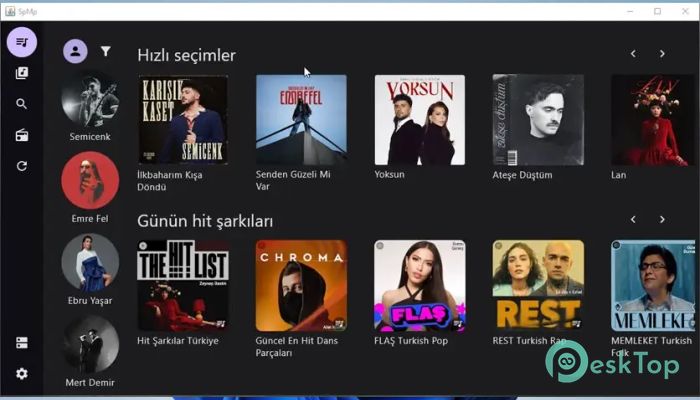
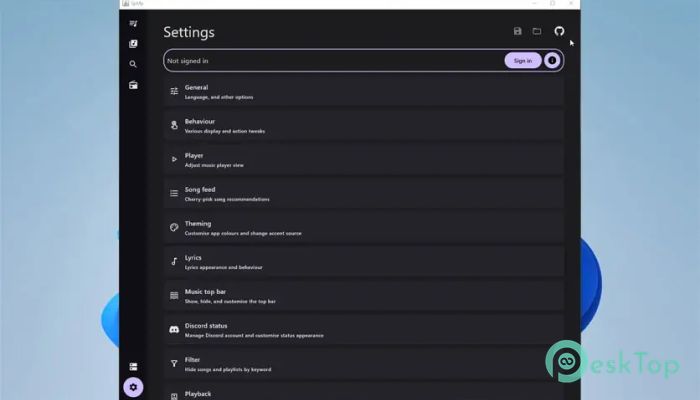
This software is designed with one clear idea in mind: give users the freedom to control how their music looks and feels. Instead of locking you into fixed layouts and colors, it behaves like a customizable music workspace. Built with Compose Multiplatform, it runs smoothly on both desktop and mobile devices, offering a consistent experience across platforms. Recent changes to the YouTube API have affected how third-party apps handle audio playback. Because of this, streaming audio usually does not work right now. While that sounds limiting, the tool still shines as a powerful music library manager, metadata editor, and visual companion for YouTube Music users.Features of SpMp
User Interface and Custom Design
The first thing you notice is the clean, modern interface. Everything feels intentional, like a well-organized desk where every tool has its place. Colors are not just decoration here; they shape the entire experience. You can adjust themes globally or tune them per song, which feels like painting each track with its own mood.
It can even pull colors directly from a song’s thumbnail. That means every track subtly changes the interface's vibe, much as album art sets the tone in a physical music collection.
Powerful Metadata Editing
Think of this tool as a smart label maker for your music library. It allows editing of song titles, artist names, and playlist titles directly inside the app. This is especially helpful for users who prefer clean, consistent naming over messy or auto-generated titles.
Batch editing takes this a step further. You can select multiple songs on almost any screen and apply changes in one go. It saves time and keeps everything neat, like organizing files with a single sweep instead of one-by-one clicks.
Queue and Library Control
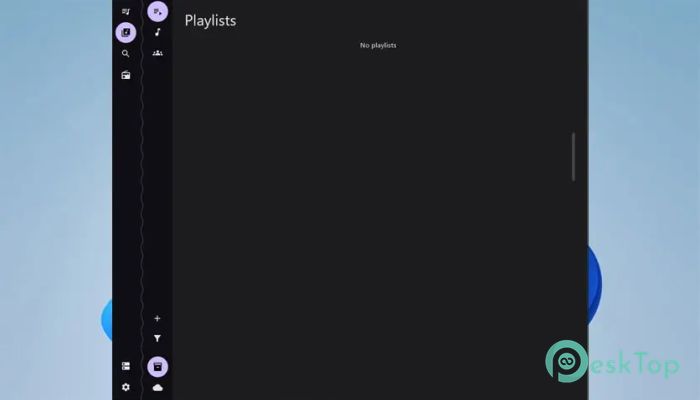
Managing playback order feels natural and flexible. Songs can be inserted at any position in the queue, so you are never stuck with rigid playback rules. Pinning is another helpful feature. You can pin songs, albums, playlists, or artists to the top of the main page, making favorites instantly accessible.
This approach feels less like using a streaming app and more like arranging records on a shelf, with your top picks always within reach.
Lyrics and Language Support
Lyrics support is one of the standout elements. The app can display time-synchronised lyrics sourced from KuGou and PetitLyrics. These lyrics appear in a toggleable bar at the top of every page, so they are always nearby without blocking navigation.
For Japanese songs, furigana readings appear above kanji characters. This is especially useful for language learners or fans who want to follow along accurately. On top of that, the interface and metadata can be displayed in separate languages, making it friendly for multilingual users.
Login and Integration Features
Logging in to YouTube Music happens directly in the app, keeping everything in one place. There is also support for customizable Discord rich presence. This allows users to show what they are listening to, styled to match their preferences rather than a generic status.
These small integrations add personality, making the experience feel connected without being intrusive.
Current Limitations and Development Status
Due to recent changes to the YouTube API, audio streaming is currently not working. This is an important limitation to keep in mind before using it. The project is also not under active development right now, which means fixes may take time.
Even with these constraints, it remains a strong customization- and metadata-focused companion. Many users value it for organization, visual theming, and lyrics display rather than pure streaming.
System Requirements and Technical Details
Operating System: Windows 11 / 10 / 8.1 / 7
Processor: Minimum 1 GHz Processor (2.4 GHz recommended)
RAM: 2GB (4GB or more recommended)
Free Hard Disk Space: 500MB or more is recommended

-
Program size393.75 MB
-
Version0.4.2
-
Program languagemultilanguage
-
Last updatedBefore 8 Month
-
Downloads7
 Teletone Audio Prism Plate
 Stryde Audio Swayed
  Electric Smudge SnappySnap
 PSPaudioware PSP Flare
 DW Soundworks Gretsch USA Custom Expansion Pack
 Sonic Academy V4lve