
 Arabic
  English
  Turkish
  Chinese
  Japanese
  Russian
  Spanish
  German
  French
  Hindi
Hindi Download SteelSoft VideoClipCutter 1.0.1 for Windows
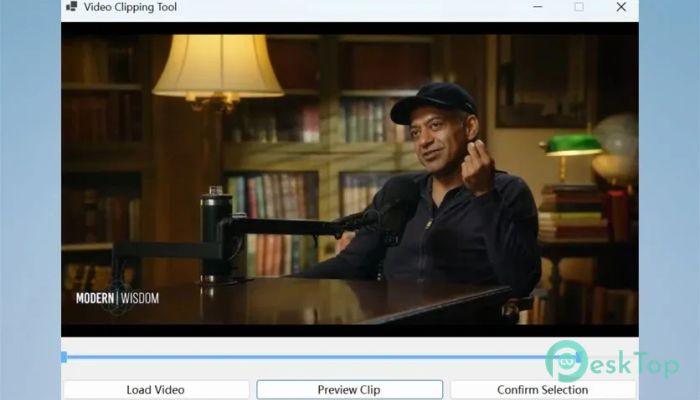
Download SteelSoft VideoClipCutter 1.0.1 for Windows.
SteelSoft VideoClipCutter Overview
This software is built for anyone who wants quick and clean video editing without diving into complex tools. Whether you are a student trimming lecture clips, a creator extracting highlights, or just someone saving a favorite moment, it keeps things simple and efficient. It works completely offline, so your files remain private and secure. The tool focuses on speed and ease of use. You open a video, select the part you want, and save it within seconds. No complicated menus, no unnecessary steps. It feels like using scissors on a digital video, clean and precise.Features of SteelSoft VideoClipCutter
Simple and Fast Video Cutting
One of the software's biggest strengths is its speed in performing basic editing tasks. You can easily select the start and end points of your clip using an intuitive timeline. It feels smooth and responsive, even on older systems.
Think of it like trimming a photo, but instead of cropping an image, you are shaping a moment in time. This makes it perfect for quick edits when you do not want to spend hours learning professional software.
Supports Multiple Video Formats
The tool supports a wide range of video formats, including MP4, AVI, MKV, MOV, WMV, and FLV. This means you can work with almost any file without having to convert it first.
This flexibility saves time and reduces frustration. You simply load your file and start editing. It removes the extra step that many other tools require.
High Quality Output Without Loss
Maintaining video quality is important, especially when working on important clips. This software ensures that your output remains as clear as the original file.
You can also choose different resolutions if needed. Whether you want HD or Full HD, it gives you control while keeping the process simple and fast.
Batch Processing for Efficiency
If you need to cut multiple clips from the same video, this tool makes it easy. Instead of repeating the process, you can select multiple segments and process them together.
This feature is especially useful for content creators who extract highlights or teachers preparing multiple short lessons. It turns a time-consuming task into a quick workflow.
Lightweight and Smooth Performance
The software is designed to run smoothly on most Windows systems. It does not require high-end hardware, which makes it accessible to a wide range of users.
Even on older PCs, it performs efficiently without lag. This makes it a reliable option for everyday video editing tasks.
Offline and Private Editing
Privacy is a major concern for many users today. This tool works completely offline, meaning your videos never leave your device.
There are no ads, no tracking, and no cloud uploads. Everything stays local, giving you full control over your files. It feels like working in your own private editing space.
User-Friendly Interface
The interface is clean and easy to understand. You do not need any prior editing experience to use it. Everything is laid out in a way that feels natural and intuitive.
From loading a file to exporting a clip, the process is straightforward. It removes confusion and lets you focus on what matters: your video.
Perfect for Everyday Use
This tool fits perfectly into daily tasks. Whether you are cutting a funny moment from a video, saving a tutorial segment, or preparing content for social media, it handles everything with ease.
It is like having a small but powerful editing assistant that is always ready when you need it.
System Requirements and Technical Details
Operating System: Windows 11 / 10
Processor: Minimum 1 GHz Processor (2.4 GHz recommended)
RAM: 2GB (4GB or more recommended)
Free Hard Disk Space: 500MB or more is recommended

-
Program size227.66 MB
-
Version1.0.1
-
Program languagemultilanguage
-
Last updatedBefore 3 Month
-
Downloads34
 Aescripts Autokroma AfterCodecs
 Boris FX Silhouette
 RE:VisionFX ARRI Film Lab
 Gilisoft Video UniReel
 iFunia Video Editor
 Innovision MaxPRO