
 Arabic
  English
  Turkish
  Chinese
  Japanese
  Russian
  Spanish
  German
  French
  Hindi
Hindi Download Stellar Data Recovery Free 1.0 for Windows
Download Stellar Data Recovery Free 1.0 for Windows.
Stellar Data Recovery Free Overview
It is designed to recover lost files without complicating the recovery process. Whether you accidentally deleted important documents, formatted a drive, or lost photos due to a system issue, the software gives you an easy way to recover your data. Its clean interface makes it suitable for beginners while offering advanced recovery features for experienced users. The software supports hundreds of file formats, making it useful for home users, students, photographers, and professionals. With both Quick Scan and Deep Scan modes, it can search storage devices thoroughly to locate files that seem impossible to recover.Features of Stellar Data Recovery Free
Recover Multiple File Types
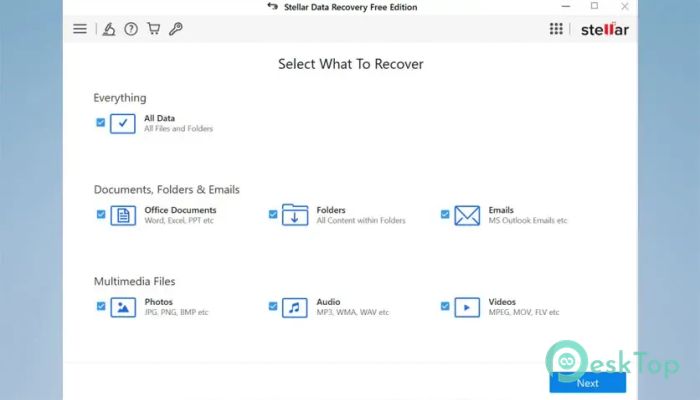
The software can recover almost every type of commonly used file. It supports documents, photos, videos, emails, archives, and many other file formats. Whether you need a lost Word document or a deleted family video, the tool helps recover them with just a few clicks.
Supported document formats include Microsoft Word, Excel, PowerPoint, PDF, and text files. It also restores ZIP archives and other important business files without difficulty.
Photo Recovery Made Simple
Accidentally deleting your favorite pictures can feel like losing treasured memories. The tool works like a digital photo album rescuer by recovering JPEG, PNG, HEIC, and even professional RAW camera files from Canon, Nikon, Sony, and many other brands.
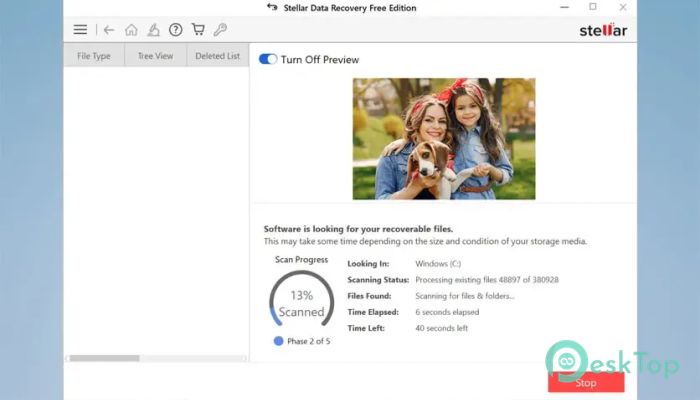
It scans storage devices carefully and displays recoverable images before restoration, allowing you to recover only the files you really need.
Recover Videos and Media Files
Videos often occupy a lot of storage space, but losing them doesn't mean they are gone forever. The software supports popular formats such as MP4, AVI, MKV, MOV, and many more.
Whether the files were deleted accidentally or lost due to formatting, the recovery engine searches deeply to locate valuable media files and restore them safely.
Email Recovery Support
Emails often contain valuable conversations, invoices, and attachments. The software can recover email databases, including PST, OST, EMLX, DBX, and several other popular formats.
This feature is especially useful for office users who need to restore important business communications after accidental deletion or drive problems.
Recover Data from BitLocker Drives
Encrypted drives provide extra security, but they can also create challenges when data is lost. The software fully supports BitLocker-encrypted hard drives.
Simply enter the BitLocker recovery key before starting the scan. Once verified, the software performs a Quick Scan or a Deep Scan, just as it does with a normal drive, helping you recover lost files securely.
Recover Files from RAW Drives
Sometimes a storage drive suddenly becomes RAW, and Windows refuses to open it. This situation may seem serious, but the software includes a Physical Disk Scan feature that searches RAW and inaccessible drives for recoverable files.
Even when Windows cannot properly recognize the drive, the tool can still locate documents, photos, videos, and other valuable files stored on it.
Deep Scan for Better Results
When normal scanning cannot find missing files, Deep Scan takes recovery one step further. It carefully examines every sector of the storage device to locate data that was deleted long ago or hidden due to corruption.
Although this process takes more time, it significantly improves the chances of recovering files from damaged, formatted, or inaccessible drives.
Simple and User-Friendly Interface
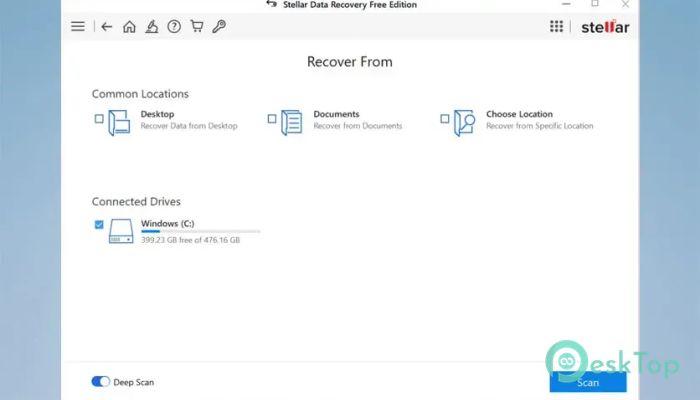
The software keeps everything straightforward. You simply choose the drive, select the scan mode, preview recoverable files, and restore them. There are no confusing menus or complicated settings to slow you down.
This makes it an excellent choice for both beginners and advanced users who want reliable recovery without spending hours learning the software.
Preview Files Before Recovery
One of the most useful features is the preview option. Before recovering data, you can check documents, photos, and several other supported files to verify they are the ones you need.
This saves both time and storage space because you recover only the important files rather than restoring everything.
Wide Device Compatibility
The software works with internal hard drives, external HDDs, SSDs, USB flash drives, memory cards, and many other storage devices. It also handles inaccessible and formatted partitions efficiently.
Its broad compatibility makes it a dependable recovery solution for both personal and professional environments.
System Requirements and Technical Details
Operating System: Windows 11 / 10 / 8.1 / 7
Processor: Minimum 1 GHz Processor (2.4 GHz recommended)
RAM: 2GB (4GB or more recommended)
Free Hard Disk Space: 200MB or more is recommended

-
Program size176.16 MB
-
Version1.0
-
Program languagemultilanguage
-
Last updatedBefore 2 Month
-
Downloads18
 Lazesoft Data Recovery
 Lazesoft Windows Recovery
  Lazesoft Recovery Suite
 Lazesoft Recover My Password
 Lazesoft Recovery Suite Technician
 Windows Password Recovery Tool Ultimate