
 Arabic
  English
  Turkish
  Chinese
  Japanese
  Russian
  Spanish
  German
  French
  Hindi
Hindi Download SysTools Data Wipe Software 1.0 for Windows
Download SysTools Data Wipe Software 1.0 for Windows.
SysTools Data Wipe Software Overview
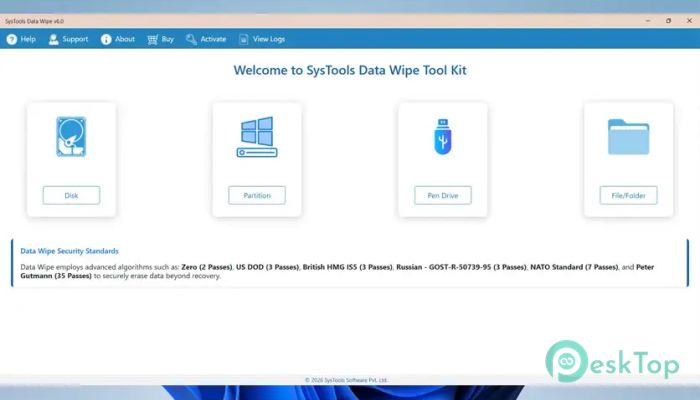
In today’s digital world, simply deleting files is not enough. Hidden traces of data often remain on storage devices, which can be recovered using advanced tools. This is where a professional data wiping solution becomes essential. It ensures that all data remnants are completely removed, leaving no room for recovery. The software is built to securely erase data from hard drives, SSDs, USB devices, and other storage media. Whether you are an individual protecting personal files or a business handling confidential information, it provides a reliable way to eliminate the risks of data leaks.Features of SysTools Data Wipe Software
Permanent Data Erasure
One of the key strengths of this tool is its ability to permanently erase data. Unlike standard deletion methods that only remove file references, it overwrites the entire storage space. Think of it like shredding a document into tiny pieces instead of just throwing it in the trash.
Once the process is complete, recovering the erased data becomes nearly impossible, even with advanced forensic techniques. This makes it ideal for disposing of old drives or preparing devices for resale.
Advanced Erasure Algorithms
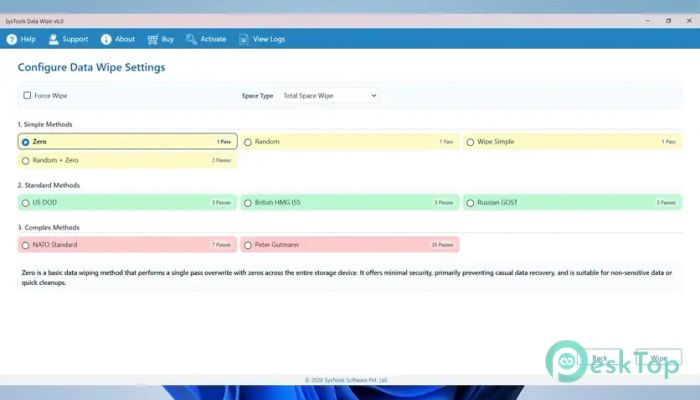
The tool uses military-grade data wiping techniques to ensure maximum security. These algorithms repeatedly overwrite data with random patterns, ensuring that no original information remains.
This level of protection is especially useful for businesses that deal with sensitive or classified data. It helps maintain compliance with data protection standards and reduces the risk of unauthorized access.
Support for Multiple Storage Devices
It is designed to work with a wide range of storage devices. From traditional hard drives to modern SSDs and USB flash drives, the software handles them all efficiently.
This flexibility makes it a one-stop solution for data wiping needs. Instead of using different tools for different devices, everything can be managed from a single interface.
User-Friendly Interface
Despite its advanced features, the software keeps things simple. The interface is clean and easy to navigate, making it accessible even for beginners.
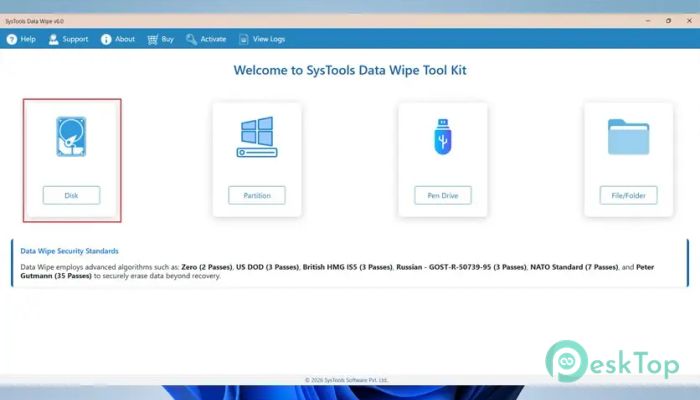
Users can quickly select the drive they want to wipe, choose the erasure method, and start the process. It feels more like using a basic utility than a complex security tool.
Protection Against Data Breaches
Data breaches can happen when old devices are sold or discarded without proper wiping. This tool acts as a shield, preventing sensitive information from falling into the wrong hands.
By completely removing data residue, it protects personal identity, business secrets, and confidential records. It is like locking a door before leaving, but in the digital world.
Secure Data Disposal for Businesses
Organizations often deal with large volumes of sensitive information. Proper disposal of this data is not just important but also required by law in many cases.
This software helps businesses securely erase data from multiple devices, ensuring compliance with regulations. It also reduces legal risks associated with data leaks or unauthorized access.
Fast and Efficient Performance
Speed is another advantage of this tool. It wipes data quickly without compromising security. Users can wipe entire drives in a reasonable amount of time.
This balance between speed and reliability makes it suitable for both personal and professional use. Whether wiping a single drive or multiple devices, it delivers consistent results.
Simple Step-by-Step Process
The process is straightforward and does not require technical expertise. Users just need to select the storage device, choose the wiping method, and start the operation.
This simplicity ensures that anyone can use the tool effectively. Even first-time users can complete the task without confusion or errors.
Reliable Data Sanitization
Data sanitization is more than just deleting files. It involves completely removing any trace of information from storage media.
This software excels in this area by ensuring that no data remnants are left behind. It provides peace of mind, knowing that sensitive information is truly gone.
System Requirements and Technical Details
Operating System: Windows 11 / 10 / 8.1 / 7
Processor: Minimum 1 GHz Processor (2.4 GHz recommended)
RAM: 2GB (4GB or more recommended)
Free Hard Disk Space: 200MB or more is recommended

-
Program size142.04 MB
-
Version1.0
-
Program languagemultilanguage
-
Last updatedBefore 5 Month
-
Downloads78
 Lazesoft Data Recovery
 Lazesoft Windows Recovery
  Lazesoft Recovery Suite
 Lazesoft Recover My Password
 Lazesoft Recovery Suite Technician
 Windows Password Recovery Tool Ultimate