
 Arabic
  English
  Turkish
  Chinese
  Japanese
  Russian
  Spanish
  German
  French
  Hindi
Hindi Download SysTools OneNote Password Recovery Tool 1.0 for Windows
Download SysTools OneNote Password Recovery Tool 1.0 for Windows.
SysTools OneNote Password Recovery Tool Overview
Losing access to a protected OneNote section can be frustrating, especially when important notes, research, or business data are locked behind a forgotten password. This software is designed to help users regain access to secured OneNote sections quickly and safely. It focuses on recovering passwords without modifying or damaging the original notebook content. The tool works efficiently with OneNote section files and uses advanced recovery techniques to unlock protected content. Whether the password is partially remembered, completely forgotten, or unknown, the software can handle different recovery situations. Its user-friendly interface makes the process smooth even for beginners. Another strong advantage is that it maintains the integrity of the original data. During the recovery process, it does not alter the notebook structure or content. This makes it reliable for professionals, students, and anyone who stores valuable information in OneNote.Features of SysTools OneNote Password Recovery Tool
Simple and User-Friendly Interface
The software features a clean, easy-to-use interface. Everything is laid out clearly so users can complete recovery tasks without confusion. Even if you have never used a password recovery tool before, the process remains simple.
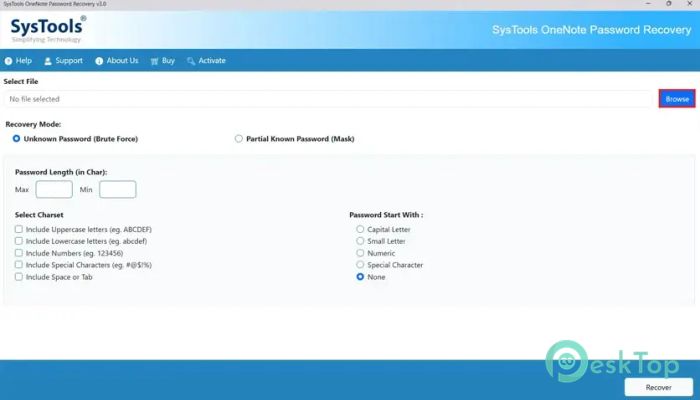
You just need to load the protected OneNote file, choose recovery options, and let the tool handle the rest. There are no complicated steps or technical knowledge required. The software guides you through each stage like a helpful assistant.
This simplicity saves time and reduces frustration. Instead of struggling with complex settings, users can focus on quickly and safely recovering their passwords.
Advanced Password Recovery Techniques
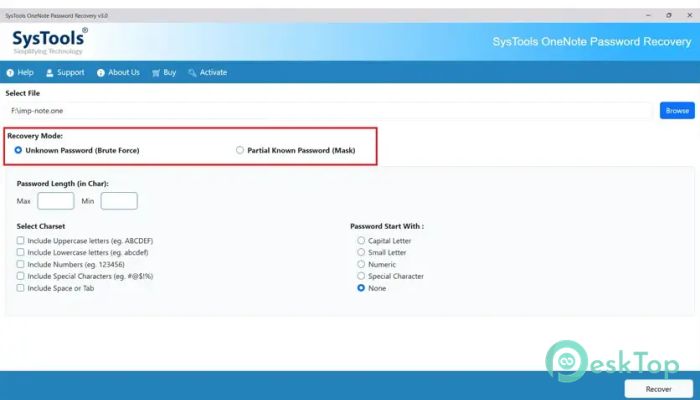
The software uses intelligent algorithms to recover passwords effectively. These methods help locate passwords even when very little information is available. Whether you remember a few characters or nothing at all, the tool works efficiently.
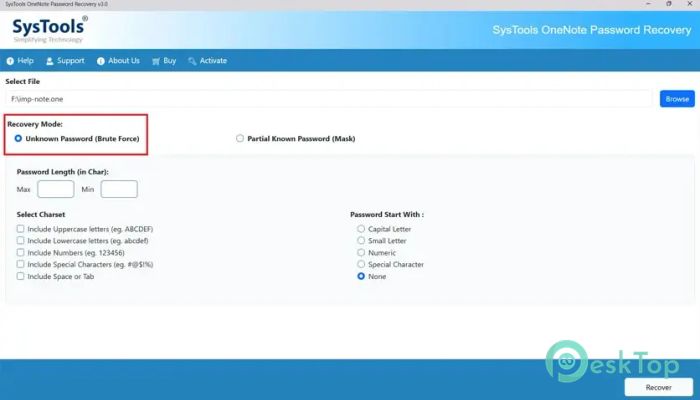
It supports multiple recovery approaches to increase success rates. This flexibility increases users' chances of unlocking their OneNote sections. It works like trying different keys until the right one opens the door.
Because of these advanced techniques, the recovery process becomes faster and more reliable. This is especially helpful when dealing with important files that need immediate access.
Supports All OneNote Section Files
The tool is designed to work with OneNote section files without compatibility issues. Users can load their locked files and begin recovery instantly. This ensures flexibility across different OneNote versions.
It handles protected notebooks smoothly and maintains the structure of the original files. This means no formatting issues, no missing content, and no file corruption during recovery.
Such compatibility makes it a dependable solution for both personal and professional use. Whether the file is old or newly created, the software can manage it easily.
Safe and Secure Recovery Process
Security is a major concern when using recovery software. This tool ensures that original notebook data remains safe throughout the process. It does not overwrite, modify, or damage any content.
The recovery process is read-only, meaning the software only scans the file to find the password. This approach keeps your notes secure and intact. It's like unlocking a safe without breaking it.
This safety feature makes the software trustworthy for recovering sensitive information such as business notes, research files, or personal data.
Recover Passwords with or without Hint
Sometimes users remember part of their password, while other times they forget everything. The software supports both situations. If you have a hint, you can use that information to speed up recovery.
If no hint is available, the tool still works effectively. It continues scanning using advanced algorithms to identify the correct password. This flexibility makes it useful in multiple scenarios.
Whether you have partial information or none at all, the software adapts to your situation and works accordingly.
Fast and Efficient Performance
Speed plays an important role in password recovery. This software is designed to work quickly without affecting system performance. It uses optimized algorithms to reduce recovery time.
Even large OneNote section files are processed efficiently. Users can continue using their system while the recovery runs in the background. This makes the experience smooth and convenient.
The performance remains stable and reliable, allowing users to recover passwords without unnecessary delays.
No Data Loss Guarantee
The software ensures that no original notebook data is lost during recovery. All notes, formatting, and structure remain unchanged. This reliability is important for users who depend on OneNote for important information.
It focuses only on recovering passwords while keeping everything else untouched. This makes it a safe option for recovering confidential or sensitive files.
Users can confidently recover passwords without risking the loss of valuable content.
Step-by-Step Recovery Process
The recovery process follows a simple sequence. First, users load the protected OneNote section file. Next, they select recovery settings and start the process. The software then scans and finds the password.
Once recovered, users can easily unlock the OneNote section. The entire process is designed to be straightforward and hassle-free.
This step-by-step method ensures a smooth experience and minimizes errors during recovery.
System Requirements and Technical Details
Operating System: Windows 11 / 10 / 8.1 / 7
Processor: Minimum 1 GHz Processor (2.4 GHz recommended)
RAM: 2GB (4GB or more recommended)
Free Hard Disk Space: 500MB or more is recommended

-
Program size279.94 MB
-
Version1.0
-
Program languagemultilanguage
-
Last updatedBefore 5 Month
-
Downloads27
 Lazesoft Data Recovery
 Lazesoft Windows Recovery
  Lazesoft Recovery Suite
 Lazesoft Recover My Password
 Lazesoft Recovery Suite Technician
 Windows Password Recovery Tool Ultimate