
 Arabic
  English
  Turkish
  Chinese
  Japanese
  Russian
  Spanish
  German
  French
  Hindi
Hindi Download Virtual Piano 1.0 for Windows
Download Virtual Piano 1.0 for Windows.
Virtual Piano Overview
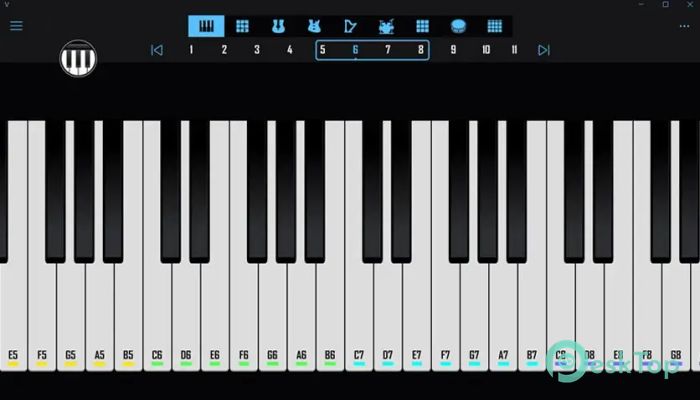
Music creation does not always require expensive equipment or complex studio setups. Sometimes, all you need is a simple yet powerful tool that lets creativity flow naturally. This software offers exactly that. It is a MIDI-based application built around the Microsoft GS Wavetable Synth, allowing users to play a wide range of musical instruments using their keyboard. The tool supports 128 instruments, chord generation, and percussion sounds. Whether you're experimenting with melodies, learning the basics of music, or simply having fun, this solution makes everything feel smooth and accessible. It works quickly, consumes minimal system resources, and provides a clean environment for musical creativity. From beginners exploring notes to professionals testing compositions, this application offers a simple, effective experience. Its straightforward design lets users jump right in and start playing without technical knowledge.Features of Virtual Piano
Simple and Lightweight Interface
One of the best things about this tool is its clean and minimal interface. It does not overwhelm users with complex menus or confusing controls. Everything is organized logically, making it easy to find instruments and start playing immediately.
The layout is designed for quick access. You can switch instruments, adjust settings, and create sounds within seconds. It feels like sitting in front of a real keyboard, where everything is within reach. This simplicity makes it perfect for beginners and casual users.
128 Musical Instruments Available
This software includes 128 different instruments supported by the Microsoft GS Wavetable Synth. That means you can experiment with a wide variety of sounds, from classic piano tones to guitars, drums, strings, and more.
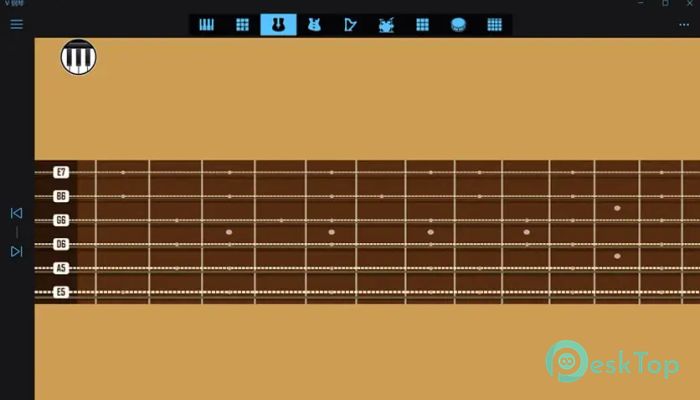
The wide range gives users freedom to explore different musical styles. You can start with piano melodies, then switch to guitar chords, and finally add percussion beats. This flexibility makes it a versatile choice for music lovers.
Having multiple instruments in one place is like carrying a full orchestra in your pocket. You can experiment freely without needing additional hardware or plugins.
Chord Playing Support
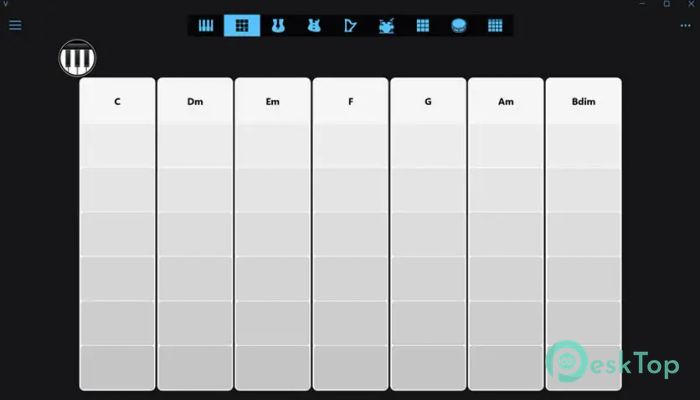
Creating chords becomes incredibly easy with this tool. Instead of manually pressing multiple keys, users can generate chords automatically. This feature is especially helpful for beginners learning harmony and composition.
The chord support helps users create fuller and richer sounds. You can quickly build musical layers and experiment with different progressions. This makes composing songs more enjoyable and less complicated.
Whether you're learning music theory or creating new tunes, this functionality speeds up the creative process.
Percussion and Drum Sounds
Besides instruments, the tool also includes percussion and drum sounds. This allows users to create rhythm along with melody. Having rhythm elements built in gives music more depth and structure.
Users can experiment with beats, patterns, and timing. It becomes easier to build complete compositions instead of just simple melodies. This feature is particularly useful for those who want to explore the basics of music production.
Keyboard-Based Music Creation
This application turns your computer keyboard into a musical instrument. Each key represents a note, making it easy to play tunes without external devices. It feels intuitive and natural.
This feature is perfect for users who don't own a MIDI keyboard. You can still enjoy music creation using your laptop or desktop keyboard. It removes barriers and makes music accessible to everyone.
Fast Performance and Low Resource Usage
Performance matters, especially when working with audio. This tool runs smoothly even on older systems. It does not consume heavy resources, ensuring stable performance.
Because it is lightweight, users can run it alongside other applications. This makes it useful for composers who work with multiple tools simultaneously.
Even if your computer is not powerful, this software still delivers consistent performance.
Beginner Friendly Design
Many music applications are difficult for beginners. This one keeps things simple. The controls are easy to understand, and users can start playing immediately.
The learning curve is gentle, allowing users to focus on creativity rather than technical settings. This makes it ideal for students, hobbyists, and anyone exploring music for the first time.
Flexible Music Experimentation
This tool encourages experimentation. Users can switch instruments, try new chords, and explore rhythms freely. It is like having a musical playground where creativity has no limits.
The flexibility helps users discover new ideas quickly. You can test melodies, create loops, or practice scales without any complications.
Portable and Convenient
The software is compact and easy to use. It can run quickly without installation complexity. This makes it convenient for users who want a portable solution.
Whether you're at home, school, or work, you can launch the tool and start creating music instantly.
Useful for Learning Music
This solution is not only for entertainment. It is also helpful for learning music fundamentals. Users can practice notes, chords, and scales in a simple environment.
Students can explore sounds and better understand musical structure. This makes learning more interactive and enjoyable.
Creative Sound Exploration
The wide range of sounds encourages creativity. You can mix instruments, experiment with combinations, and create unique melodies. This makes the experience exciting and dynamic.
It feels like painting with sound, where each instrument adds a new color to your musical canvas.
System Requirements and Technical Details
Operating System: Windows 11 / 10
Processor: Minimum 1 GHz Processor (2.4 GHz recommended)
RAM: 2GB (4GB or more recommended)
Free Hard Disk Space: 200MB or more is recommended

-
Program size392.08 KB
-
Version1.0
-
Program languagemultilanguage
-
Last updatedBefore 5 Month
-
Downloads27
 Teletone Audio Prism Plate
 Stryde Audio Swayed
  Electric Smudge SnappySnap
 PSPaudioware PSP Flare
 DW Soundworks Gretsch USA Custom Expansion Pack
 Sonic Academy V4lve