
 Arabic
  English
  Turkish
  Chinese
  Japanese
  Russian
  Spanish
  German
  French
  Hindi
Hindi Download VoxBooster 1.0 for Windows
Download VoxBooster 1.0 for Windows.
VoxBooster Overview
Modern communication is no longer limited to a simple microphone and speakers. This software takes voice interaction to a whole new level by combining artificial intelligence, voice transformation, and productivity tools into one package. Whether you're gaming, streaming, attending online meetings, or chatting with friends, it gives you complete control over how you sound. The tool works directly with your microphone, making voice changes happen instantly. Instead of recording and editing later, everything happens in real time. Think of it as a digital mask for your voice that you can change whenever you want.Features of VoxBooster
Real-Time AI Voice Cloning
One of the most exciting features is its AI-powered voice cloning technology. Users can select a voice and begin speaking immediately while the software transforms their speech on the fly. The listener hears the selected voice instead of the original.
This feature feels almost like having a professional voice actor sitting inside your microphone. The transformation happens with minimal delay, creating natural and convincing results during calls, streams, and online conversations.
AI Voice Generator for Creative Projects
The software is not limited to simple voice changes. It also acts as an intelligent voice generator capable of producing unique voice styles for different situations. Content creators can experiment with various tones and personalities to make videos, podcasts, and streams more entertaining.
Whether you want a dramatic narrator, a futuristic character, or a playful voice, the tool offers flexibility to bring ideas to life. It is like having an entire voice studio available on your desktop.
Advanced Voice Modulation Effects
Voice effects are among the most popular features. The software includes more than twenty built-in effects that can completely transform how you sound. Popular options include Demon, Helium, Robot, Alien, and many other character-based styles.
These effects can make conversations more fun and engaging. Instead of being stuck with a single voice, users can switch personalities with just a few clicks. It adds a layer of creativity to gaming sessions, live broadcasts, and social chats.
Create and Save Custom Presets
Everyone has different preferences, and the software understands that. Users can adjust settings, mix effects, and build custom voice profiles that match their style.
Once the perfect combination is created, it can be saved as a preset for future use. This saves time and allows quick switching between favorite voice configurations whenever needed.
Built-In Soundboard Functionality
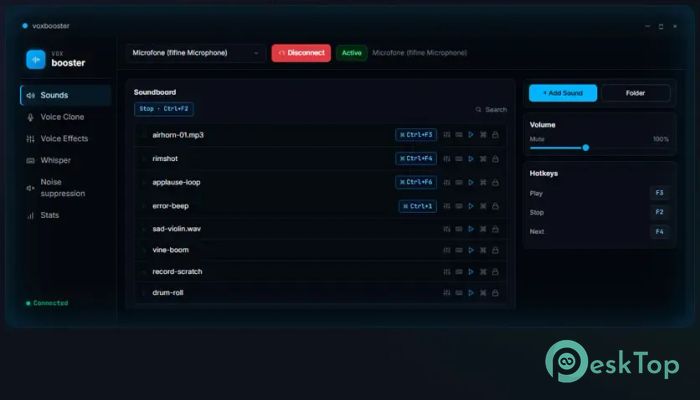
The integrated soundboard adds another level of entertainment. Users can upload their own sound clips and trigger them instantly through customizable hotkeys.
Imagine playing funny reactions, dramatic sound effects, or memorable audio clips during a game or live stream. The sounds are sent directly through the microphone channel, allowing everyone in the conversation to hear them immediately.
Global Hotkey Support
Speed matters during live interactions. The tool includes global hotkey functionality that lets users trigger sounds, effects, and actions without opening the application window.
This feature is particularly useful for streamers and gamers who need instant access to controls while staying focused on their activities. A simple key press can trigger powerful voice transformations or sound effects in seconds.
Whisper Dictation for Faster Typing
Typing can sometimes slow down productivity. The software includes Whisper-based dictation that converts spoken words into text instantly. Users simply hold a designated key and start speaking.
The recognized text is automatically entered into almost any application. This makes writing emails, messages, documents, and notes significantly faster than traditional typing methods.
Live Translation Capabilities
Language barriers can create communication challenges. The tool helps overcome this problem with real-time translation support. Users can choose a target language, speak normally, and receive translated text as they talk.
This functionality is valuable for international communication, language learning, and collaboration with people from different regions. It works like having a personal translator available whenever needed.
Works Across Popular Applications
Compatibility is one of its strongest advantages. Because it integrates directly with the microphone, the software works with many communication platforms, games, streaming tools, and online meeting applications.
Users do not need to learn complicated workflows. Once configured, it becomes part of the existing audio setup and functions seamlessly across supported programs.
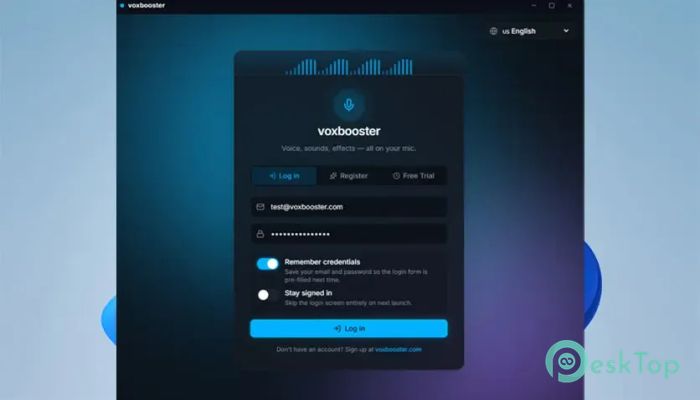
Simple Interface and Easy Controls
Despite its advanced AI technology, the interface remains beginner-friendly. Settings are organized clearly, allowing new users to start experimenting without a steep learning curve.
The controls are intuitive, making it easy to switch voices, activate soundboard clips, create presets, and manage dictation features. Both casual users and professionals can quickly become comfortable with the software.
System Requirements and Technical Details
Operating System: Windows 11 / 10 / 8.1 / 7
Processor: Minimum 1 GHz Processor (2.4 GHz recommended)
RAM: 2GB (4GB or more recommended)
Free Hard Disk Space: 200MB or more is recommended

-
Program size27.27 MB
-
Version1.0
-
Program languagemultilanguage
-
Last updatedBefore 3 Month
-
Downloads69
 Teletone Audio Prism Plate
 Stryde Audio Swayed
  Electric Smudge SnappySnap
 PSPaudioware PSP Flare
 DW Soundworks Gretsch USA Custom Expansion Pack
 Sonic Academy V4lve