
 Arabic
  English
  Turkish
  Chinese
  Japanese
  Russian
  Spanish
  German
  French
  Hindi
Hindi Download VoxShift 1.0.44 for Windows
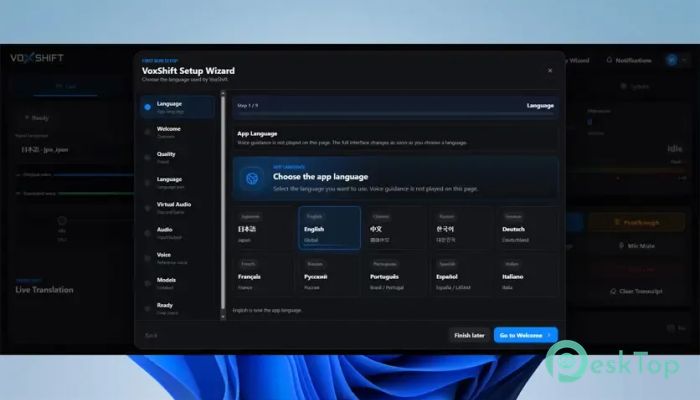
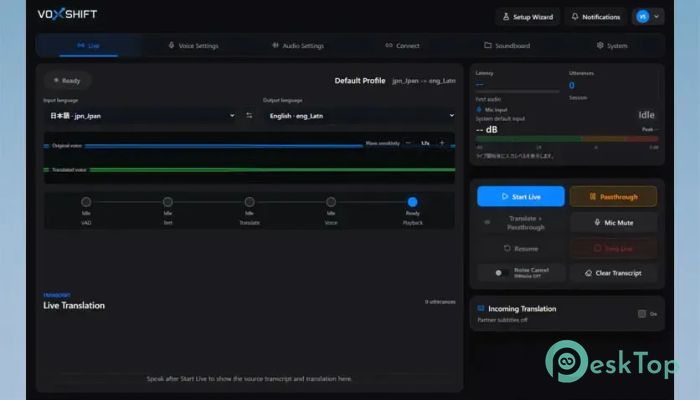
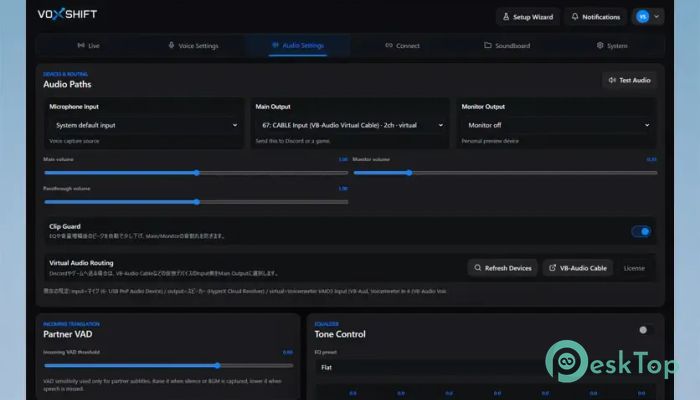
Download VoxShift 1.0.44 for Windows.
VoxShift Overview
It is a modern Windows application that helps users translate spoken language in real time while also generating natural-sounding translated voice output. Designed for NVIDIA CUDA-capable PCs, it combines speech recognition, language translation, and voice synthesis into a single workflow. Whether you are chatting with international friends, streaming content, creating videos, or participating in online meetings, the software makes cross-language communication much easier. The platform focuses on local-first processing, meaning most files, settings, recordings, subtitles, and generated content remain stored on the user's computer. This approach provides better privacy and greater control over personal data while delivering fast performance for live voice tasks.Features of VoxShift
Real-Time Voice Translation
One of the most impressive abilities of the tool is its real-time speech translation system. It listens to audio from a selected microphone or input device and instantly converts spoken words into another language. The translated speech can then be generated as voice output and sent to other applications.
This feature is particularly useful for gamers, streamers, content creators, customer support teams, and business professionals who communicate with people from different regions. Instead of relying on text-only translations, users can speak naturally and hear translated responses almost instantly.
AI Voice Generation Technology
The software goes beyond simple translation by generating realistic voice output. After translating speech, it can create spoken audio in the selected language. This makes conversations feel more natural and engaging.
AI voice generation is powered by locally managed models that users can download and store on their PCs. Since the models are managed locally, users maintain control over their setup while benefiting from advanced voice synthesis capabilities.
Personalized Voice Output
A unique feature is the reference voice recording system. Users can record a sample voice and use it as a reference when generating translated speech. This helps create a more personalized experience and can make generated audio sound closer to a preferred speaking style.
Think of it like teaching an artist how you want a portrait painted. The reference recording provides guidance that helps shape the final audio output.
Noise Cancellation for Better Audio Quality
Background noise can often reduce the quality of speech recognition and voice generation. To address this issue, the software includes built-in noise-cancellation tools.
These features help remove unwanted sounds, such as keyboard clicks, room noise, fans, and other environmental distractions. Cleaner input results in better transcription accuracy and more professional-sounding output.
Audio Monitoring and Routing
The monitor output feature allows users to listen to generated audio before sending it to other applications. This makes it easier to verify quality and ensure everything sounds correct.
For advanced workflows, the application supports routing translated audio to voice chat programs, games, streaming platforms, and recording software. A virtual audio device, such as VB-Audio VB-CABLE, may be required for certain setups. The setup wizard helps guide users through configuration and audio routing options.
OBS Subtitle Integration
Content creators and streamers can benefit from built-in OBS subtitle support. The software can generate subtitles from translated speech and integrate them into streaming workflows.
This feature improves accessibility and helps viewers follow conversations more easily, even when multiple languages are involved. It can be especially valuable during live broadcasts, online events, and educational presentations.
Built-In Soundboard Features
The included soundboard provides a convenient way to save and play audio clips. Users can organize frequently used sounds and quickly trigger them when needed.
This capability can be useful during live streams, gaming sessions, online shows, or presentations where quick audio playback enhances audience engagement.
Model Preparation and Setup Assistance
Getting started with AI-powered applications can sometimes feel complicated. To streamline the process, the software includes setup guidance and model readiness checks.
These tools help verify that required components are installed correctly and that the system is prepared for voice translation and generation tasks. This reduces troubleshooting time and allows users to focus on their work.
Privacy and Local Storage Benefits
Privacy remains a major advantage of the platform. Audio recordings, translated text, subtitles, soundboard files, logs, and settings are stored locally by default. This gives users more confidence when handling personal or professional communications.
Instead of depending heavily on cloud storage, the software keeps important information under the user's control. For many users, this local-first approach offers a balance between convenience, performance, and privacy.
Ideal Use Cases
The application is suitable for a wide range of scenarios. Gamers can communicate with teammates from different countries. Streamers can reach international audiences. Businesses can improve multilingual communication. Educators can create accessible learning experiences. Content creators can efficiently produce translated voiceovers and subtitles.
Its combination of translation, voice synthesis, monitoring, routing, and subtitle support makes it a versatile solution for modern communication needs.
System Requirements and Technical Details
Operating System: Windows 11 / 10
Processor: Minimum 1 GHz Processor (2.4 GHz recommended)
Graphics Processor: NVIDIA GPU VRAM 6GB (CUDA) (Minimum), NVIDIA GPU VRAM 12GB (CUDA) (Recommended)
RAM: 8GB (16GB or more recommended)
Free Hard Disk Space: 4GB or more is recommended

-
Program size1.94 GB
-
Version1.0.44
-
Program languagemultilanguage
-
Last updatedBefore 3 Month
-
Downloads24
 Teletone Audio Prism Plate
 Stryde Audio Swayed
  Electric Smudge SnappySnap
 PSPaudioware PSP Flare
 DW Soundworks Gretsch USA Custom Expansion Pack
 Sonic Academy V4lve