
 Arabic
  English
  Turkish
  Chinese
  Japanese
  Russian
  Spanish
  German
  French
  Hindi
Hindi Download WannaCut 0.3.1 for Windows
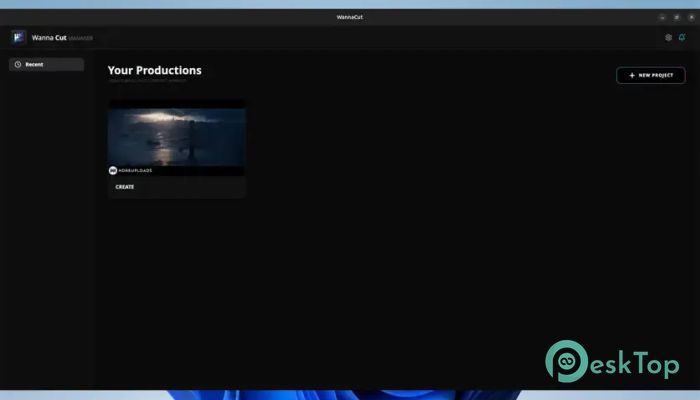
Download WannaCut 0.3.1 for Windows.
WannaCut Overview
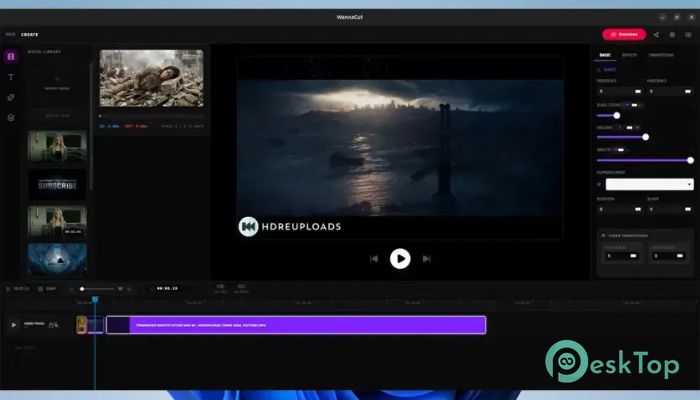
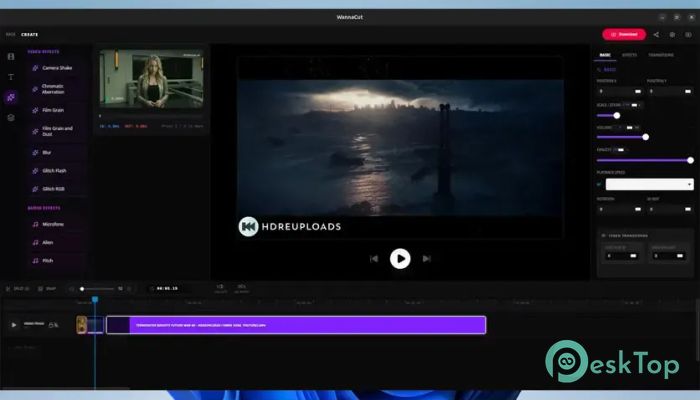
Creating videos should feel smooth, fast, and enjoyable, not like dragging a heavy cart uphill. This editor is built with modern technologies, combining the power of Rust and Tauri with the flexibility of React. The result is a responsive video editing solution that offers professional-grade features while remaining lightweight and resource-friendly. Unlike many traditional video editors that consume large amounts of memory and system resources, the software focuses on speed and simplicity. It provides creators with a professional timeline, advanced editing controls, and a clean workspace without unnecessary complexity. Whether you are producing content for social media, YouTube, presentations, or personal projects, it delivers a fluid editing experience from start to finish.Features of WannaCut
Lightweight Yet Powerful Performance
One of the most impressive aspects of the tool is its balance between performance and functionality. Thanks to its Rust-based architecture, it operates with excellent stability and responsiveness. Users can work on projects without experiencing the sluggish performance often associated with larger editing suites.
The software launches quickly, responds instantly to user actions, and keeps editing workflows smooth. This makes it ideal for creators who value speed and productivity.
Smart Project Management System
Managing multiple productions can quickly become confusing without proper organization. To solve this challenge, the software includes a smart project manager that uses a workspace-based file system.
This feature allows editors to keep all project assets, clips, and resources neatly organized. Instead of searching through endless folders, users can focus on creativity while maintaining a structured workflow.
Professional Multi-Track Timeline
The timeline is the heart of every video editor, and this one provides a highly flexible environment for arranging media. Users can work with multiple tracks, resize them as needed, and navigate through projects using vertical scrolling.
The dynamic track management system makes it easy to handle simple edits or complex productions. Whether adding video layers, audio tracks, or visual effects, the timeline remains organized and efficient.
Advanced Playback Experience
Smooth playback is essential during editing. The software features a professional playback engine powered by requestAnimationFrame, delivering accurate, responsive performance.
The playhead operates with sub-second timecode precision, allowing editors to make exact adjustments. This level of accuracy helps achieve polished results and improves editing confidence.
Infinite Undo and Redo Protection
Creative work often involves experimentation. Sometimes a brilliant idea appears after several failed attempts. To support this process, the software includes a robust history system that can store more than 100 editing actions.
Users can move backward and forward through changes without worrying about losing important work. It acts like a safety net that protects every creative decision throughout the editing journey.
Precision Editing Tools
Accurate editing is made easier with a collection of intelligent tools designed for professional workflows. The precision split function allows users to cut clips exactly where needed using simple keyboard shortcuts.
Multi-selection capabilities enable bulk editing of clips and assets, reducing repetitive work. Instead of editing items one at a time, users can apply changes across multiple elements simultaneously.
Magnetic Snapping for Better Alignment
Aligning clips perfectly can sometimes feel like solving a puzzle. The magnetic snapping system simplifies this process by automatically guiding clips into the correct position.
This feature helps eliminate tiny gaps and unwanted overlaps. Editors can create clean, professional timelines while saving valuable editing time.
Easy Fade-In and Fade-Out Effects
Transitions play an important role in creating professional videos. The software makes fade effects incredibly simple by allowing users to adjust clip corners directly.
Both video and audio elements support fade-in and fade-out controls. This allows creators to produce smoother scene transitions and more polished audio experiences without complicated settings.
Flexible Zoom and Interface Controls
Every editor has different preferences when working on a timeline. To accommodate various workflows, the tool includes dynamic zoom controls using keyboard and mouse combinations.
Users can zoom in for detailed editing or zoom out for a broader project overview. Resizable interface panels further enhance customization, making the workspace adaptable to individual needs.
Audio Separation and Recovery
Working with audio becomes much easier thanks to the built-in audio separation functionality. Users can detach sound from video clips with a single click.
If needed, the audio can also be restored just as easily. This flexibility provides greater control over sound design, voiceovers, music, and audio adjustments.
Keyframe-Based Animation Controls
Modern video projects often require precise control over visual and audio properties. The software supports keyframable adjustments to volume, opacity, and speed.
Editors can create smooth transitions and dynamic effects over time. A particularly useful feature is the automatic synchronization of keyframes when changes in speed affect the clip's duration, reducing manual correction.
Create and Manage Subclips
Large video files often contain only a few important sections. The subclip feature allows users to define specific portions of media before importing them into a project.
This helps keep projects cleaner and reduces clutter inside the editing workspace. It also speeds up the overall workflow when working with lengthy recordings.
Automatic Workspace Optimization
Over time, projects can accumulate unused assets and unnecessary tracks. The software includes an asset purge feature that automatically removes unused elements.
This keeps workspaces optimized and prevents projects from becoming overloaded with redundant content. As a result, performance remains consistent even as projects grow.
System Requirements and Technical Details
Operating System: Windows 11 / 10 / 8.1 / 7
Processor: Minimum 1 GHz Processor (2.4 GHz recommended)
RAM: 2GB (4GB or more recommended)
Free Hard Disk Space: 200MB or more is recommended

-
Program size60.33 MB
-
Version0.3.1
-
Program languagemultilanguage
-
Last updatedBefore 2 Month
-
Downloads39
 Aescripts Autokroma AfterCodecs
 Boris FX Silhouette
 RE:VisionFX ARRI Film Lab
 Gilisoft Video UniReel
 iFunia Video Editor
 Innovision MaxPRO