
 Arabic
  English
  Turkish
  Chinese
  Japanese
  Russian
  Spanish
  German
  French
  Hindi
Hindi Download WireGuard IVPN 3.15.13 for Windows
Download WireGuard IVPN 3.15.13 for Windows.
WireGuard IVPN Overview
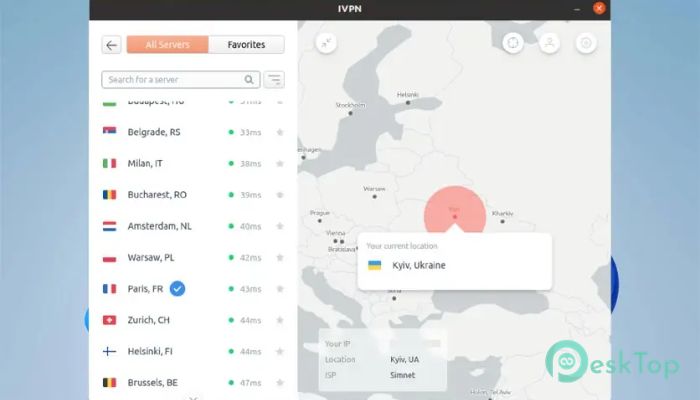
This tool is designed for users who prioritize online privacy and digital freedom. Whether you're browsing on a public Wi-Fi or accessing geo-restricted content, it ensures your data stays secure and anonymous. With robust protocols, customizable settings, and a sleek interface, the platform strikes a balance between powerful privacy and ease of use.Features of WireGuard IVPN
Privacy and Security Features
One of the core strengths of the software lies in its security features. It utilizes modern encryption protocols, such as WireGuard and OpenVPN, to safeguard your internet traffic. These protocols ensure your data cannot be intercepted or tracked by third parties.
There’s also a built-in AntiTracker that blocks annoying ads, trackers, and malicious websites. You can enjoy smoother browsing without unnecessary interruptions or threats to your data.
Multi-Hop VPN Routing
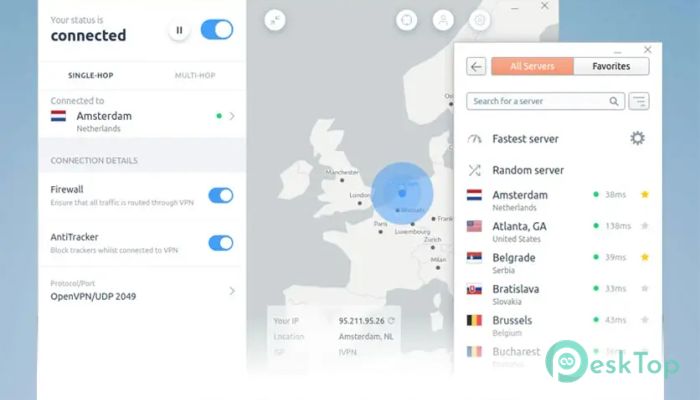
To further boost anonymity, the tool offers multi-hop connections. This means your connection is routed through multiple servers in different countries, making it incredibly difficult for anyone to trace your real IP address.
This extra layer of protection is ideal for users in countries with heavy censorship or those who want maximum privacy.
Flexible Connection Options
The software allows you to connect using either a GUI (Graphical User Interface) or a CLI (Command-Line Interface), depending on your preference. Whether you're a tech-savvy power user or just someone looking for a simple connect button, it fits all needs.
You can also define trusted Wi-Fi networks and set rules for when the VPN should automatically connect or disconnect. This way, you’re always protected without having to think about it.
Advanced Controls
It includes advanced tools like key and IP rotation schedules, which means your online identity changes periodically. This feature makes it more difficult for trackers or attackers to track your online activity.
Another handy option is the built-in firewall or kill switch. This prevents your internet from being blocked if the VPN disconnects unexpectedly, ensuring no data leaks occur.
Censorship Circumvention
For users in regions where internet censorship is common, the tool supports Obfsproxy. This feature disguises VPN traffic, helping you bypass blocks and access restricted websites without being detected.
It also allows you to use custom DNS servers and supports DNS over HTTPS (DoH), providing an additional layer of privacy and freedom.
Smart Tunneling and LAN Access
The split tunneling option allows you to choose which apps or websites are routed through the VPN and which are not. So, you can stream local content or access banking apps without slowing down everything else.
Additionally, it supports LAN traffic even when the VPN is on. That means you can still use printers, shared drives, or local devices without needing to disconnect.
Auto-Connect and Pause VPN
This software can be set to auto-connect when your device starts or when you join an unsecured Wi-Fi network. You never have to worry about forgetting to turn it on.
If you ever need to disable the connection temporarily, there’s a pause button. It lets you stop the VPN without closing the app or changing any settings. After a few minutes, it reconnects automatically.
System Requirements and Technical Details
Operating System: Windows 11/10
Processor: Minimum 1 GHz Processor (2.4 GHz recommended)
RAM: 2GB (4GB or more recommended)
Free Hard Disk Space: 200MB or more is recommended

-
Program size119.67 MB
-
Version3.15.13
-
Program languagemultilanguage
-
Last updatedBefore 3 Month
-
Downloads60
 RealVNC VNC Server Enterprise
 CrushFTP
 Reqable
 AnyDesk
 AmneziaVPN
 CurrPorts