
 Arabic
  English
  Turkish
  Chinese
  Japanese
  Russian
  Spanish
  German
  French
  Hindi
Hindi Download Wittytool Data Recovery 8.0.20260520 Technician for Windows
Download Wittytool Data Recovery 8.0.20260520 Technician for Windows.
Wittytool Data Recovery Overview
Losing important files can feel like dropping your keys into a deep ocean. Fortunately, this recovery solution is designed to help users quickly and efficiently retrieve lost data. Whether files were deleted accidentally, removed with Shift+Delete, lost after formatting, or infected with malware, the software provides a simple way to recover valuable information. The tool supports a wide range of storage devices, including hard drives, SSDs, USB flash drives, memory cards, and external storage devices. Its user-friendly interface makes recovery accessible even for beginners, while advanced scanning technology helps locate files that seem impossible to recover.Features of Wittytool Data Recovery
Recover Deleted Files with Ease
Accidental deletion happens every day. Sometimes a file is removed by mistake, while other times Shift+Delete permanently erases it without sending it to the Recycle Bin. The software scans storage devices thoroughly and helps restore deleted documents, photos, videos, audio files, and many other file types.
Instead of worrying about lost memories or important business files, users can quickly scan and recover the information they need within minutes.
Restore Files from the Recycle Bin
Accidentally emptying the Recycle Bin is a common mistake. Many people assume those files are gone forever, but that is not always true. The software can search storage sectors and retrieve data from deleted or corrupted Recycle Bins.
This capability is especially useful when important documents or family photos disappear unexpectedly after cleaning up a computer.
Recover Data from Formatted Drives
Formatting a drive removes access to stored files and often creates panic. The software provides a practical solution by scanning formatted hard drives, USB drives, SD cards, and other storage media.
Even after formatting, traces of original data may still exist. Advanced recovery algorithms help locate and restore these files before they are overwritten by new information.
Lost Partition Recovery
Partitions can disappear because of accidental deletion, system errors, failed operations, or unexpected interruptions. When a partition becomes inaccessible, valuable files may appear lost.
The tool can detect missing partitions and recover data stored on them. This feature helps users regain access to important information without requiring extensive technical knowledge.
Hard Drive Recovery Solutions
Hard drives sometimes become corrupted, inaccessible, or display RAW file system errors. Such situations often prevent users from opening their files normally.
The software is designed to scan problematic drives and recover available data before additional damage occurs. It works with internal drives, external hard disks, and various storage devices commonly used at home and in business environments.
Virus and Malware Recovery
Viruses and malicious software can damage, hide, or delete important files without warning. In many cases, users discover the problem only after critical information has disappeared.
The recovery engine helps retrieve files affected by malware attacks. Documents, images, videos, and other valuable content can often be restored even after unexpected security incidents.
RAW Drive Recovery
A RAW drive occurs when Windows can no longer recognize the file system properly. Instead of displaying stored files, the operating system may ask users to format the drive.
Before formatting, the software allows users to safely recover their data. This process helps prevent permanent data loss and gives users a chance to save important files before making any changes to the drive.
Corrupted Disk Recovery
Power failures, unsafe device removal, hardware issues, and unexpected system crashes can corrupt storage media. When this happens, files may become inaccessible even though they still exist physically on the device.
The software performs deep scans to locate recoverable content from damaged memory cards, USB drives, and hard disks. It can restore photos, videos, documents, and many other file types from storage devices that appear unusable.
Simple Interface and Fast Recovery Process
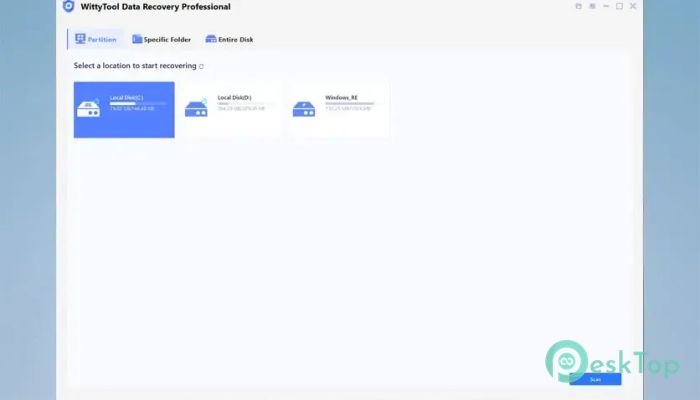
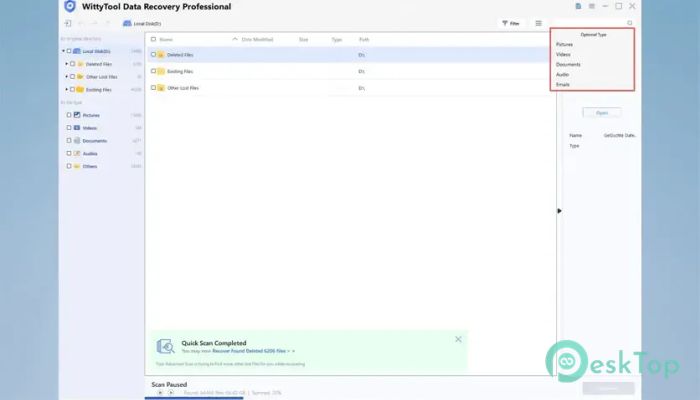
One of the strongest aspects of the software is its straightforward design. Users simply select a drive, start a scan, preview recoverable files, and restore the desired content.
The recovery process is organized into easy steps, reducing confusion and helping users complete tasks quickly. Both beginners and experienced users can benefit from the intuitive workflow.
Wide File Type Support
The software supports recovery of numerous file formats commonly used in personal and professional environments. These include images, videos, audio files, office documents, archives, emails, and more.
This broad compatibility makes it a practical solution for photographers, students, office workers, content creators, and general computer users.
System Requirements and Technical Details
Operating System: Windows 11/10/8.1/8/7
Processor: Minimum 1 GHz Processor (2.4 GHz recommended)
RAM: 2GB (4GB or more recommended)
Free Hard Disk Space: 200MB or more is recommended

-
Program size62.25 MB
-
Version8.0.20260520 Technician
-
Program languagemultilanguage
-
Last updatedBefore 2 Month
-
Downloads33
 Lazesoft Data Recovery
 Lazesoft Windows Recovery
  Lazesoft Recovery Suite
 Lazesoft Recover My Password
 Lazesoft Recovery Suite Technician
 Windows Password Recovery Tool Ultimate