
 Arabic
  English
  Turkish
  Chinese
  Japanese
  Russian
  Spanish
  German
  French
  Hindi
Hindi Download WListDB 1.232.0 for Windows
Download WListDB 1.232.0 for Windows.
WListDB Overview
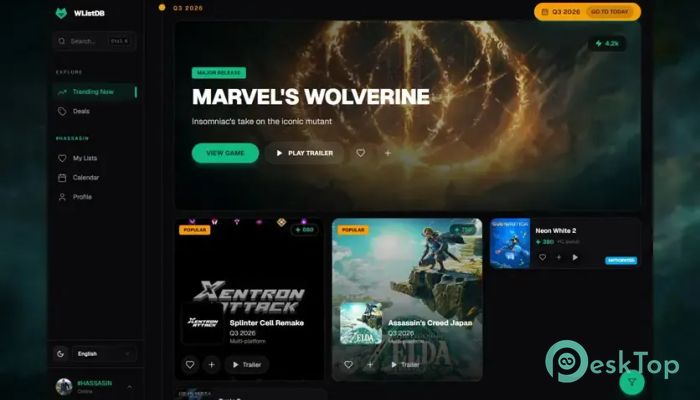
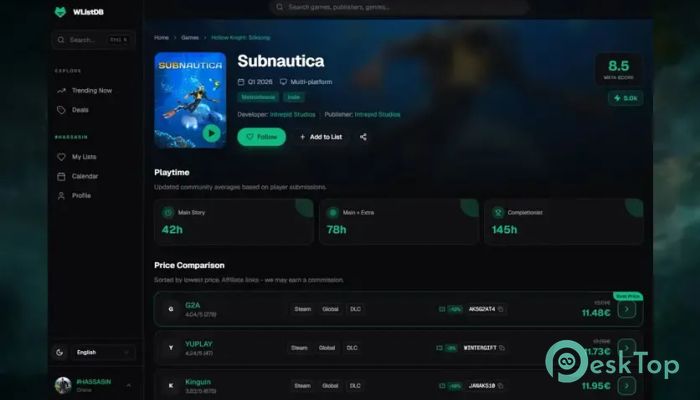
It is built for gamers who want to keep their growing game collections organized without any hassle. Instead of juggling multiple apps or spreadsheets, it brings everything together in one place. You can import your Steam library with a single click, manage your backlog, track your gaming progress, and discover upcoming titles from an easy-to-use interface. The platform is available both as a web application and a Windows desktop client. The desktop version goes a step further by automatically tracking your playtime across several popular game launchers and syncing everything with your online account. Whether you play occasionally or spend hundreds of hours gaming every year, it keeps your collection neat and easy to manage.Features of WListDB
Import Your Game Library in Seconds
One of the biggest advantages of the software is how quickly it gets started. Instead of adding every title manually, you can import your Steam library with a single click. Within moments, your collection is ready to browse and organize.
This feature saves time and removes repetitive work. It feels like opening a neatly organized bookshelf where every game is already in its proper place, making it much easier to decide what to play next.
Track Every Game Status
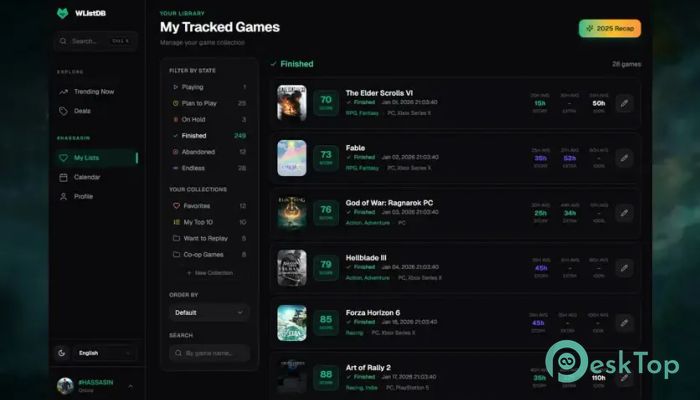
The tool allows you to organize games using different progress statuses. You can mark titles as Playing, Planned, Finished, On Hold, or Abandoned, making it simple to see exactly where every game stands.
This system helps you stay focused on your gaming goals. Instead of forgetting unfinished adventures, you always have a clear picture of your progress and your future gaming plans.
Automatic Playtime Tracking
The Windows desktop application automatically records your playtime while you enjoy your favorite games. Once connected, it keeps your statistics up to date without requiring any manual input.
The software supports automatic tracking across multiple gaming platforms, including Steam, Epic Games Store, GOG, Battle.net, EA App, Ubisoft Connect, and Xbox PC. Everything is synchronized with your online account so your data stays current wherever you log in.
Create Custom Lists and Personal Collections
Every gamer has different tastes, and the software gives you complete freedom to organize your library your way. You can build custom lists for favorite games, completed adventures, multiplayer titles, hidden gems, or any category you prefer.
These personalized collections make finding games much easier. Instead of endlessly scrolling through hundreds of titles, everything stays organized according to your own preferences.
Write Reviews and Share Your Thoughts
The platform lets you write personal reviews after finishing a game. You can record your opinions, rate your experiences, and remember what made each title enjoyable or disappointing.
Keeping reviews in one place creates a personal gaming journal. Looking back months or even years later becomes a fun way to remember memorable adventures and hidden masterpieces.
Stay Updated with Upcoming Releases
Following new games is just as important as managing existing ones. The software includes a release calendar that helps you keep track of upcoming launches without having to visit multiple websites.
This feature makes planning future purchases much easier. You always know which games are arriving soon and can prepare your wishlist in advance.
Year-in-Review and Community Features
At the end of the year, the platform creates fun gaming recaps that summarize your activity. You can review your total playtime, completed games, and other interesting statistics that highlight your gaming journey.
In addition to personal tracking, it offers community lists and public profiles. These features allow users to explore recommendations, compare collections, and discover new titles shared by other gamers.
Sync Across Multiple Devices
The software keeps your information synchronized between the Windows desktop application and the web version. Any changes made on one device automatically appear on the other after syncing.
This flexibility means your gaming database is always available whether you're at your main PC or using a web browser somewhere else.
Free Core Features with Optional Extras
The platform provides all essential tracking features completely free of charge. Importing libraries, managing collections, logging playtime, creating custom lists, and following releases are available without paying.
Users who want additional benefits can subscribe to the optional Supporter plan, which unlocks extra features while helping support future development.
System Requirements and Technical Details
Operating System: Windows 11 / 10 / 8.1 / 7
Processor: Minimum 1 GHz Processor (2.4 GHz recommended)
RAM: 2GB (4GB or more recommended)
Free Hard Disk Space: 200MB or more is recommended

-
Program size100.59 MB
-
Version1.232.0
-
Program languagemultilanguage
-
Last updatedBefore 3 Month
-
Downloads2
 ExtraMAME
 ChessBase Fritz
 ChessBase
 Dragonrise Games YoloX
 Vortex
 NCSOFT PURPLE