
 Arabic
  English
  Turkish
  Chinese
  Japanese
  Russian
  Spanish
  German
  French
  Hindi
Hindi Download X2Go 4.1.2.2 for Windows
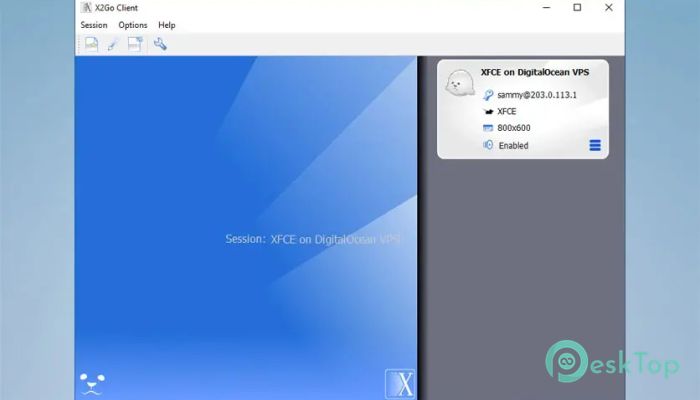
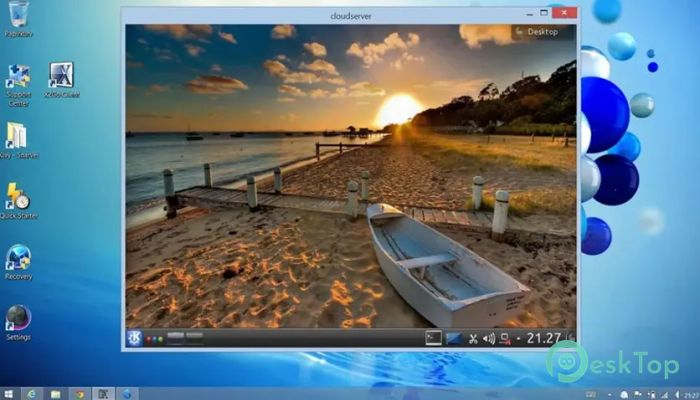
Download X2Go 4.1.2.2 for Windows.
X2Go Overview
If you have ever needed to control a computer from far away, you know how important a reliable remote desktop tool can be. This software makes that process smooth and lightweight. It allows you to connect to a remote Linux system and work on it as if you were sitting right in front of it. Think of it like building a private bridge between two computers, where everything you do on one screen shows up instantly on the other. It is built on the powerful NX protocol, known for compressing and optimizing data. That means the experience stays responsive even on slower internet connections. Instead of feeling laggy or delayed, your remote session feels natural and quick. This project operates under the Open Remote Computing Association, known as orca e.V., a registered association under German law. It is also recognized as a charitable organization, similar to a 501(c)(3) organization in the United States. Because of this structure, users can support development through donations, and in Germany, those donations are tax-deductible. That gives it a strong community-driven foundation.Features of X2Go
The software offers a wide range of features that make remote computing simple and efficient:
Fast remote desktop sessions using the NX protocol
Secure connections through SSH encryption
Support for multiple desktop environments
Session suspension and resume capability
File sharing between local and remote systems
Sound and printer redirection
Open source and community-driven development
One standout feature is session suspension. If your connection drops or you need to step away from your work, you can pause the session and resume it later. It is like putting your desk on hold and coming back to it exactly as you left it.
Performance and Speed
Speed is where it truly shines. Thanks to NX technology, data is compressed and optimized before being transmitted. This means lower bandwidth usage and faster screen updates. Even when working with graphic-intensive applications, performance stays stable.
It is especially helpful for users who work remotely over slower or unstable internet connections. Instead of feeling frustrated by delays, you can focus on your tasks. The tool acts like a traffic controller, making sure only important data moves across the network.
Security and Privacy
Security is not an afterthought here. All connections are tunneled through SSH, which encrypts data between the client and the server. This protects sensitive information from being intercepted. In simple terms, your remote session travels inside a locked tunnel that outsiders cannot peek into.
For businesses and developers, this level of encryption is essential. It ensures that confidential files, code, and documents remain safe during transmission. The software also supports authentication methods that provide an additional layer of protection.
Open Source and Community Support
Being open source means that its source code is available to everyone. Developers worldwide can review, improve, and contribute to the project. This transparency builds trust. You are not relying on a closed system; instead, you are using a tool shaped by a global community.
Since it operates under Orca e.V., a charitable association in Germany, users can financially support the project. Donations help maintain servers, improve documentation, and fund development. In Germany, these contributions are tax-deductible, which encourages local support.
Use Cases and Practical Benefits
This remote desktop solution is widely used by system administrators, developers, students, and companies. If you manage servers from home, it allows you to handle updates and monitor systems easily. If you are a student accessing university labs remotely, you get full desktop access without special hardware.
It is also a strong choice for small businesses. Instead of investing in expensive hardware setups, teams can connect to centralized systems from anywhere. It is like having a virtual office that fits inside your laptop.
System Requirements and Technical Details
Operating System: Windows 11 / 10 / 8.1 / 7
Processor: Minimum 1 GHz Processor (2.4 GHz recommended)
RAM: 2GB (4GB or more recommended)
Free Hard Disk Space: 200MB or more is recommended

-
Program size54.31 MB
-
Version4.1.2.2
-
Program languagemultilanguage
-
Last updatedBefore 7 Month
-
Downloads34
 RealVNC VNC Server Enterprise
 CrushFTP
 Reqable
 AnyDesk
 AmneziaVPN
 CurrPorts