
 Arabic
  English
  Turkish
  Chinese
  Japanese
  Russian
  Spanish
  German
  French
  Hindi
Hindi Download Xtractpler 3.6.3 for Windows
Download Xtractpler 3.6.3 for Windows.
Xtractpler Overview
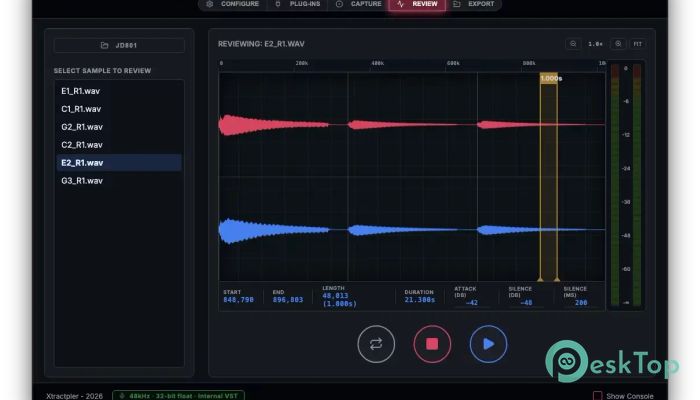
The Fastest Way to Build Professional Sample Libraries Just Got a Whole Lot Smarter. From any instrument — hardware, software, or live — to a fully mapped, loop-ready sample library in minutes. With pristine 32-bit / 96 kHz fidelity and one-click export to 12+ professional formats. The most significant leap in Xtractpler's history — addressing every real-world friction point that serious sound designers encounter. Tail Parameter Never lose a reverb decay or pad release again. Set per-row tail capture time so sharp snares and lush pads coexist in the same session — your samples will breathe naturally. Real-Time Stereo Waveform A redesigned dual-band display shows the left channel (top) and right channel (bottom) simultaneously — live during capture and interactively in the Review tab. Auto-Loop Export Xtractpler calculates seamless loop points, applies a crossfade, and writes loop metadata directly into your exported presets. One click — perfectly looping pads and keys in every format. Dynamic Audio Routing Total control over which hardware input channels, sample rate (up to 96 kHz), and recording format (32-bit float, 24-bit, 16-bit) Xtractpler uses — per session, per capture mode. 12+ Export Formats Standard license covers Decent Sampler, Ableton Sampler, Bitwig, Sitala, and SFZ. Pro adds Logic Pro EXS24, Ableton Drum Rack, Akai MPC, Hydrogen, Studio One, Elektron, and Roland SPD-SX PRO. 32-bit Float / 96 kHz Choose between lossless 32-bit float, 24-bit, or 16-bit WAV at sample rates up to 96 kHz. A persistent footer badge keeps your active quality settings visible at all times. Session Safety Overwrite protection before any capture, Capture Path Lock so renames never break your session, and a real-time footer alert bar for status, warnings, and confirmations. In-App Pro Upgrade Unlock all Pro & Hardware formats instantly from inside Xtractpler — no re-download, no reinstall. File → Upgrade to Pro or Cmd/Ctrl+Shift+U. Fully Cross-Platform Native builds for Windows 10/11 — same five-tab workflow everywhere. All .xcfg projects from v3.0 are fully compatible.System Requirements and Technical Details
Windows 10, 11
Comments

188.23 MB
Program details
-
Program size188.23 MB
-
Version3.6.3
-
Program languagemultilanguage
-
Last updatedBefore 3 Month
-
Downloads13
 Teletone Audio Prism Plate
 Stryde Audio Swayed
  Electric Smudge SnappySnap
 PSPaudioware PSP Flare
 DW Soundworks Gretsch USA Custom Expansion Pack
 Sonic Academy V4lve