
 Arabic
  English
  Turkish
  Chinese
  Japanese
  Russian
  Spanish
  German
  French
  Hindi
Hindi Download Zenmap 7.98 for Windows
Download Zenmap 7.98 for Windows.
Zenmap Overview
It is designed to make network scanning feel less technical and more approachable. It wraps complex command-line operations into a clean graphical interface, allowing users to focus on interpreting results rather than memorizing commands. From beginners to advanced professionals, it offers a smooth entry point into network discovery and security testing.Features of Zenmap
User-Friendly Graphical Interface
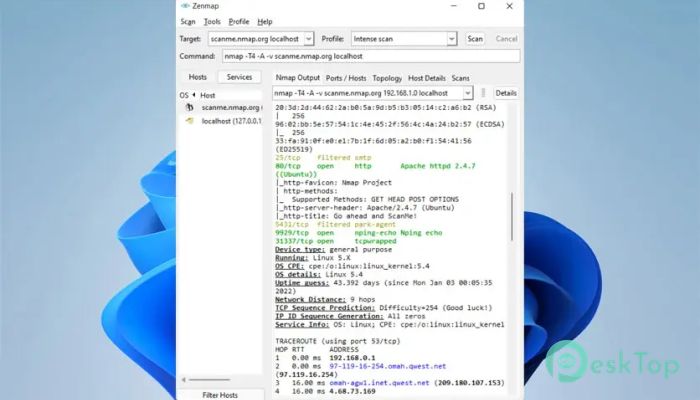
The layout is clean and logical, much like a modern car's dashboard. Instead of typing long commands, the software lets you choose scan types from menus. This approach reduces errors and saves time, especially for users new to network scanning.
Smart Scan Profiles
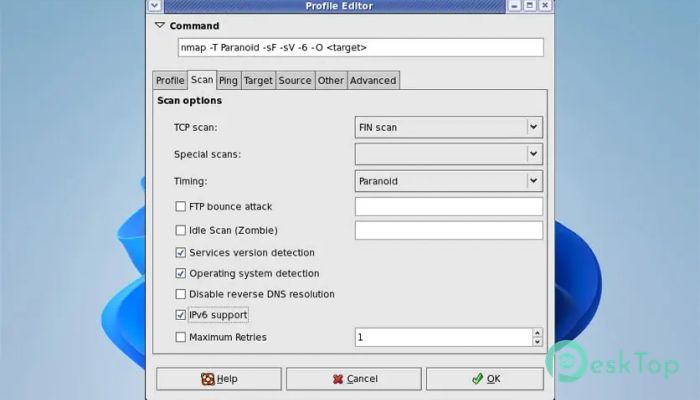
It allows commonly used scans to be saved as profiles. Think of these profiles as presets you can reuse at any time. Once saved, rerunning the same scan is a single-click task, which is helpful for routine checks and repeated audits.
Interactive Command Builder
The built-in command creator guides users through building commands step by step. As options are selected, the full command is generated automatically. This helps users learn how scans work while avoiding syntax errors.
Clear and Detailed Scan Results
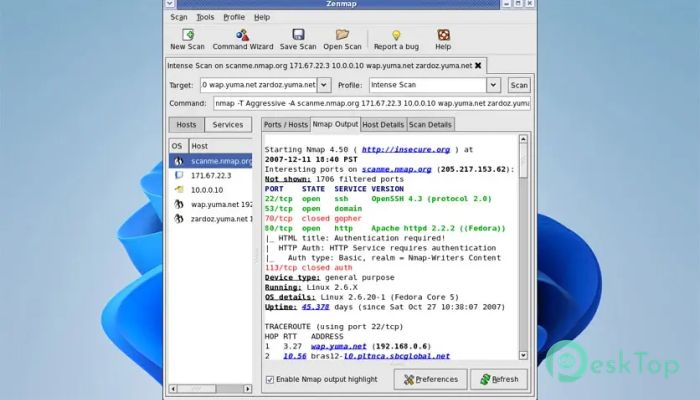
Scan outputs are organized, making complex data easier to understand. Ports, services, and hosts are shown clearly, so patterns stand out quickly. This clarity helps in spotting risks without digging through raw text.
Scan History and Comparison Tools
Previous scans can be saved and reviewed later. The tool also allows comparison between results, which feels like placing two maps side by side to spot changes. This feature is useful for tracking network growth or identifying new vulnerabilities.
Searchable Scan Database
Recent scans are stored in a searchable database that serves as a digital notebook. Instead of rerunning scans, users can quickly look up past results. This saves time and keeps network assessments organized.
Multi-Platform and Open Source Nature
The software runs smoothly on multiple operating systems and remains completely free. Being open source means it benefits from community improvements, updates, and transparency. This builds trust and long-term reliability.
Ideal for Learning and Professional Use
It works as a learning bridge for beginners and a productivity booster for experts. Beginners gain confidence with visuals, while experienced users benefit from faster workflows. This balance makes it suitable for classrooms, labs, and real-world environments.
System Requirements and Technical Details
Operating System: Windows 11 / 10 / 8.1 / 7
Processor: Minimum 1 GHz Processor (2.4 GHz recommended)
RAM: 2GB (4GB or more recommended)
Free Hard Disk Space: 200MB or more is recommended

-
Program size34.60 MB
-
Version7.98
-
Program languagemultilanguage
-
Last updatedBefore 9 Month
-
Downloads56
 RealVNC VNC Server Enterprise
 CrushFTP
 Reqable
 AnyDesk
 AmneziaVPN
 CurrPorts