
 Arabic
  English
  Turkish
  Chinese
  Japanese
  Russian
  Spanish
  German
  French
  Hindi
Hindi Download Multiple Photo Crop for Android
Download Multiple Photo Crop for Android.
Multiple Photo Crop Overview
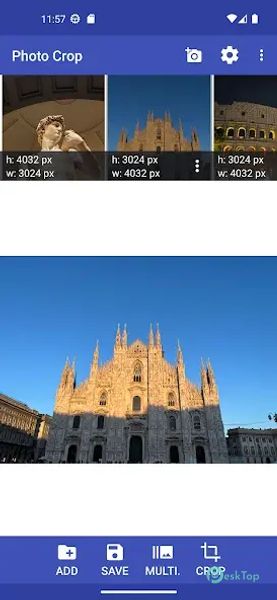
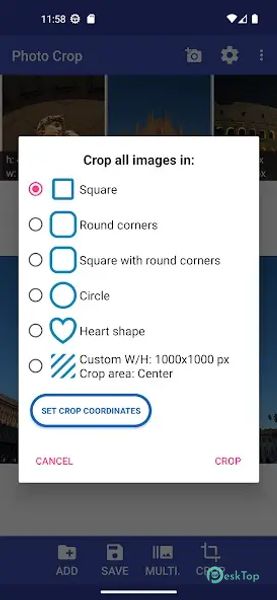
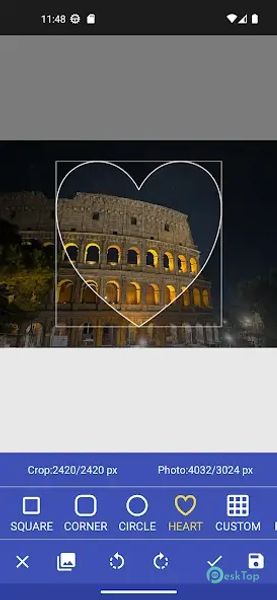
It is a simple yet powerful tool that allows Android users to crop and resize several photos at the same time. It is a lightweight app that works offline and provides different crop shapes such as square, circle, and rounded corners. With just a few taps, your photos will be perfectly cropped and ready to use. The app has no ads or unwanted distractions, making it smooth and user-friendly. You can also customize the width and height of the crop view or use predefined aspect ratios like 4:3, 3:4, 9:16, and 16:9. Whether you want to prepare photos for social media, documents, or personal use, it offers the right tools to get the job done efficiently.Features of Multiple Photo Crop
No Ads: Enjoy a clean experience without commercials or full-screen pop-ups.
Batch Cropping: Select multiple images at once for cropping and resizing.
Offline Support: Works without an internet connection for easy access anywhere.
Crop Shapes: Choose from square, circle, or rounded corner crop styles.
Custom Size: Set your own width and height for more precise cropping.
Predefined Ratios: Use common aspect ratios such as 4:3, 9:16, and 16:9.
Facebook Sharing: Quickly crop and share photos directly to Facebook.
Easy Saving: Select the path to save cropped images for better organization.
File Explorer Support: Can be used directly with file manager apps for quick editing.
Safe to Use: Uses only authorized Google libraries, ensuring your data remains private.

-
App Size6.50 MB
-
Google Play LinkNot available
-
Version Number3.0.6
-
App Languagemultilanguage
-
Last updatedBefore 5 Month
-
Downloads15
 MediaCrop: Photo Editor
 AI Background - Pokecut Studio
 Genius Art: Image AI Generator
 Cartoon Photo Editor - ToonTap
 Mandala Maker 360
 Photo Resizer: Crop, Resize, Share Images in Batch