
 Arabic
  English
  Turkish
  Chinese
  Japanese
  Russian
  Spanish
  German
  French
  Hindi
Hindi Download Photo and Picture Resizer for Android
Download Photo and Picture Resizer for Android.
Photo and Picture Resizer Overview
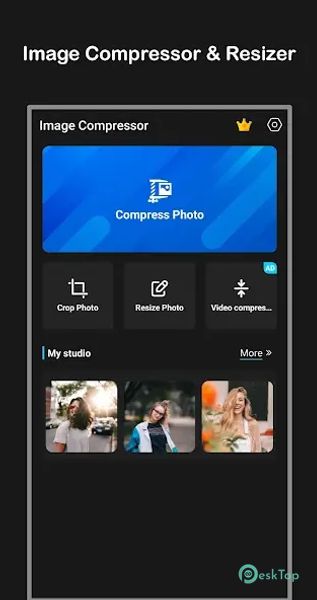
It is a powerful tool designed to compress and resize images effortlessly. Whether you want to save storage space, upload images faster, or optimize pictures for social media, this app offers quick and reliable results. With just one click, you can reduce the photo size without compromising quality. The app supports batch resizing and compression, allowing you to process multiple images at once. It also offers cropping features, custom resolutions, and adjustable compression quality, giving you complete control over your images. Easy to use and lightweight, it is an essential tool for everyday photo management.Features of Photo and Picture Resizer
Batch Image Resizer: Resize multiple photos at once to save time.
Auto Resize and Save: Automatically adjusts image size and saves directly to your phone.
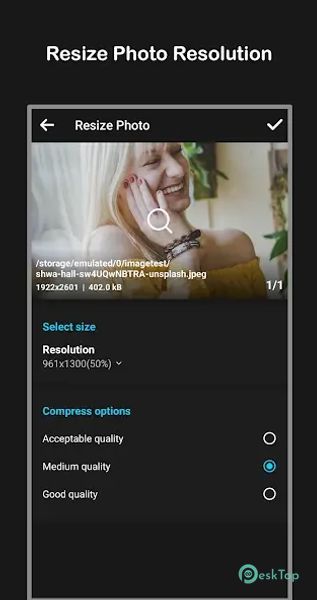
Custom Compression Quality: Choose different levels of compression for your images.
Best Compression Option: Automatically compress images with the most efficient settings.
Custom Resolution: Set your resolution and size for photos.
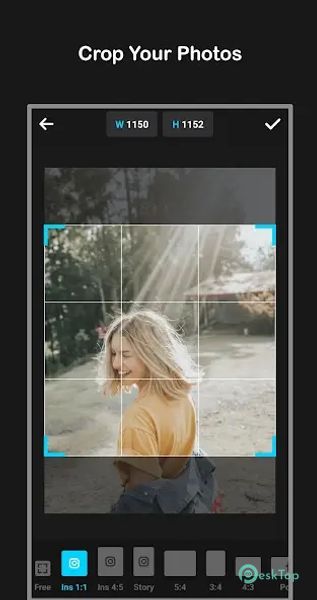
Crop Tool: Easily remove unwanted parts of an image with cropping options.
Aspect Ratio Adjustment: Change the image ratio to fit your needs.
Social Media Ready: Resize images to match social media requirements.
Multi-format Support: Works with different image formats for better compatibility.
Storage Optimization: Helps you save storage space by downsizing photos effectively.

-
App Size16.97 MB
-
Google Play LinkNot available
-
Version Number1.1.21
-
App Languagemultilanguage
-
Last updatedBefore 5 Month
-
Downloads4
 MediaCrop: Photo Editor
 AI Background - Pokecut Studio
 Genius Art: Image AI Generator
 Cartoon Photo Editor - ToonTap
 Mandala Maker 360
 Photo Resizer: Crop, Resize, Share Images in Batch