
 Arabic
  English
  Turkish
  Chinese
  Japanese
  Russian
  Spanish
  German
  French
  Hindi
Hindi Download Toolwiz Photos – Pro Editor for Android
Download Toolwiz Photos – Pro Editor for Android.
Toolwiz Photos – Pro Editor Overview
This is an excellent way to make creative and gorgeous photos on Android. This is the best all-in-one PRO photo editor providing 200+ powerful tools. This app offers a whole edit toolkit for you.Features of Toolwiz Photos – Pro Editor
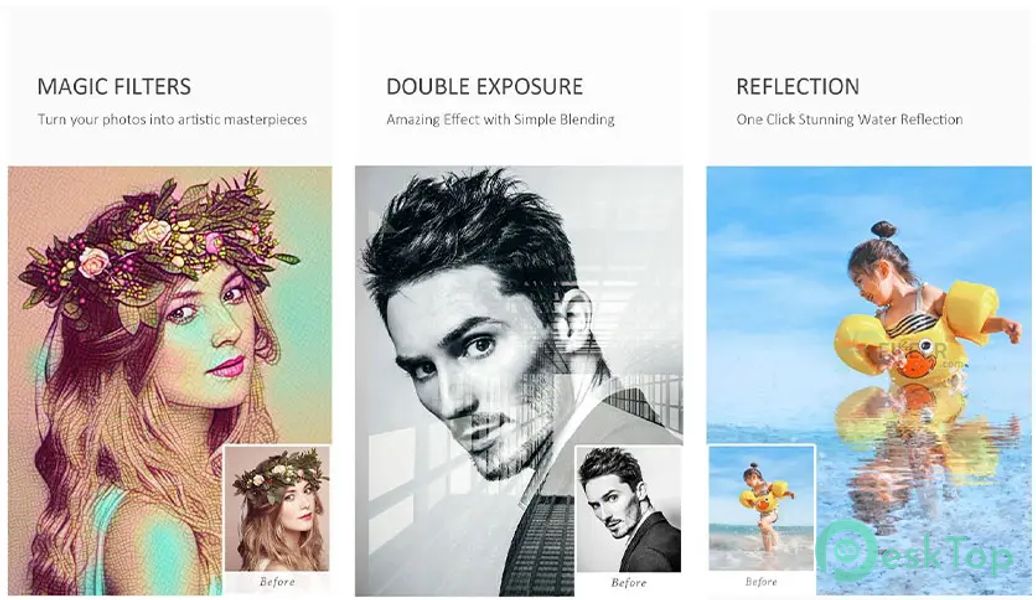
Magic Filters: 40+ style filters, Let’s rock your GPU
Art Filters: Landscape, People, Glamour Glow, Grainy Film, LOMO, Flatten, Art, Strong, Vintage, 50+ Fast Filters, 80+ perfect Feeling tone filters
Image Process: Blending Mixer, Layers, Rotate, Crop, Perspective, Resize, Reshape, Flip, Expand, Shrink, Patch, Healing, Lens Correction, Refit, Deskew, Lasso, Magic Cutout, Magic wand, Draw, Mosaic
Image Tone: Levels, RGB Curve, Brightness, Temperature, Tint, Contrast, Toning, White Balance, Color Balance, Color Effect, Color Transfer, Auto-Tone, Gradient Map, Daylighting
Image Enhance Day, Spring, Night, Dark, Landscape, Underexposure, Portrait, Fog mode
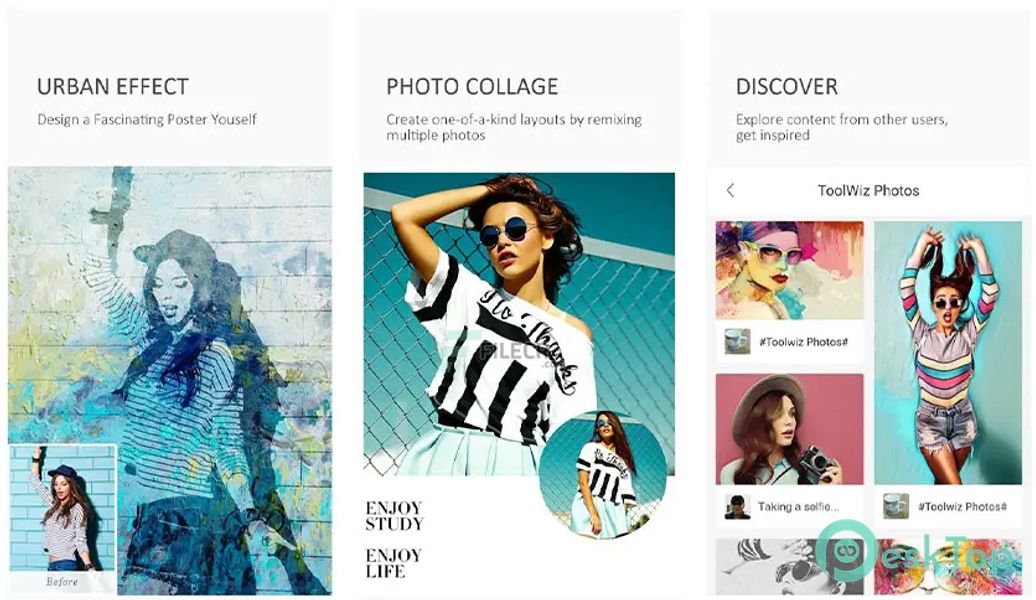
Art Effect: PIP, Double Exposure, Mirror, Kaleidoscope, Fish Eye, Polar Coordinates, Target, Color Splash, Spatial, Water Reflection, Soft Smudge, Deep Render, Urban, Texturizer, Watermark
Decorate: Sticker, Frame, Border, Square Fit, Texture, Flare, DUO, Clip-art
HDR: Global, Partial, Keep, High Contrast, 30+ others
Black White: Classic, High-Contrast, Max Channel, Min Channel, General, 50+ others
20+ Blurs: Box, Linear, Gaussian, Zoom Blur, Radial, Motion, Cross, Surface
10+ Paintings Style: Fire, Freeze, Color Lead Painting, Quick Sketch, Line Drawing, Oil Painting, Gouache, Abstract, Wall Painting, Crayon Drawing, Collaborate-style Painting.
Drawing: Doodle, Mosaic, Free Draw, Text, Line, Circle, Rectangle, Smudge, Eraser
Selfie and Polish: Skin Polish, Face Swap, Face Rater, Whiten, Dermabrasion, Face Tune, Slim Face, Face Change, Makeup, Slim Body, Height Stretching, Bright Eye, Enlarge Eye, Whiten Teeth, Blemish, Red-Eyes Removal
Text: Movie subscript, MEME, Free Input, Decals, all with shadow and mask support
Free Online Resource: 150+ PIP frames, 400+ layouts, 2000+ Stickers, 200+ texture, 200+ Flare, 100+ Light Leak, 200+ text fonts

-
App Size105.10 MB
-
Google Play LinkNot available
-
Version Numberv11.12
-
App Languagemultilanguage
-
Last updatedBefore 1 Year
-
Downloads46
 MediaCrop: Photo Editor
 AI Background - Pokecut Studio
 Genius Art: Image AI Generator
 Cartoon Photo Editor - ToonTap
 Mandala Maker 360
 Photo Resizer: Crop, Resize, Share Images in Batch