
 Arabic
  English
  Turkish
  Chinese
  Japanese
  Russian
  Spanish
  German
  French
  Hindi
Hindi Download Abacre Cloud Hotel Management 1.0 for Windows
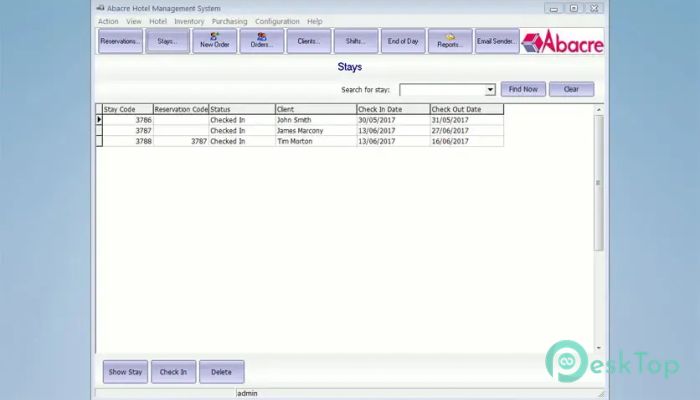
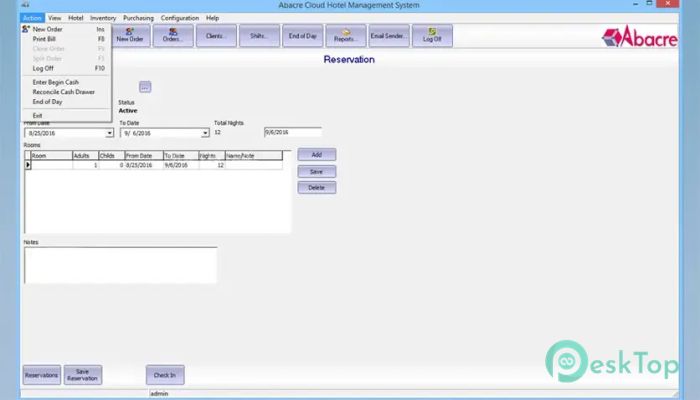
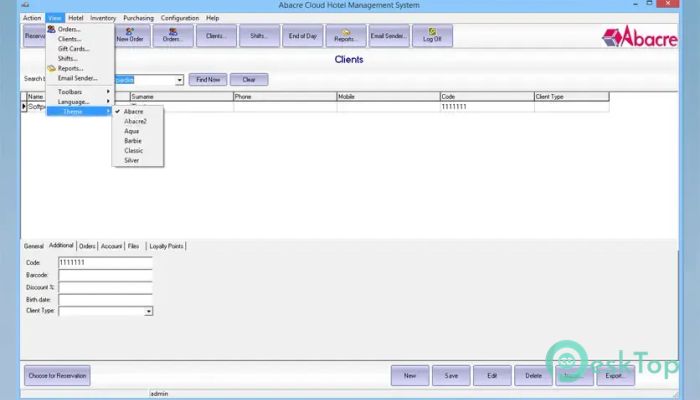
Download Abacre Cloud Hotel Management 1.0 for Windows.
Abacre Cloud Hotel Management Overview
It is designed for hotels, resorts, motels, and guest houses that want to simplify their daily operations. It combines Windows and web-based interfaces, allowing staff to work from the front desk or access information remotely through the cloud. Everything from room reservations to guest billing is managed in one place, streamlining hotel operations and improving organization. The software replaces paper records and scattered spreadsheets with a single cloud database. This means everyone works with the same up-to-date information, reducing mistakes and improving customer service. Whether you manage a small hotel or a larger property, the tool helps keep everything running smoothly.Features of Abacre Cloud Hotel Management
Simple Reservation Management
Managing room reservations becomes much easier with the software. Staff can quickly create new bookings, modify existing reservations, and cancel them whenever needed. The clear interface makes it easy to see room availability without confusion.
The tool also supports group reservations, making it perfect for business events, family gatherings, or tour groups. Advance deposits can be recorded during the booking process, helping hotels secure reservations while maintaining accurate financial records.
Fast Guest Check-In and Check-Out
A smooth check-in process leaves a great first impression. The software helps reception staff assign rooms quickly, update guest information, and complete check-in within minutes. This reduces waiting time and improves the overall guest experience.
When guests are ready to leave, check-out is just as simple. All charges are collected automatically, making final billing quick and accurate. Support for key card integration and wake-up calls adds even more convenience to everyday hotel operations.
Secure Cloud Database
One of the biggest advantages of the tool is its cloud-based database. Instead of storing information on a single computer, all hotel data is safely stored online. This allows authorized users to access important information from any location using Windows or a web browser.
Because all data stays synchronized, employees always see the latest updates. Whether someone makes a reservation from the reception desk or another staff member checks availability online, everyone works with the same information in real time.
Complete Billing and Payment Processing
Handling guest payments is simple and accurate. The software records room charges, restaurant bills, additional services, and other expenses in one account. Everything is automatically added to the final invoice, reducing manual calculations.
Support for multiple currencies makes it suitable for hotels serving international travelers. Credit card payments can be processed efficiently, while built-in tax reporting helps businesses stay organized during financial reporting periods.
Detailed Business Reports
Running a successful hotel requires more than accepting reservations. Managers need reliable information to make better decisions, and the software provides a wide variety of detailed reports.
Users can review occupancy rates, room revenue, guest history, daily summaries, and performance reports. These insights help identify busy periods, understand customer trends, and improve business planning without spending hours manually collecting data.
Automatic Hotel Website
Creating a professional hotel website usually requires extra time and expense. The software solves this by automatically creating a website where guests can learn about the property and make online reservations.
This feature helps hotels reach more customers while reducing manual booking requests. Online reservations are directly connected to the hotel database, keeping room availability accurate at all times.
Windows and Web-Based Access
Modern businesses need flexibility, and the software delivers exactly that. Staff can use the Windows application for full management or the web interface when working remotely.
This combination allows hotel owners and managers to monitor operations from almost anywhere. It feels like carrying the reception desk in your pocket while keeping everything synchronized.
Easy-to-Use Interface
The software is designed with simplicity in mind. Menus are clearly organized, and common tasks require only a few clicks. Even employees with limited computer experience can learn the system quickly.
Its clean layout helps staff focus on serving guests instead of searching through complicated menus. Less training means faster adoption and improved productivity for the entire team.
Better Organization for Daily Operations
Hotels handle many activities every day, including reservations, room assignments, guest requests, payments, and reports. Keeping all these tasks organized can feel like directing a busy orchestra, but the software brings everything together into a single coordinated system.
By reducing manual work and automating repetitive tasks, the tool saves valuable time. Staff can devote more attention to guest satisfaction rather than paperwork, leading to smoother operations and happier customers.
System Requirements and Technical Details
Operating System: Windows 11 / 10 / 8.1 / 7
Processor: Minimum 1 GHz Processor (2.4 GHz recommended)
RAM: 2GB (4GB or more recommended)
Free Hard Disk Space: 200MB or more is recommended

-
Program size6.55 MB
-
Version1.0
-
Program languagemultilanguage
-
Last updatedBefore 2 Month
-
Downloads27
 Chess King 2026
 Easy German Platinum
 Easy French Platinum
 Easy English Platinum
 Moneyspire Desktop
 Concept Grid