
 Arabic
  English
  Turkish
  Chinese
  Japanese
  Russian
  Spanish
  German
  French
  Hindi
Hindi Download Abacre Cloud Restaurant POS 1.0 for Windows
Download Abacre Cloud Restaurant POS 1.0 for Windows.
Abacre Cloud Restaurant POS Overview
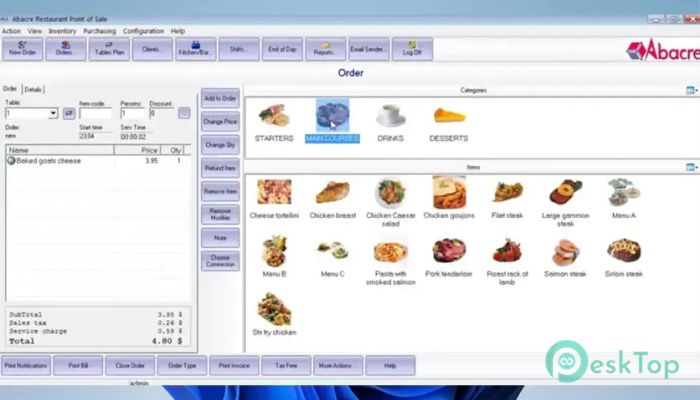
Running a restaurant can feel like juggling dozens of plates at once. This software brings everything together in one place, making daily operations smooth and organized. It combines a Windows application with a web-based interface, giving owners and employees the freedom to manage the business from almost any device. The platform covers the entire workflow, from taking customer orders to creating bills and generating tax reports. Since all information is stored securely in the cloud, you can access your restaurant data whether you are in the office, at home, or on the move.Features of Abacre Cloud Restaurant POS
Cloud-Based Database
The biggest advantage of the software is its cloud database. Instead of keeping information on a single computer, it stores everything safely online. This means your restaurant data is available whenever you need it.
Whether you own one restaurant or several locations, all records stay synchronized. Sales, orders, employee details, and inventory updates are available in real time, helping you make better business decisions without waiting for manual updates.
Windows and Web Access
The tool offers both a desktop application and a web-based interface. Staff can work on Windows computers while servers can take orders using iPads, iPhones, Android devices, or any tablet with a web browser.
This flexibility makes daily operations much faster. Employees are no longer tied to a single checkout counter, allowing them to serve customers more quickly and reduce wait times.
Restaurant Website with Online Ordering
Creating an online presence usually requires extra time and money. The software automatically generates a restaurant website where customers can browse the menu and place delivery or pickup orders.
This built-in feature helps restaurants accept online orders without depending entirely on third-party services. Customers enjoy a simple ordering experience while businesses receive orders directly into the management system.
Fast Order Management
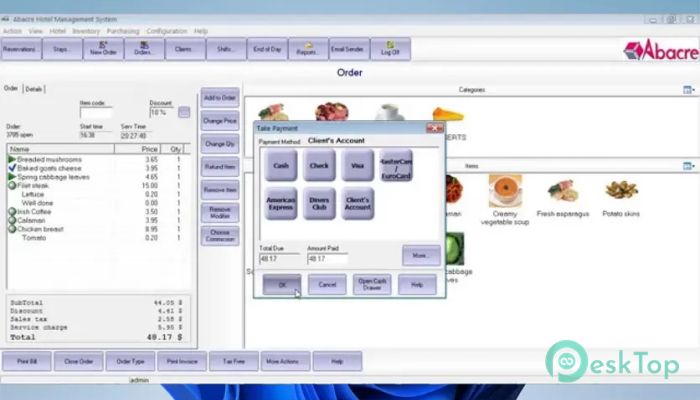
Taking customer orders becomes simple with its touch-friendly interface. Employees can quickly enter orders, move customers between tables, split bills for groups, and apply food modifiers without confusion.
These tools help restaurants provide faster service during busy hours. Instead of slowing down the workflow, the software keeps everything moving like a well-organized kitchen during dinner rush.
Simple Billing and Tax Reports
Billing is handled automatically, reducing calculation mistakes and speeding up the checkout process. Receipts are generated quickly, allowing customers to pay without unnecessary delays.
The software also prepares detailed tax reports that help restaurant owners stay organized during accounting periods. Instead of sorting through piles of receipts, everything is available with just a few clicks.
Comprehensive Business Reports
Good decisions depend on accurate information. The software provides detailed reports covering sales, taxes, employee tips, inventory movement, and staff performance.
These reports make it easier to identify best-selling menu items, monitor business growth, and spot areas that need improvement. Clear data acts like a roadmap, helping owners steer the business in the right direction.
Staff and Shift Management
Managing employees becomes much easier with built-in staff tools. Workers can clock in and out, managers can organize shifts, and administrators can assign different access levels based on job roles.
This improves security because employees only see the features they need. It also keeps attendance records organized, making payroll preparation much simpler.
Secure Multi-Location Management
The cloud platform is an excellent choice for restaurants with multiple branches. Since all locations share the same database, owners can monitor business performance from a single dashboard.
Sales information, inventory updates, and employee activity remain synchronized across locations. This saves time and helps maintain consistent operations throughout the business.
User-Friendly Interface
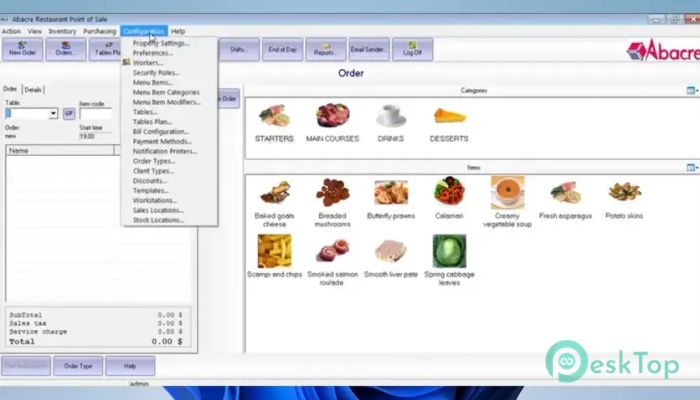
The software is designed with simplicity in mind. Large buttons, organized menus, and touch-screen support make it easy for employees to learn without extensive training.
Even first-time users can become comfortable within a short period. The clean layout reduces errors and allows staff to focus more on serving customers rather than learning complex software.
System Requirements and Technical Details
Operating System: Windows 11 / 10 / 8.1 / 7
Processor: Minimum 1 GHz Processor (2.4 GHz recommended)
RAM: 2GB (4GB or more recommended)
Free Hard Disk Space: 200MB or more is recommended

-
Program size6.68 MB
-
Version1.0
-
Program languagemultilanguage
-
Last updatedBefore 2 Month
-
Downloads31
 Chess King 2026
 Easy German Platinum
 Easy French Platinum
 Easy English Platinum
 Moneyspire Desktop
 Concept Grid