
 Arabic
  English
  Turkish
  Chinese
  Japanese
  Russian
  Spanish
  German
  French
  Hindi
Hindi Download ArrowDL 1.0 for Windows
Download ArrowDL 1.0 for Windows.
ArrowDL Overview
This handy download manager is built for people who want full control over their downloads without dealing with cluttered interfaces or hidden limits. It supports direct links, media files, and even peer-to-peer BitTorrent downloads. Whether you are saving a large software setup, a full HD video, or a collection of images from a webpage, the tool makes the process smooth and organized. It feels like having a smart assistant that stands between you and the internet, catching every file you want and arranging it neatly. Instead of juggling multiple browser tabs and unreliable download popups, you get a single place to manage everything.Features of ArrowDL
Simple and Clean Interface
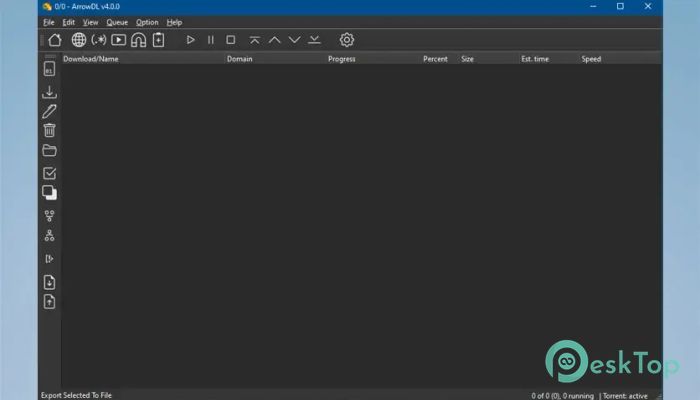
The first thing you notice is how straightforward the layout is. There are no confusing menus or overloaded dashboards. Everything is placed where you expect it to be. Paste a link, select a folder, and start downloading. That is it.
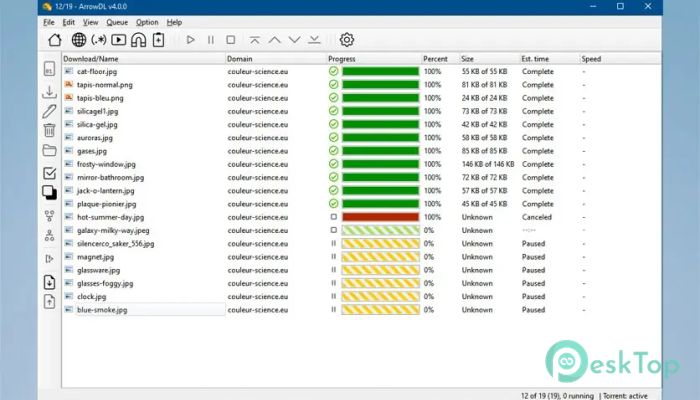
The software prioritizes functionality over flash. It does not try to impress with heavy animations. Instead, it works like a well-organized toolbox. Each button has a clear purpose, and every download is shown in a structured list with status, speed, and progress.
Download Almost Anything
One of the tool's biggest strengths is its flexibility. It can download regular files from websites, including documents, software installers, compressed archives, and media files. You are not limited to one format or source.
It also supports downloading images and videos from popular video platforms. If you find a video or a collection of pictures online, you can save them directly without jumping through hoops. For large files or distributed content, it also handles BitTorrent downloads. This makes it useful for both casual users and advanced downloaders.
Built-In BitTorrent Support
Instead of installing a separate torrent client, you can manage torrent files directly inside the software. Simply open the torrent file or paste a magnet link, and the tool handles the rest.
This feature is perfect if you want to keep everything under one roof. You do not need to switch between different apps. It feels like having a Swiss army knife for downloads. Simple, compact, and ready for a range of tasks.
Privacy and Control
Downloading from the internet always comes with a small risk. That is why privacy settings matter. The software offers options to control how connections are handled. You can adjust settings to limit tracking and manage how the tool interacts with online servers.
Being open-source adds another layer of trust. Since the code is publicly available, anyone can inspect it. That transparency gives peace of mind. You know there are no hidden tricks running in the background.
Fast and Reliable Performance
Speed is important when you are dealing with large files. The tool uses multiple connections to accelerate downloads where supported. Instead of relying on a single stream, it can split files into parts and download them simultaneously.
This approach often improves download speed and stability. If one part slows down, others continue. It is like using several hands to carry a heavy box instead of just one. The result is smoother and faster transfers.
Pause, Resume, and Schedule
Life is unpredictable. Sometimes your internet drops, or you need to shut down your PC. With resume support, you can resume downloading from where it stopped, provided the server allows it.
You can also pause downloads manually. This is useful if you need bandwidth for other tasks, such as video calls or online gaming. Some versions also support scheduling, allowing you to set downloads to run at night when the connection is free.
Organized File Management
Keeping track of downloads can be cumbersome, especially if you download many files daily. The software allows you to select specific folders for different content types. You can separate videos, documents, and software into their own directories.
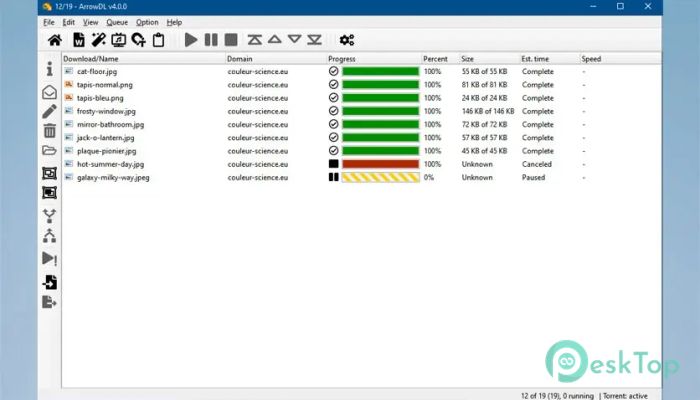
The download list clearly shows file names, sizes, and status. You do not need to guess what is happening. Everything is visible at a glance. It is like having a digital filing cabinet that labels each drawer clearly.
Lightweight and Resource Friendly
Some download managers consume excessive memory or slow down your system. This one stays light. It runs smoothly even on older machines. You do not need high-end hardware to use it.
Because it is optimized and cleanly built, it does not overload your CPU or RAM. You can keep it running in the background while you work, study, or watch videos.
Open-Source Advantage
Being free and open-source means you are not locked behind paywalls. You can use all features without hidden costs. Developers worldwide can improve it, fix bugs, and add new features.
This community-driven model keeps the software evolving. Updates often focus on stability, security, and compatibility with new websites. It grows with user feedback instead of ignoring it.
Who Should Use It
If you frequently download files from the internet, this tool can save you time and effort. Students can download study materials. Professionals can grab work-related files. Media lovers can save videos and images.
Even casual users who just want a better way to manage downloads will find it helpful. It removes friction and replaces it with order.
System Requirements and Technical Details
Operating System: Windows 11 / 10 / 8.1 / 7
Processor: Minimum 1 GHz Processor (2.4 GHz recommended)
RAM: 2GB (4GB or more recommended)
Free Hard Disk Space: 200MB or more is recommended

-
Program size34.87 MB
-
Version1.0
-
Program languagemultilanguage
-
Last updatedBefore 7 Month
-
Downloads37
 Transmission
 Abelssoft YouTube Song Downloader Plus 2026
 Fast Video Downloader
 3D Youtube Downloader
 Open Video Downloader (youtube-dl-gui)
 qBittorrent