
 Arabic
  English
  Turkish
  Chinese
  Japanese
  Russian
  Spanish
  German
  French
  Hindi
Hindi Download Asana For Desktop 1.0 for Windows
Download Asana For Desktop 1.0 for Windows.
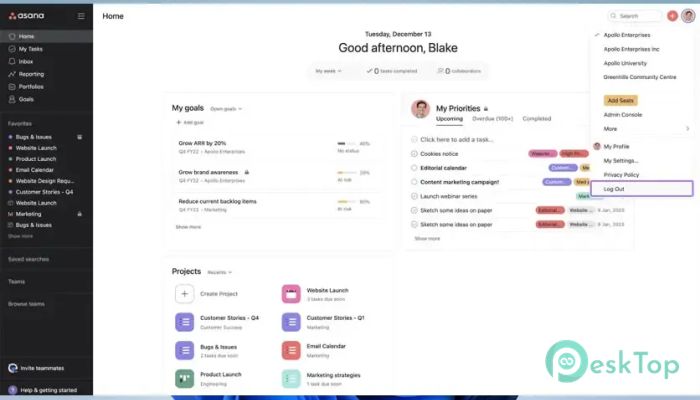
Asana For Desktop Overview
It is designed to help individuals, teams, and organizations manage work from one central place. Whether you are handling a simple to-do list or coordinating large business projects, the software keeps everything organized and easy to follow. It brings tasks, conversations, timelines, and project updates together, so everyone stays on the same page. The platform is built for businesses of every size. Small teams can use it to stay organized, while large enterprises can manage thousands of projects without losing control. With built-in AI features and automation, the software eliminates repetitive tasks and lets users focus on completing important tasks more quickly.Features of Asana For Desktop
Simple and Organized Project Management
The software makes project management feel simple. Instead of keeping notes in different places, you can organize everything into projects, sections, and tasks. Each task can include due dates, priorities, attachments, comments, and team members, making it easier to track work.
Think of it like having a digital office where every document, conversation, and assignment has its own place. This organized structure reduces confusion and helps everyone know exactly what needs to be done.
Built for Teams of Every Size
Whether your team has five people or five thousand, the tool scales with your needs. Small businesses can plan daily activities, while large organizations can coordinate multiple departments on a single platform.
Managers can assign work, monitor progress, and receive real-time updates without sending endless emails. Team members always know their responsibilities, which improves productivity and accountability.
Powerful AI Features
One of the biggest strengths of the software is its built-in AI capabilities. Intelligent assistants help organize projects, suggest next steps, summarize work, and automate repetitive processes.
Instead of spending valuable time creating tasks manually, the AI can quickly transform ideas into structured work plans. It acts like a smart assistant that helps keep projects moving forward.
AI Connectors for Better Productivity
The software includes AI connectors that work with popular AI applications. These connectors bridge the gap between creative ideas and actual execution. You can start projects, organize tasks, and manage workflows directly from your preferred AI tools.
This integration makes collaboration smoother because ideas no longer stay inside chat applications. They instantly become organized projects that your team can start working on.
Flexible Task Management
Managing daily work becomes much easier with customizable tasks. Users can assign responsibilities, create subtasks, set deadlines, and monitor completion status in real time.
The software also supports recurring tasks for activities that happen regularly. This eliminates repetitive setup and helps teams stay consistent with ongoing responsibilities.
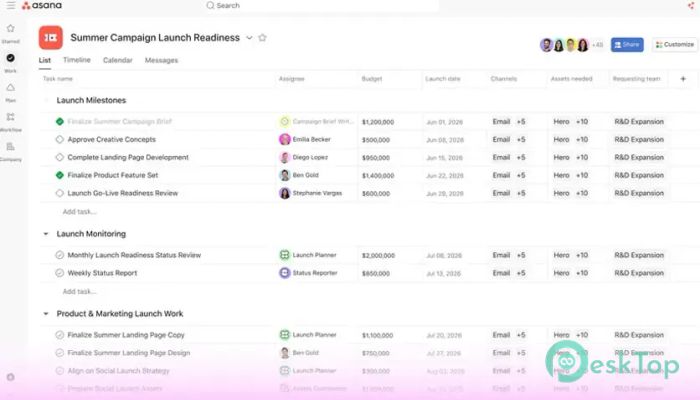
Multiple Project Views
Different people prefer different ways of viewing work. The tool supports multiple layouts, including lists, boards, calendars, and timelines. This flexibility allows every user to work in the style that feels most comfortable.
For example, designers may prefer Kanban boards, while project managers often choose timeline views to monitor deadlines and project milestones.
Real-Time Team Collaboration
Collaboration is one of the platform's strongest features. Team members can leave comments, share files, mention coworkers, and discuss tasks without switching between different applications.
Because everything happens inside the same workspace, important information stays connected to each project. This reduces misunderstandings and keeps communication clear.
Automation That Saves Time
Manual work often slows projects down. The software solves this problem by allowing users to automate repetitive actions using custom workflow rules.
For example, completed tasks can automatically move to another section, notifications can be sent instantly, and approvals can begin without manual intervention. These small automations save hours of work every week.
Progress Tracking and Reporting
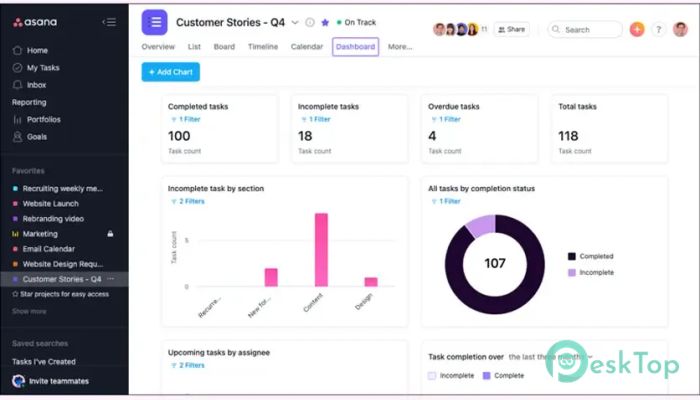
Keeping projects on schedule becomes much easier with built-in reporting tools. Managers can monitor project progress, identify delays, and review workload distribution using visual dashboards.
These reports provide valuable insights that help teams make better decisions. Instead of guessing what is happening, everyone can rely on real-time project data.
Cross-Platform Accessibility
The desktop application delivers a distraction-free working environment while staying synchronized with the web and mobile versions. Changes made on one device appear instantly on every connected device.
This allows users to start working at the office, continue on a laptop during travel, and review updates on a smartphone without losing progress.
Secure and Reliable Workspace
Security plays an important role in modern business software. The platform protects company information through secure cloud technology while giving administrators control over permissions and user access.
Businesses can confidently manage sensitive projects, knowing that authorized team members have the appropriate level of access to critical information.
System Requirements and Technical Details
Operating System: Windows 11 / 10 / 8.1 / 7
Processor: Minimum 1 GHz Processor (2.4 GHz recommended)
RAM: 2GB (4GB or more recommended)
Free Hard Disk Space: 200MB or more is recommended

-
Program size190.58 MB
-
Version1.0
-
Program languagemultilanguage
-
Last updatedBefore 2 Month
-
Downloads10
 Chess King 2026
 Easy German Platinum
 Easy French Platinum
 Easy English Platinum
 Moneyspire Desktop
 Concept Grid