
 Arabic
  English
  Turkish
  Chinese
  Japanese
  Russian
  Spanish
  German
  French
  Hindi
Hindi Download AskSia 1.0 for Windows
Download AskSia 1.0 for Windows.
AskSia Overview
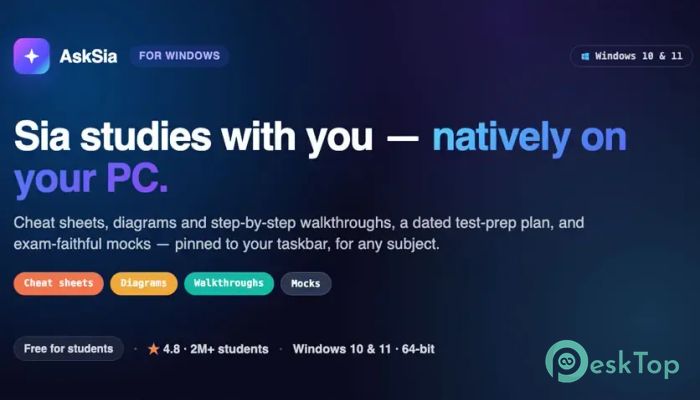
Studying becomes much easier when you have an intelligent learning partner by your side. This software is designed for students who want to organize their lessons, prepare for exams, and understand difficult topics without switching between multiple apps. It combines artificial intelligence with a native Windows experience, making every study session smooth and productive. Unlike browser-based learning platforms, the tool installs directly on your computer through a signed installer and works like a built-in Windows application. Your study plans, notes, progress, and learning resources stay on your PC, allowing you to continue learning even when you are offline.Features of AskSia
AI-Powered Study Companion
The software acts like a personal tutor that studies alongside you. Simply provide your study materials, and it analyzes the content to create helpful learning resources. Instead of spending hours making notes, you receive organized study guides within minutes.
It transforms textbooks, lecture notes, PDFs, and other materials into easy-to-understand learning aids. This saves valuable time and lets you focus on understanding concepts instead of formatting notes.
Interactive Study Aids
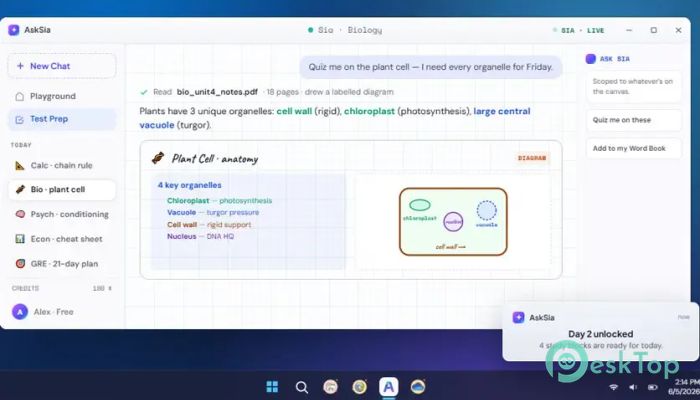
Learning becomes more engaging because the tool automatically creates cheat sheets, diagrams, summaries, and step-by-step explanations. These visual and interactive resources make even complicated topics easier to remember.
Rather than reading the same pages repeatedly, you can review key concepts through organized layouts that highlight the most important information. It feels like having a roadmap instead of wandering through a maze.
Personalized Exam Preparation
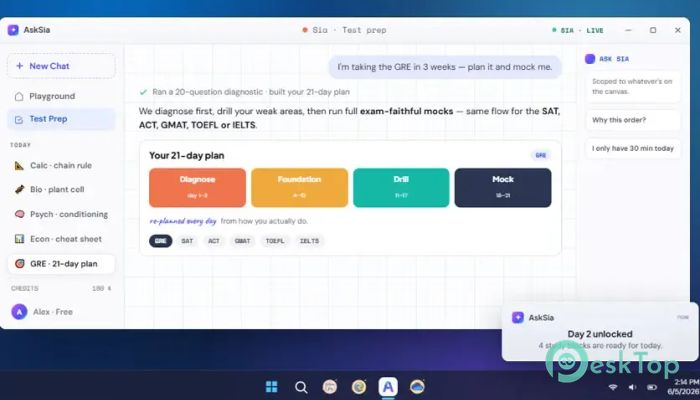
Preparing for an important test can feel overwhelming, but the software creates a detailed study roadmap based on your goals. It breaks large subjects into manageable daily tasks so you always know what to study next.
This structured approach helps reduce stress while keeping your preparation consistent. Whether your exam is weeks or months away, the tool helps you stay on track from start to finish.
Realistic Full-Screen Mock Exams
One of its standout features is the ability to simulate real standardized exams. It supports full-screen mock tests for popular exams such as SAT, ACT, GRE, GMAT, TOEFL, and IELTS.
During a mock session, the screen focuses entirely on the exam interface to reduce distractions. Browser tabs, unnecessary notifications, and interruptions stay out of sight, helping you experience an environment that closely resembles the actual test.
Designed for Deep Learning Sessions
The software is built for long and focused study sessions. It includes split-pane reading layouts that make it easier to review passages while answering questions. This design reduces unnecessary scrolling and keeps important information visible.
Additional learning tools, such as an on-screen calculator and audio support where needed, create an experience that feels comfortable on a full-sized computer screen rather than on a small mobile display.
Native Windows Experience
Instead of running inside a web browser, the tool behaves like a genuine Windows application. It installs through a signed installer, integrates naturally with the operating system, and provides a familiar desktop experience.
It can pin itself to the Windows taskbar for quick access and sends native Windows notifications to remind you about study sessions, daily goals, and upcoming exam schedules. Everything feels seamless and responsive.
Offline Study and Local Storage
Privacy and accessibility are important when studying. The software stores your learning plans, streaks, study aids, vocabulary collections, and progress directly on your computer.
Because your information remains available locally, you can continue reviewing your materials even without an internet connection. This also makes it easier to keep your study history available whenever you need it.
Simple Interface for Every Student
You do not need technical knowledge to use the software. Its clean interface keeps everything organized and easy to find. Study materials, exam schedules, practice tests, and progress tracking are all available in one window.
This all-in-one approach eliminates the need to jump between different applications. Everything you need for learning stays together, making your workflow faster and less distracting.
Why It Stands Out
Many study platforms require multiple browser tabs, cloud storage, and separate applications for planning, note-taking, and testing. This software combines all those features into a single desktop experience.
Its intelligent study aids, realistic mock exams, local data storage, distraction-free interface, and native Windows integration make it an excellent choice for students preparing for school exams or competitive standardized tests.
System Requirements and Technical Details
Operating System: Windows 11 / 10 / 8.1 / 7
Processor: Minimum 1 GHz Processor (2.4 GHz recommended)
RAM: 2GB (4GB or more recommended)
Free Hard Disk Space: 200MB or more is recommended

-
Program size8.33 MB
-
Version1.0
-
Program languagemultilanguage
-
Last updatedBefore 1 Month
-
Downloads19
 Chess King 2026
 Easy German Platinum
 Easy French Platinum
 Easy English Platinum
 Moneyspire Desktop
 Concept Grid