
 Arabic
  English
  Turkish
  Chinese
  Japanese
  Russian
  Spanish
  German
  French
  Hindi
Hindi Download BackendSide TypingDesk 1.0.0 for Windows
Download BackendSide TypingDesk 1.0.0 for Windows.
BackendSide TypingDesk Overview
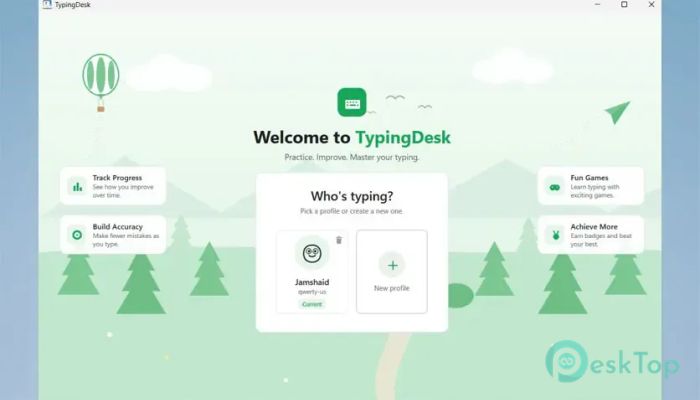
It is a complete typing learning solution designed for beginners and experienced users alike. It makes learning fun by combining guided lessons, interactive practice modes, typing games, and detailed performance statistics into a single, simple application. Whether you are just learning the keyboard or trying to boost your words-per-minute score, the software gives you everything needed to improve. The software works entirely offline, so there is no need to create an account or stay connected to the internet. Each profile retains its own progress, achievements, and settings, making it ideal for families, schools, or shared computers.Features of BackendSide TypingDesk
Learn Step by Step
Learning to type is like building a house—you begin with a strong foundation before adding more layers. The tool starts by teaching proper finger placement on the home row, then gradually introduces the remaining keys.
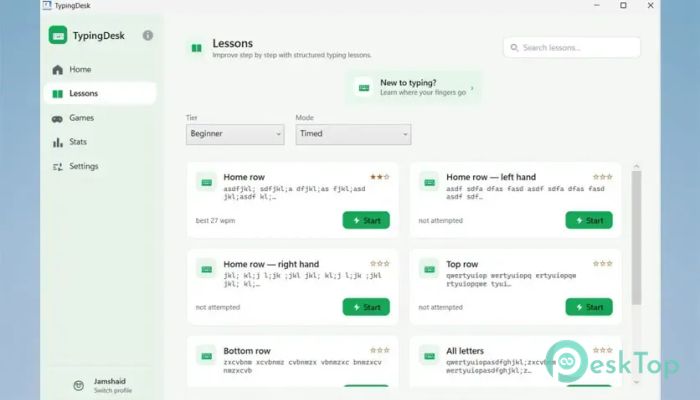
Lessons are divided into Beginner, Intermediate, Advanced, Code, and Custom categories. This structured approach lets users improve naturally instead of feeling overwhelmed by difficult exercises from the start.
Smart Typing Engine
The software includes an intelligent typing engine that delivers instant feedback while you type. Correct characters appear in green, while mistakes are highlighted in red, making errors easy to spot and correct immediately.
Live typing statistics, such as Words Per Minute (WPM) and accuracy, are displayed in real time. A smooth blinking caret and character-by-character highlighting create a natural typing experience that feels responsive and enjoyable.
Color-Coded Finger Placement Guide
One of the best learning features is the built-in finger-placement guide. Every key is assigned to the correct finger using clear colors, helping users develop proper typing habits from day one.
The on-screen keyboard also highlights the next key to press, making practice much easier for new typists. It supports multiple keyboard layouts, ensuring the guide remains accurate regardless of your preferred layout.
Tiered Lessons for Every Skill Level
The lessons grow with your skills. Beginners first master the home row before moving to the remaining letters, capital letters, punctuation, and advanced exercises. Those interested in programming can even practice with dedicated code lessons.
The software also allows you to paste your own text for custom practice sessions. This makes it useful for students, office workers, writers, and developers who want to practice with real content.
Four Flexible Practice Modes
Everyone learns differently, and the tool gives you several ways to practice. Timed Mode challenges your speed within a set time, while Quota Mode focuses on reaching a target number of words.
Zen Mode removes the pressure completely, letting you practice at your own pace. Repeat-until-perfect Mode keeps repeating the same lesson until your typing reaches the required accuracy, helping build confidence through repetition.
Five Fun Typing Games
Practice does not have to be boring. The software includes five entertaining typing games that make learning feel more like playing than studying.
Letter Rain tests quick reactions, Word Blaster improves word recognition, Survival keeps you focused under pressure, Speed Sprint lets you race against your own best performance, and Typing Duel challenges you to compete against a computer opponent with different difficulty levels. High scores and pause options make every session enjoyable.
Detailed Statistics and Achievements
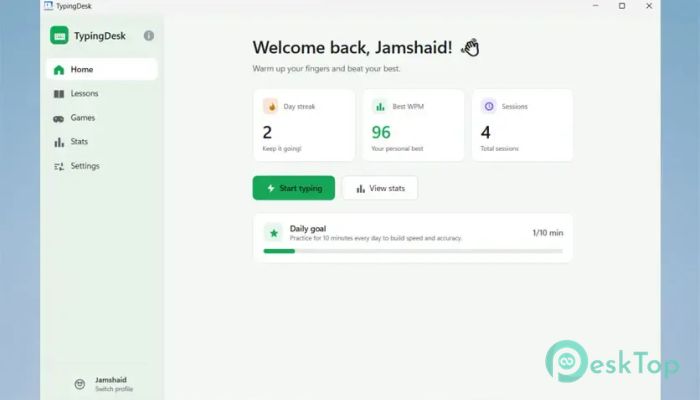
Watching your improvement is highly motivating. The software records detailed performance statistics, including WPM trends, typing accuracy, daily streaks, and personal best scores.
A colorful error heatmap shows which keys on the keyboard cause the most mistakes, allowing you to focus your practice where it matters most. Achievement badges reward milestones for speed, accuracy, consistency, and daily practice, encouraging users to keep improving.
Multiple Profiles for Shared Computers
The tool supports multiple local profiles without requiring passwords or online accounts. Every family member or student can have a separate profile with independent progress, achievements, settings, and statistics.
This feature makes it an excellent choice for classrooms, homes, and training centers where several people use the same Windows PC.
Keyboard Layouts, Languages, and Themes
Flexibility is another major advantage. The software supports popular keyboard layouts, including QWERTY (US and UK), AZERTY, QWERTZ, and Dvorak, allowing users to practice on their preferred keyboard.
The interface is available in English, French, German, and Spanish. Users can also switch between light and dark themes for comfortable viewing and customize typing sounds with adjustable volume controls.
Offline Learning with Zero Distractions
Unlike many online typing platforms, the software runs completely offline. There are no advertisements, subscriptions, cloud accounts, or internet requirements to interrupt your learning.
This makes it a reliable companion for schools, offices, travel, and places with limited internet access. Everything stays on your computer, giving you privacy and uninterrupted practice whenever you want.
System Requirements and Technical Details
Operating System: Windows 11 / 10
Processor: Minimum 1 GHz Processor (2.4 GHz recommended)
RAM: 2GB (4GB or more recommended)
Free Hard Disk Space: 2GB or more is recommended

-
Program size354.30 MB
-
Version1.0.0
-
Program languagemultilanguage
-
Last updatedBefore 1 Month
-
Downloads12
 Chess King 2026
 Easy German Platinum
 Easy French Platinum
 Easy English Platinum
 Moneyspire Desktop
 Concept Grid