
 Arabic
  English
  Turkish
  Chinese
  Japanese
  Russian
  Spanish
  German
  French
  Hindi
Hindi Download Bodega One Code 1.0 for Windows
Download Bodega One Code 1.0 for Windows.
Bodega One Code Overview
Modern software development is moving fast, and developers need tools that can keep up. This platform is designed to make coding smarter, faster, and more secure. Instead of relying on a single cloud service, it allows users to bring their own large language model and work with local or cloud-based AI providers. The software combines code editing, AI assistance, and autonomous task execution in one environment. Think of it as having a skilled coding partner sitting beside you, ready to write, review, and improve code while you focus on bigger ideas.Features of Bodega One Code
Complete AI-Powered Development Environment
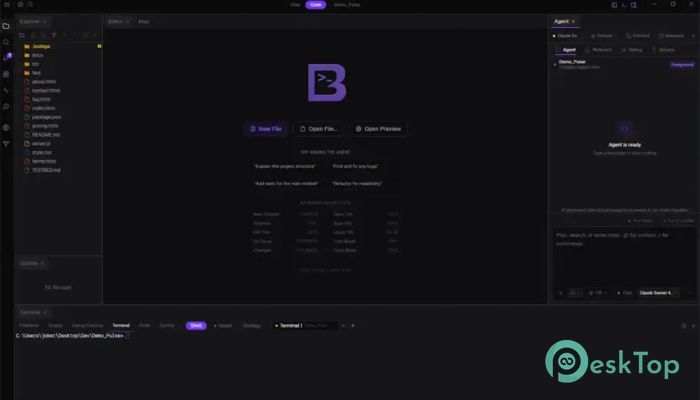
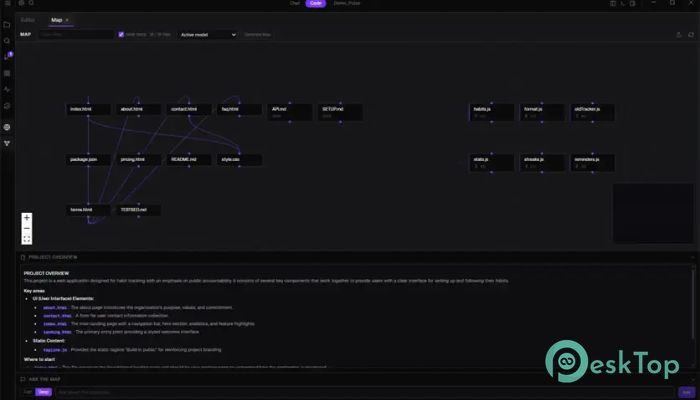
The tool brings together everything developers need in a single workspace. It combines a professional IDE, an intelligent AI assistant, and an autonomous coding agent capable of performing tasks independently.
Instead of switching between multiple applications, users can write code, ask questions, generate solutions, and manage projects through a single interface. This streamlined approach helps reduce distractions and improve productivity.
Bring Your Own LLM Support
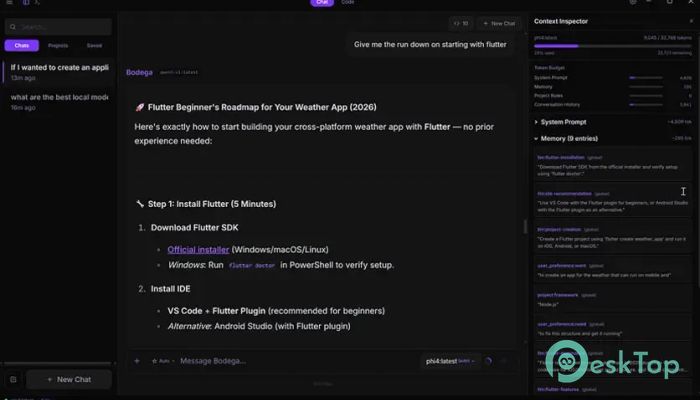
One of the biggest advantages is the flexibility to use different AI models. Users are not locked into a single provider. They can connect their preferred models and choose the one that best fits their workflow.
The software supports many popular providers, including Ollama, LM Studio, OpenAI, Anthropic, Groq, Together AI, OpenRouter, vLLM, and Llama.cpp, LocalAI, KoboldCpp, GPT4All, and MLX. This freedom gives developers complete control over how they work with AI.
Advanced Quality Enforcement Layer
Many AI coding tools generate code and stop there. This platform goes much further by introducing a powerful verification system. Every modification passes through a detailed five-step validation process before being accepted.
If an issue is found, the agent automatically works on fixing it. This process acts like a quality inspector checking every piece before it leaves the factory. As a result, developers receive cleaner, more reliable code with fewer mistakes.
Secure Air-Gap Mode
Security is a major concern for many organizations, especially those working with sensitive code. The software addresses this challenge with a dedicated Air-Gap Mode.
This feature uses nine separate enforcement layers designed to block all outbound communication. No telemetry, background connections, or external model requests are allowed. Everything remains on the local machine, making it ideal for private projects and secure environments.
Flexible Multi-Provider Routing
Switching between AI models can often create confusion and workflow interruptions. The software solves this problem with intelligent provider routing.
Each session remains connected to the provider it started with, preventing unwanted mixing of information. Developers can move between local and cloud-based models without affecting active projects. This creates a smooth and reliable experience when testing different AI systems.
Fleet Background Agents
Waiting for a single AI agent to complete a task can slow down development. Fleet technology changes that allow multiple autonomous agents to work simultaneously.
Each agent operates in its own isolated Git branch and worktree. Developers can launch several tasks at once, continue working on their current project, and later review the results. Successful changes can be merged while unwanted work can be discarded easily.
This feature is similar to having a team of assistants handling separate assignments while you oversee the entire project.
Customizable Dockable Panels
Every developer has a unique way of working. Some prefer a large editor, while others want quick access to terminals, previews, or AI tools. The software recognizes this need by offering fully dockable panels.
Users can drag, resize, split, and organize components exactly how they like. The Editor, Terminal, Agent, Preview, and Fleet panels can all be repositioned to create a personalized workspace. If needed, the layout can be restored instantly with a single click.
Improved Productivity for Developers
The combination of automation, AI assistance, and workspace flexibility helps developers save valuable time. Repetitive coding tasks can be automated, with the AI handling routine work such as code generation, debugging, and suggestions.
This allows programmers to focus more on solving problems and building innovative applications. Whether working on personal projects or enterprise software, the platform helps streamline development from start to finish.
Built for Local-First Development
Unlike many cloud-dependent solutions, this platform prioritizes local execution. Developers maintain greater ownership of their code, models, and workflows. Running tasks directly on the machine improves privacy and can reduce dependency on external services.
This local-first philosophy makes the software attractive to professionals who value performance, security, and full control over their development environment.
Wide Compatibility and Scalability
The software is suitable for individual developers, small teams, and large organizations. Its support for numerous AI providers and local deployment options allows it to scale according to project requirements.
Whether building a simple utility or managing a large codebase, the platform provides the flexibility needed to adapt to changing development needs.
System Requirements and Technical Details
Operating System: Windows 11 / 10 / 8.1 / 7
Processor: Minimum 1 GHz Processor (2.4 GHz recommended)
RAM: 2GB (4GB or more recommended)
Free Hard Disk Space: 200MB or more is recommended

-
Program size103.64 MB
-
Version1.0
-
Program languagemultilanguage
-
Last updatedBefore 2 Month
-
Downloads11
 Reportizer
 AccdbMerge
 RdpGuard
 Checkbook For Excel
 SysTools SQL Recovery
 Pointdev Ideal Dispatch